Quick Settings Menu - Color Icon

Hello everybody,
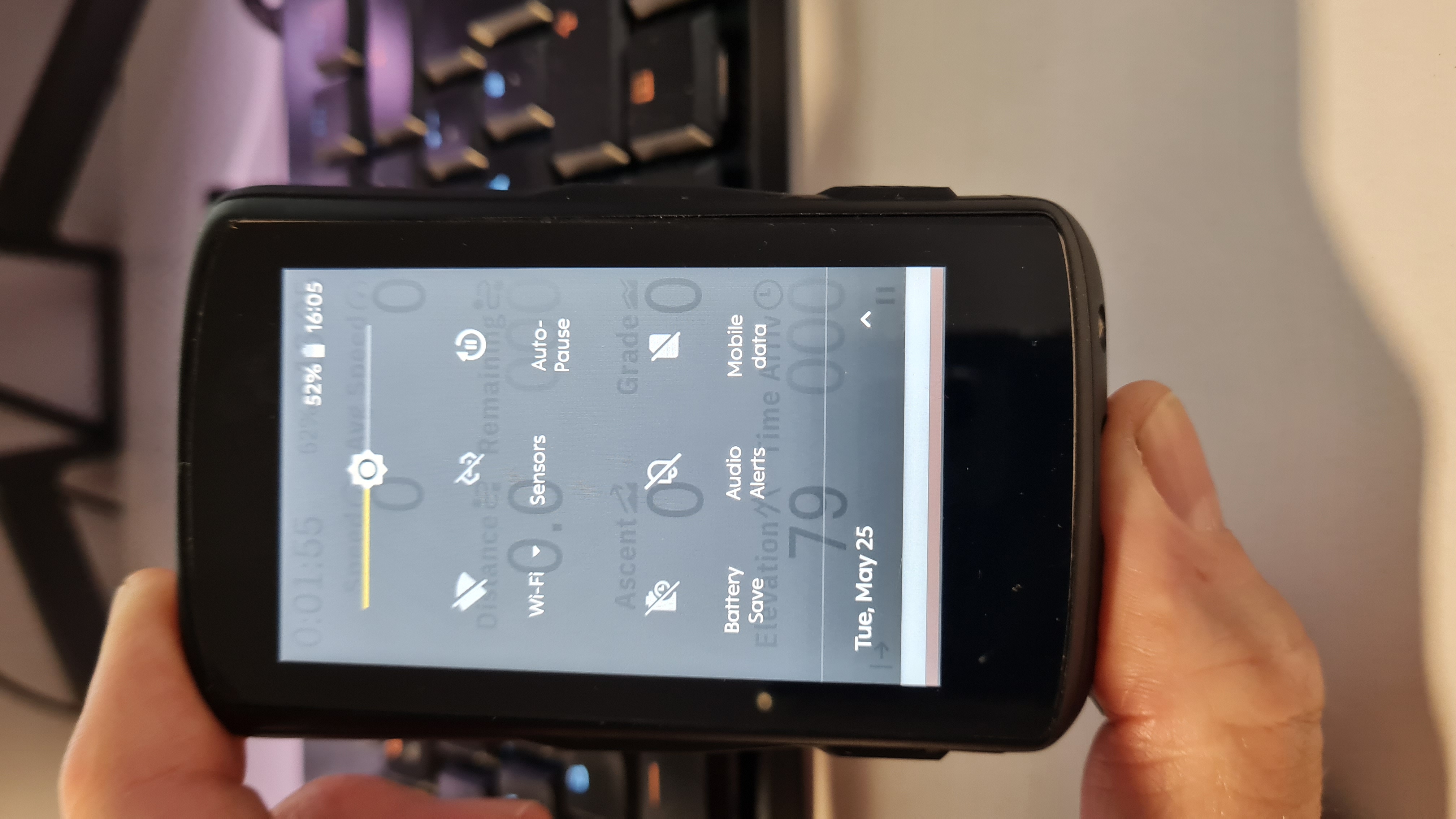
I have the problem that very often I cannot see whether a module is switched on or off in the 'Quick Settings Menu'.
I don't think light gray icons on a dark gray background are suitable. If the functions are active, the icons change to white, but this is also very difficult to see in sunlight. One possibility to be able to recognize this better would be if a yellow background, for example, would appear around the symbol when the symbol was active.
Or maybe another solution - think of the elderly with poor eyesight ;-)
Even in the photo you can barely see what is on or off now.
By the way: only WiFi & Autopause is on
Best regards
Gerald
-

Hi Gerald,
I agree that it seems a shame to have a best in class screen and not make use of the full array of colours and brightness that it's capable of displaying.
I must disagree that you have wi-fi turned on, though, as it has a diagonal line through the wi-fi icon. This is a further indication that it is disabled or turned off.
Steve
Please sign in to leave a comment.
Comments
1 comment