Question to the SDK developers: How to provide MapEffects?

Hi Hammerhead Extension developers, I'm thinking about creating an extension which shows POIs from OSM on the Karoo's map. Currently, I'm playing around with the extension SDK and already made it to show custom POIs on the map via an `Emitter<MapEffect>`. I'm just not sure how this would work when providing lots of POIs.
My current idea is to add an `OnLocationChanged` consumer and let my emitter provide POIs in a circle of x kilometers around the current location.
But I'm not quite sure, how the emitter is consumed by the Karoo core:
- Will my emitter be automatically consumed "from the beginning", when the location changes or how does this work?
- And will it be able to handle hundreds of points?
-

Hi,
I have fiddled around with the new map features for a bit.
Regarding 1) I think your extension service's `startMap` method is called as soon as the ride app starts up and the map is drawn. You get passed the `emitter` that you can use to show or hide stuff independent of other events whenever you like, until the emitter is canceled by the karoo system; so subscribing to location changed events and reacting to them by emitting draw calls is just one possibility.
Regarding 2) I wouldn't try to draw more than a few dozen at most. I would only pick a few POIs that are within the current map view and that do not overlap with each other. If the user zooms in, more are shown and POIs that are now out of range are hidden.
Unfortunately, there currently is a bug that prevents extensions from hiding stuff that has been drawn onto the map: https://github.com/hammerheadnav/karoo-ext/issues/53 . I consider this to be blocking for most use cases and will wait for a fix before I continue prototyping my extension that uses the map features.
My extension draws gradient indicators next to the route, similar to how wahoo devices use colored chevrons to indicate it. Drawing chevrons onto the route would also work, but they would overlap with the default ones and I didn't like how it looks.
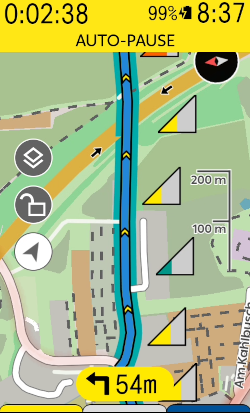
Also, unfortunately there is no event that tells you if the user has scrolled the map view; you only get the current gps location + zoom level.
-
Thanks for sharing your insights @timklge. That sounds as if the current API isn't really usable for what I plan. There are some things missing, most important an event which notifies the extension when the viewable map area changes and then requests the extension to provide MapEffects specifically for this area.
The current emitter mechanism is nice for data fields, but doesn't fit the POI use case well (at least if we are talking about lots of POIs like water points, shops, camping sites, bicycle repair and so on). OSM contains hundreds of POIs for a region and as I don't know, how karoo is handling these MapEffects internally I don't know whether it will handle it well if I simply send all of them. At least that doesn't feel like the right way to do it.
-

@timklge is there any possibilities to changing map text, eg font size on the map?
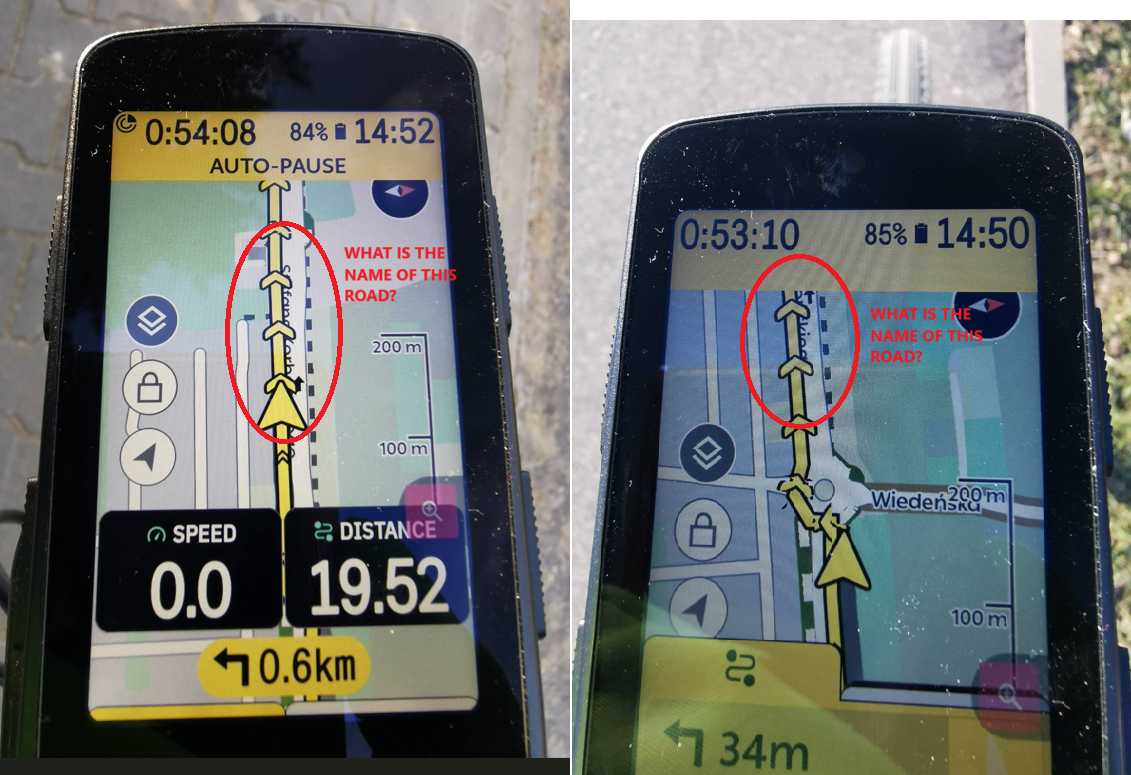
My eyes suffer from these tiny inscriptions, I can't see street names, towns, etc.Does API give a possibility to read street/road name/number?
Unfortunately, the route line completely covers the name of the road. It would be useful to have simple information like in Garmin which road I am going and which one I should turn into. -
The Karoo uses a mapsforge render theme that is stored on the shared file system, so it can be messed with via adb or extensions if they get storage permissions. The theme sets the text sizes, but modifying it is hacky as it's not part of the public interface for extensions that hammerhead has recently introduced with the SDK.
> It would be useful to have simple information like in Garmin which road I am going and which one I should turn into.
That is displayed as part of the turn by turn instructions, is it?
-
In my opinion, text on the map should be on the top layer. At now, the route line covers roads names. Of course text is to small for reading it during ride.
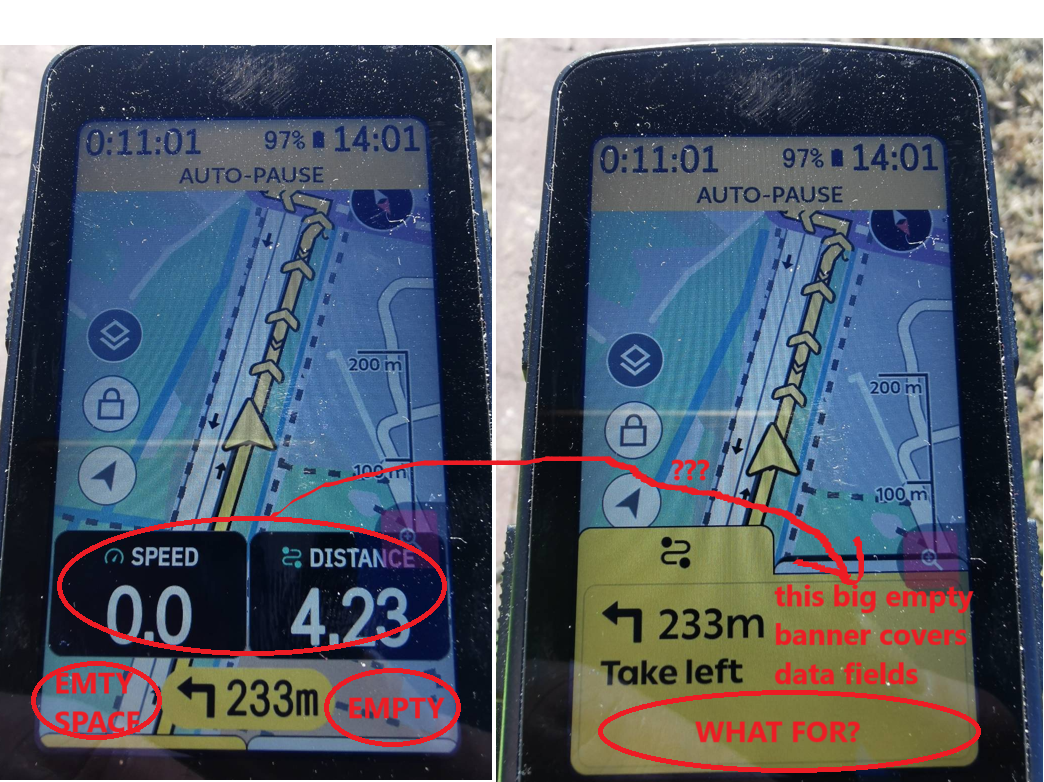
Another problem is the big field of cues. There is enought space to display name or number of the road next to arrow field. The road name/number can be display as a short if it is too long. What for so big yellow field which cover data fields? It should be dynamically resized to enought size.
Please sign in to leave a comment.
Comments
6 comments