Varia Covers Navigation
Answered
A challenge with the radar display which I think may be an easy fix....
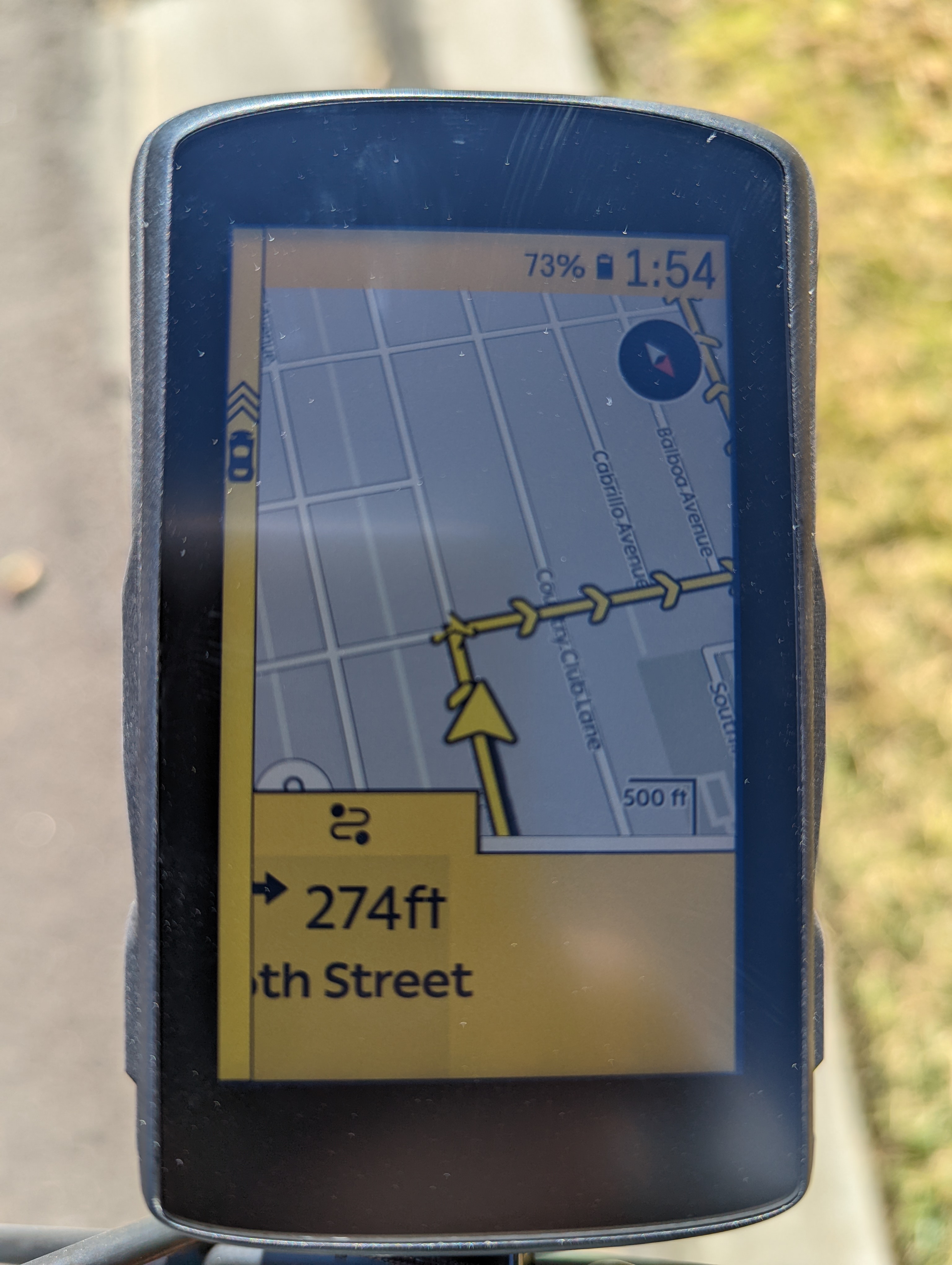
When a vehicle is approaching, the overlay comes up as expected, but it winds up covering the turn by turn instructions. Not the whole thing, but just enough to obscure the first part of the next turn information. It would be great if the radar display could be pinned and the rest of the screen contents moved over as opposed to being an overlay.
I had a heck of a challenge riding through a new area yesterday where the streets were numbered. Since it was an urban area, there were nonstop cars, so the radar display was constantly up, and it managed to cover the first two charachters of the upcoming street name, so the entire route was telling me I had an upcoming turn on "XXth Street" with XX being covered by the radar display.
-
I definitely understand and agree it's important and a huge safety asset. My issue is that it should not impair other safety like knowing the upcoming turn. It should just be permanently on the side of the screen, with the other graphical elements NEXT TO it as opposed to underneath. Essentially a fixed column as part of the layout. It should not compete with layers.
-

or even better - have it not visible until needed, but when appears, shift the other fields to the right (slightly shrinking them). This can be done automatically by your android eng by always leaving the radar view in the view layout hierarchy and setting v.visibility to be View.VISIBLE or View.GONE. This should nicely shift all the other components over to the right as needed.


Please sign in to leave a comment.
Comments
5 comments