editing routes in my Dashboard
Answered
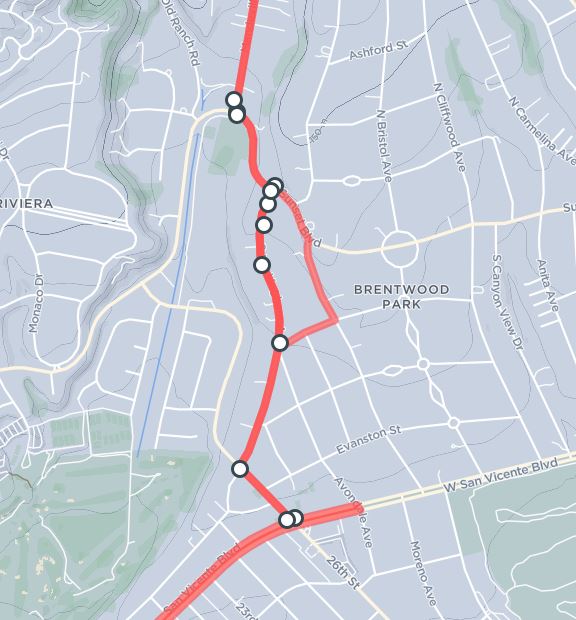
The goal is to edit a route that has been created on line. Reference the picture.
See the place near the bottom that goes from a waypoint, along W. San Vincente Blvd, then back. I don’t want that excursion. How it is deleted. There is no waypoint.
Second, look at the bottom two waypoints, one obscures the other. Which one is the ride out and which is the ride back?
Third, what are the steps to add a waypoint in the middle of a line/route? Then, I presume, I can move it to add another leg to the route.
-

Hi Bryan, the Dashboard at this stage is a basic tool for route creation and editing. It doesn't have all the options needed to construct a route to our requirements. The reason the route takes a weird path is due to the underlying OSM data.
To add a waypoint in the middle of the route, you can just click along the path and adjust the waypoint by drag and drop.
Please sign in to leave a comment.
Comments
1 comment