Change start/finish on a route
Answered
i was sure I'd seen a similar post but cannot find it so apologies ...
i have a Sportive Route that I'd like to ride but starting mid-way round the route but to complete the whole route (see image) - what would happen if I just rode this using the Karoo 2 or do I have to manually recreate or move points around in Dashboard Routes?
So I want to start the ride from the new arrow head...
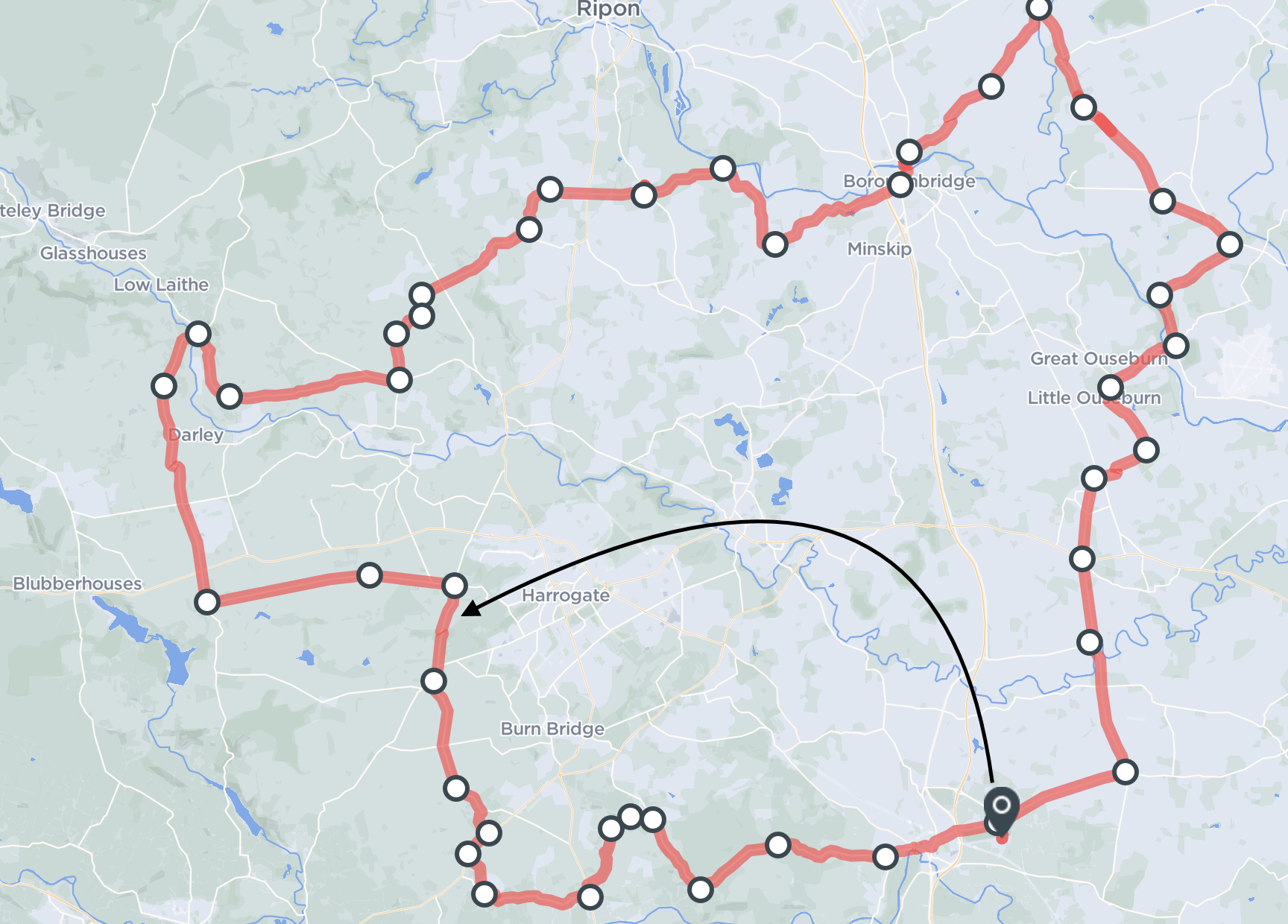
-
Can we request an easy option to keep the "route" as is but to pick up and drop the start/end to a new location? If i just move this the "Dashboard" recalculates the route and whilst I can sometimes add a new point to drag back to the original route sometimes you get the "Unable to add interpolated waypoint" error!
Ideally to click on an existing waypoint and convert to start, finish or maybe start/finish
-

Would be also great to just jump in via the closest waypoint! Then you can skip the prior editing and can avoid unnecessary navigation to the start point which might be impractical from where I stand/want to start.
From a UX perspective, it is always in the interest of the end user to avoid unnecessary manual adjustments!
-
Found a couple of solutions - the GPX files are just text and can be edited, takes a bit of playing around but you can cut and paste the required lines above/below to make a new start/end.
The easiest though was an online app called "Plotaroute" which allows you to cut a route in to 2 or more sections - So took the route above, cut the route (moving the cut point) and then saved as 2 routes, then created a new route using the 2 saved files in the right order. Rode it yesterday without any issue. Paid the £18 (annual) fee to get the ad free version but impress with the features.
-

Maybe this link (https://geo.javawa.nl/startpunt/) is also useful. The tool is very simple but works very good.
It’s in dutch. Press the question mark on the website for the help text and use Google translate once and you know how it works.


Please sign in to leave a comment.
Comments
6 comments