Build route using a sidewalk

Answered

Comments

11 comments

  • Avatar
    Tijmen Krijnen

    Yes, I had this issue too, eventhough the path is usable by bikes the Karoo did not want to take it.

    0
    Comment actions Permalink
  • Avatar
    Michiel Modderman

    No real solution, the workaround is to drag the route over a path you really want to take.
    Same with a ferry.

    0
    Comment actions Permalink
  • Avatar
    Scott Crawford

    Hi Michiel.   Not sure I understand.  How do you "drag the route"?    Wondering if this is something that you have to do on the device (waiting for shipment) vs in the browser.

    0
    Comment actions Permalink
  • Avatar
    Michiel Modderman

    For example, this ferry crossing. I made a demo route of 500 meters that should use the ferry crossing. Initially the route will take a huge detour:
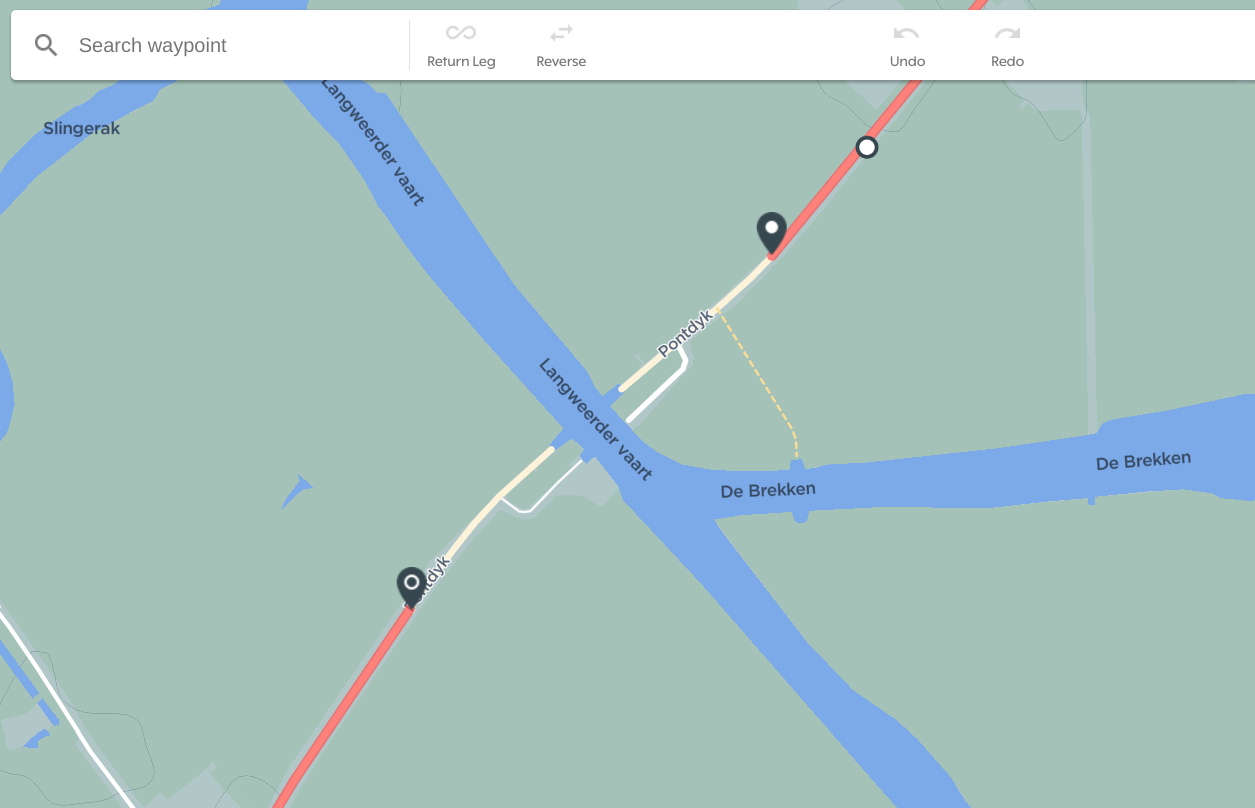
    After clicking anywhere on the red route line you get a white dot, this dot can be dragged to the road (or sidewalk, or ferry in my case) you want to include in the route:
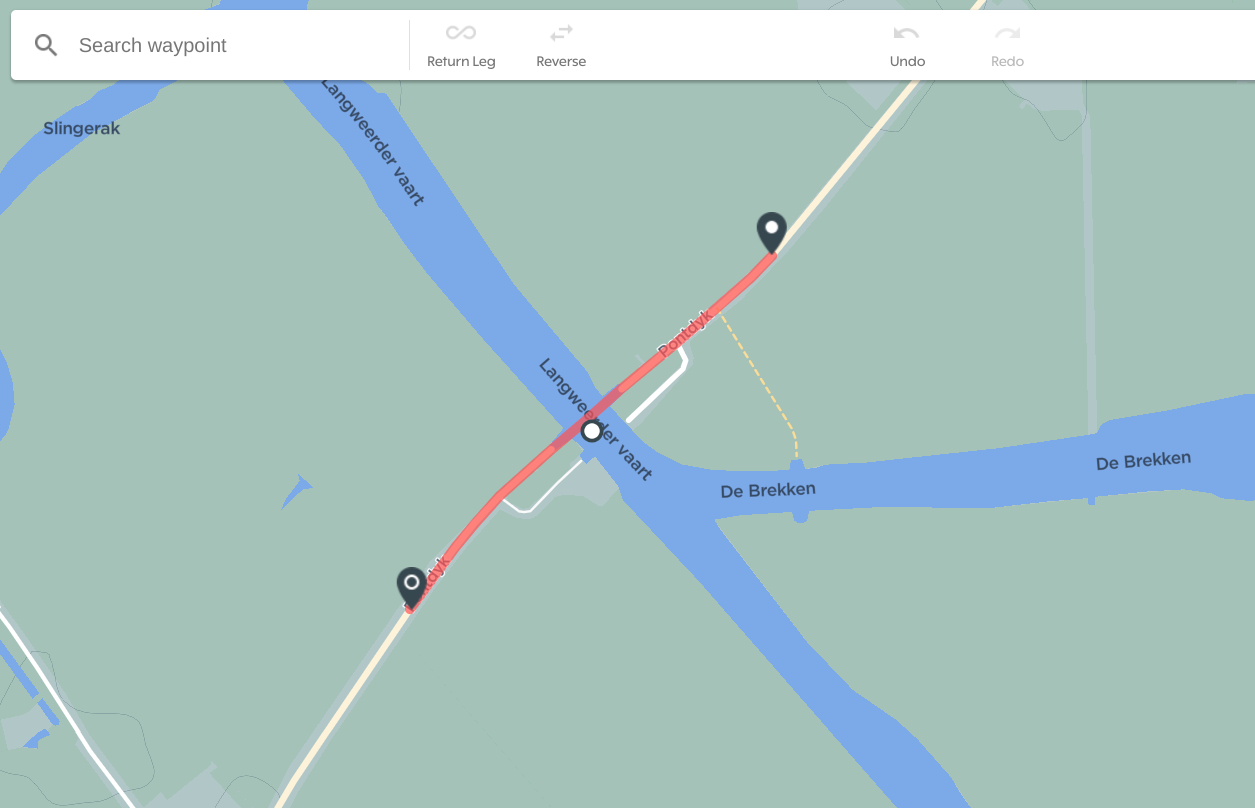
    This will show you the updated route!

    0
    Comment actions Permalink
  • Avatar
    Scott Crawford

    Thanks for the quick reply.  I can't make that work.   Maybe it's my sidewalk that's the problem.

    Do you mind trying it?    Here is an address that is on one end of it.   

    173 N Hunter Forge Rd 19713 (Newark, Delaware - USA)


    0
    Comment actions Permalink
  • Avatar
    Michiel Modderman

    Indeed, you are right. Most paths seem routable, though these (with almost grey dashed lines) can't seem to be used.

    I guess it's related to how the path was defined in OpenStreetMaps.

    0
    Comment actions Permalink
  • Avatar
    Martin Bednarik

    @Scott There is nothing easier than build that route in some other app, export GPX from there and import into your Hammerhead dashboard. Which I usually do anyway. I rarely create a route in HH dashboard.

    2
    Comment actions Permalink
  • Avatar
    Scott Crawford

    @Michiel....thanks for your help.   I learned something new and went and edited the OpenStreetMaps.   It was defined as a walking path and cycling was undefined.    Will see how long it takes to switch.


    @Martin B....thanks.  I'm new at defining routes.   Had played with it in the Garmin connect app...but that was a struggle.  Even the HH dashboard is better than that.   I think I would've struggled based on how that path was defined.

    0
    Comment actions Permalink
  • Avatar
    Michiel Modderman

    Indeed interesting to see how long it takes before such a OSM change becomes active on the device.
    I can't find much information about the map update frequency...

    0
    Comment actions Permalink
  • Avatar
    Martin Bednarik

    @Michiel Don't get much hopes. There is a topic about the map update frequency - https://support.hammerhead.io/hc/en-us/community/posts/1260801728189

    0
    Comment actions Permalink
  • Avatar
    Richard Soltes

    This is a PITA when routing.   I can't as much as hop a sidewalk, go the wrong way, or through the park ,and god help me if I jump a curb in Routing on the Dashboard.

    I use Martin's approach and use the Map-My-Ride pedestrian feature that acknowledges the fact that they don't walk in the street or only follow roads, and then import the map. PITA.

    I wouldn't dream of using the routing feature in the Dashboard, because of this.

    0
    Comment actions Permalink

Please sign in to leave a comment.