Build route using a sidewalk
Answered
I'm building a route in my browser and there is a section between two neighborhoods that is connected via a sidewalk. If I put two pins on either side of it won't use that path. Instead it takes a 3 mile path across normal roads instead of the 30 foot sidewalk path.
Any thoughts?
-

For example, this ferry crossing. I made a demo route of 500 meters that should use the ferry crossing. Initially the route will take a huge detour:
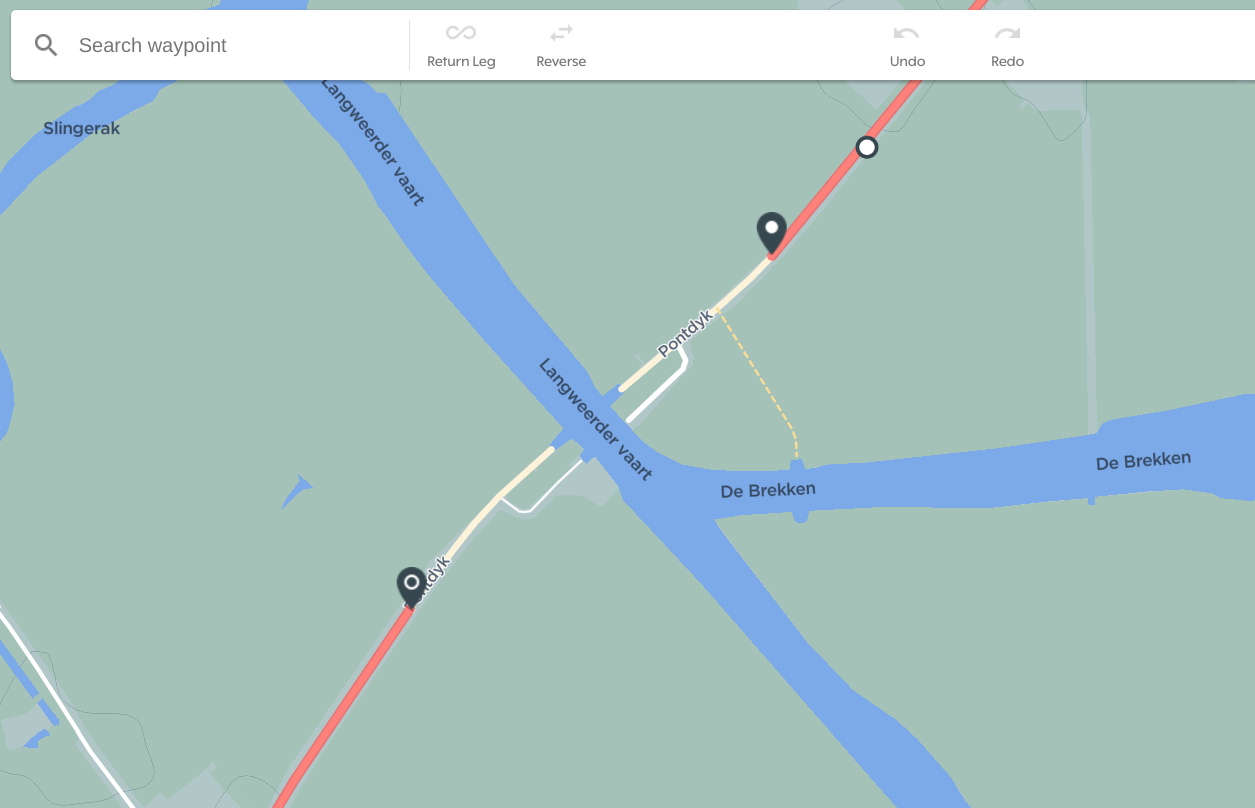
After clicking anywhere on the red route line you get a white dot, this dot can be dragged to the road (or sidewalk, or ferry in my case) you want to include in the route:
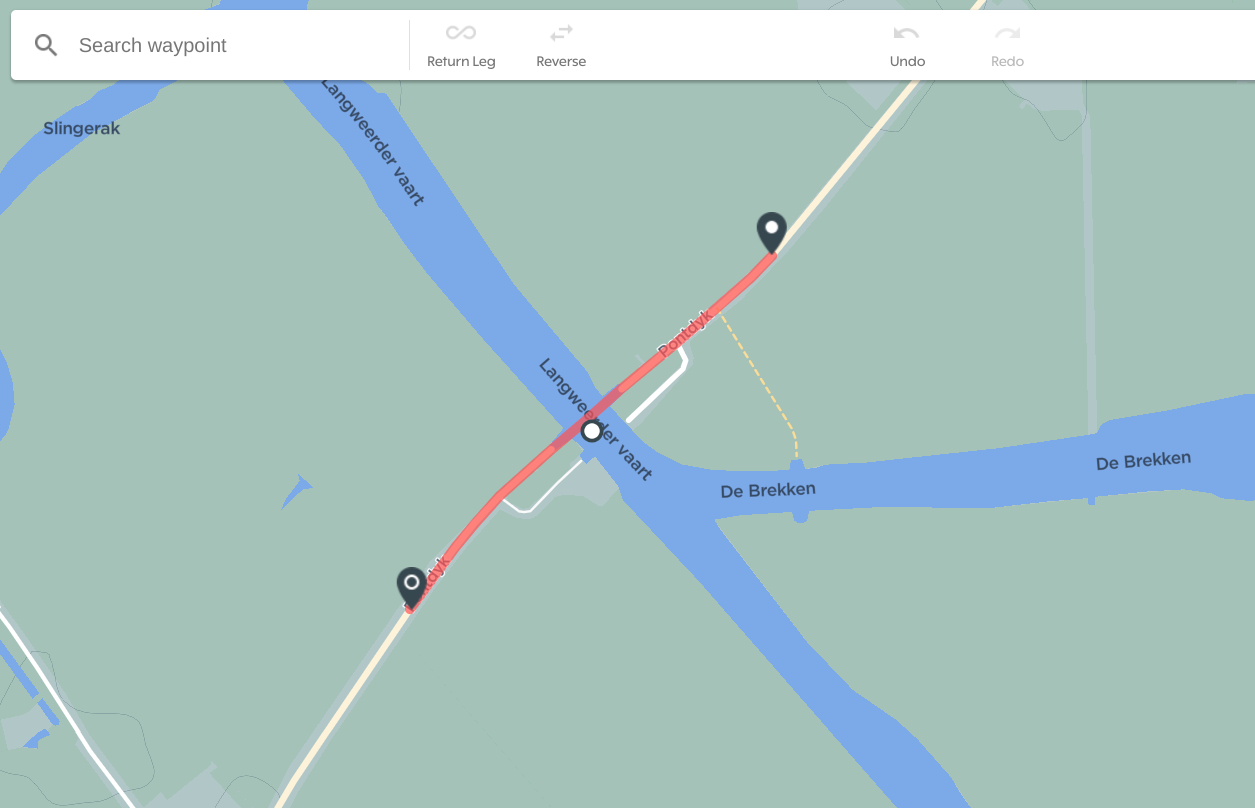
This will show you the updated route!
-
@Michiel....thanks for your help. I learned something new and went and edited the OpenStreetMaps. It was defined as a walking path and cycling was undefined. Will see how long it takes to switch.
@Martin B....thanks. I'm new at defining routes. Had played with it in the Garmin connect app...but that was a struggle. Even the HH dashboard is better than that. I think I would've struggled based on how that path was defined.
-

@Michiel Don't get much hopes. There is a topic about the map update frequency - https://support.hammerhead.io/hc/en-us/community/posts/1260801728189
-

This is a PITA when routing. I can't as much as hop a sidewalk, go the wrong way, or through the park ,and god help me if I jump a curb in Routing on the Dashboard.
I use Martin's approach and use the Map-My-Ride pedestrian feature that acknowledges the fact that they don't walk in the street or only follow roads, and then import the map. PITA.
I wouldn't dream of using the routing feature in the Dashboard, because of this.


Please sign in to leave a comment.
Comments
11 comments