Turn description blocking map
Answered
-

Hey Damon,
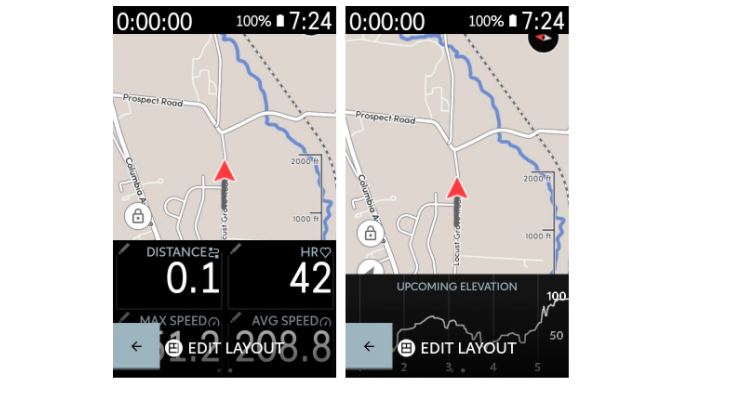
We do have a profile layout where you can indeed have the map displayed on the top with the data fields below :) You can visit this link: https://support.hammerhead.io/hc/en-us/articles/360054935614-Profile-Layout-Options to learn about types of layouts available :)
-
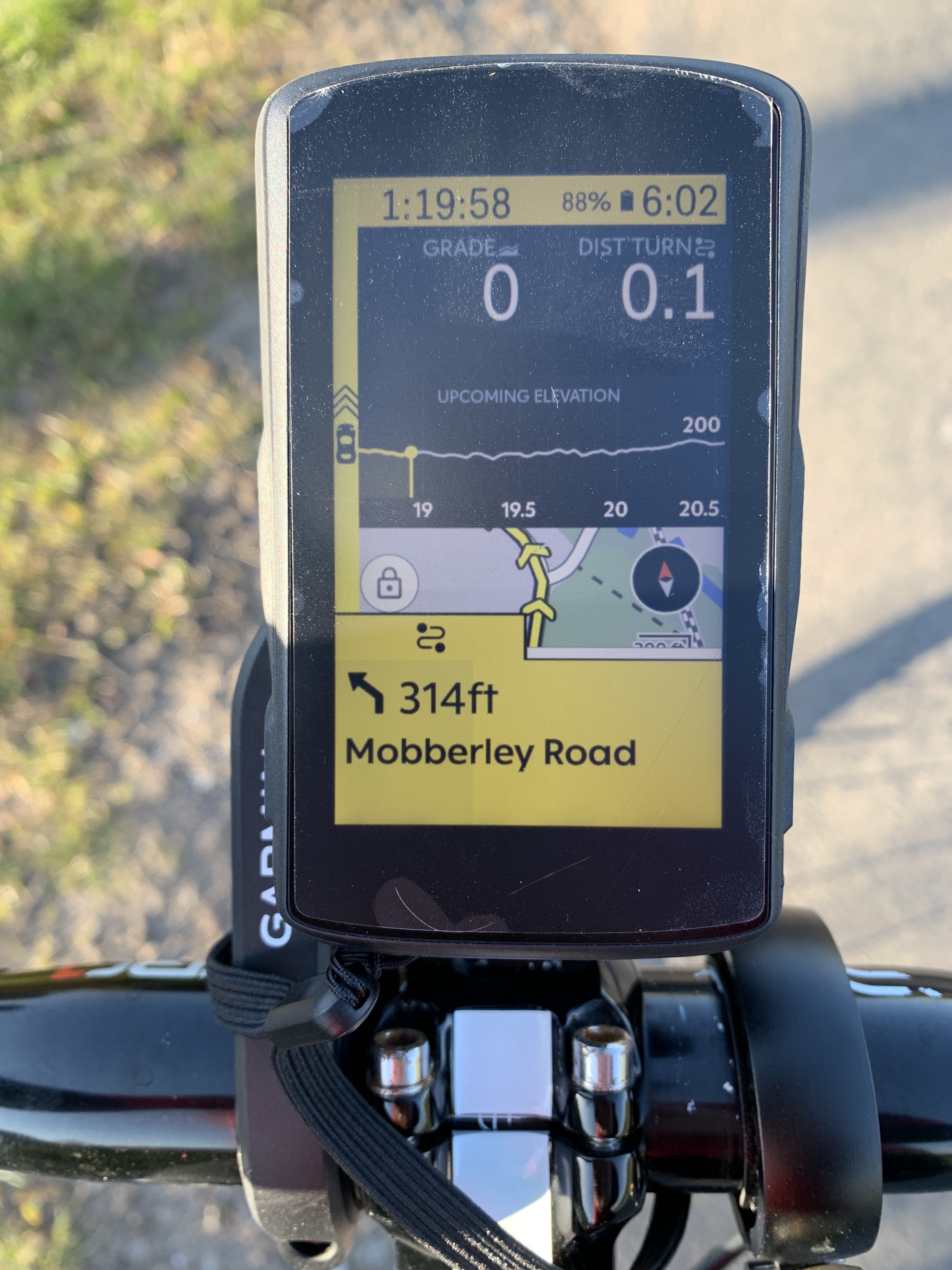
That’s not what I’m asking for. I’m asking for the screen to show map, data fields AND upcoming elevation / graph field with the map at the top.
Tbh the elevation and data can be either way, but you currently have a screen layout that is:
DATA
GRAPH
MAP
But the map gets blocked by the TBT pop up.
So please offer (as a layout):
MAP
GRAPH
DATA
Hope this is clearer.
-
That combination of map at top + Elevation Graph + Data Field is exactly what I am asking for :)
It makes sense to have it as the reverse format exists and I think having the map at the top makes much more sense.
I have another issue with the map (location arrow is far too high up the map when following a route) but I'll make a separate issue thread on that.
Thanks for listening!

Please sign in to leave a comment.
Comments
7 comments