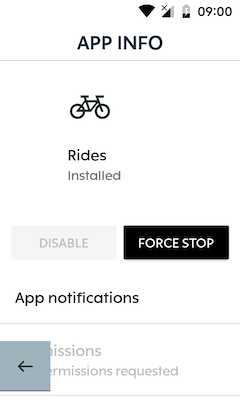
Force Closing Apps on the Karoo 2 doesn't work anymore
Answered
Force Closing Apps on the Karoo 2 doesn't work anymore (see link).
https://support.hammerhead.io/hc/en-us/articles/360058888793--Force-Closing-Apps-on-the-Karoo-2
When i press the bottom right (D) button long, the Karoo 2 reboots.
I think this is related to the new Home screen.
-

Hi All, there should not be a need to stop this app from the Developer option. The button D if you long press for more than 5 sec resets the Karoo, which is why the app switcher button was moved over to button B. Erwin, if you are not able to get it to work, please record a short video and share it with us in an email to support@hammerhead.io and we will take care of it, in case of any hardware faults.
-

I'm pretty sure this is a regression and users were able to double click button D previously to launch the app switcher from within any other app.
The problem now is that button B is typically used to go back to the previous screen which is why double clicking it doesn't work. Double clicking button B goes back 2 screens now rather than launching the app switcher.
You now have to go back to the home screen before you can kill an app by double clicking button B (from the home screen).

Please sign in to leave a comment.
Comments
8 comments