HR zones in Ride app incorrect since last update
Answered
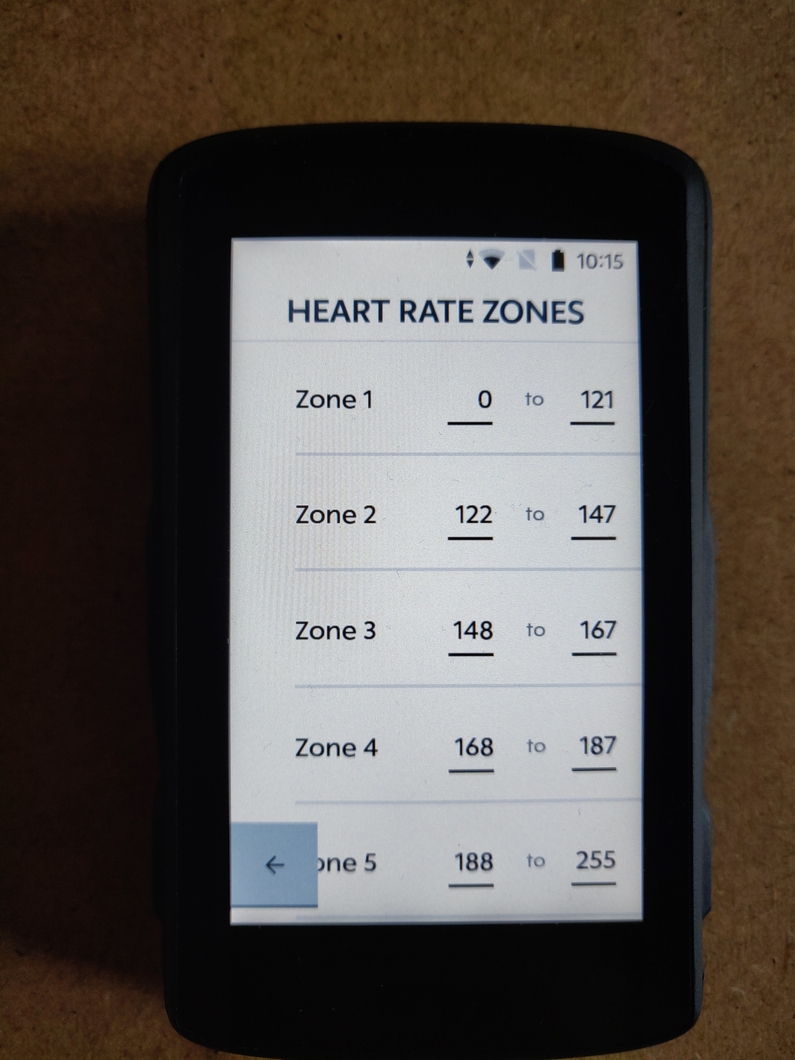
Small bug since last K2 update. I have configured the heart rate zones like (apologies for the very poor photo quality 😁) :

Now when cycling with (let's say) a HR of 162, the HR zone field on the K2 will show "Zone 4". Which is incorrect, it should be "Zone 3".
I haven't figured out if it simply always shows one zone too high. Re-configuring the HR zones made no difference. Until recently the HR zones used to work fine.
Does anybody else see this issue?
-
Official comment

Hi All,
We have added a tenth's decimal place to the Power & Heart Zone numeric data fields in today's software release. Now you would be able to see if you are higher or lower in those particular zones!
Comment actions -

Akhil,
I did as you asked but I get the same results:
- New profile created
- Ride started via new profile
- Results are the same
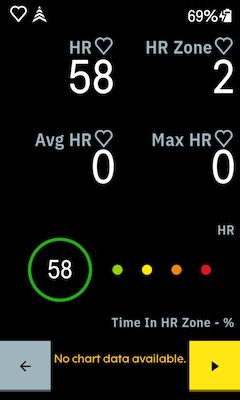
This new profile contains only one HR page (as above).
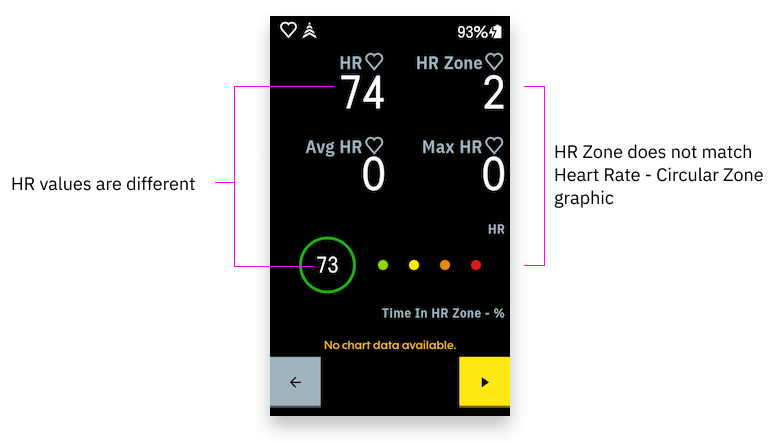
The discrepancy in HR values across fields is not as reproducible (sometimes there is a slight time lag between the two fields updating) but the HR Zone field is still plain wrong (which you should be more concerned about) and I am able to reproduce this every time.
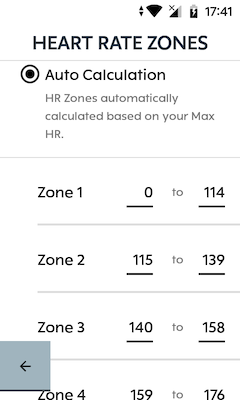
Just for completeness, here are my auto-populated HR Training Zones:
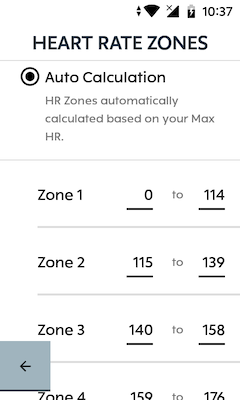
A HR of 58 is clearly in Zone 1, guys.
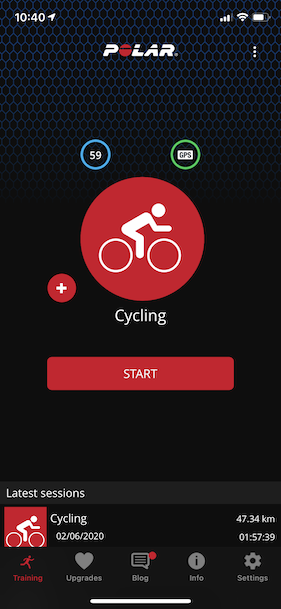
This was using a Polar H10 HRM. There does not seem to be any issue with this HR Monitor:
-
No worries, Akhil.
I just wanted to let you guys know that I managed to get the HR Zone field to display Zone 1 when my HR dropped to 56 bpm. I have my resting HR set to 55 bpm, currently.
I don't know if this data point helps or not.
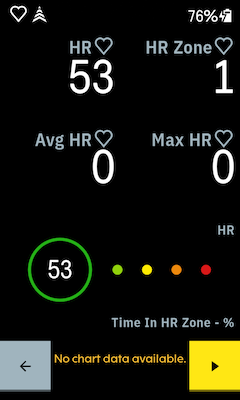
It would seem that the HR Zone field is unaware of the Heart Rate Training Zones in Settings, because the Circular Zone Graphic has no issues with determining the correct HR Zone.
-
Hey All,
Thank you for sharing your observations, We have been able to reproduce the delay of the circular zone processing the live heart rate and the discrepancy of the zones shown on the HR zone data field. We have raised this further to our team to improve the accuracy of their fields and we hope to see them fixed in our upcoming software updates! :)
-
@Akhil: the problem is still not solved, the K2 has been updated to yesterday's update. I think this issue was marked as fixed in a previous release note?
I have created a new very basic profile (as suggested), but still the HR zones are wrong. Even for a low heartbeat Z2 is showing. I think it switched from Z1 to Z2 when the HR was above 61.
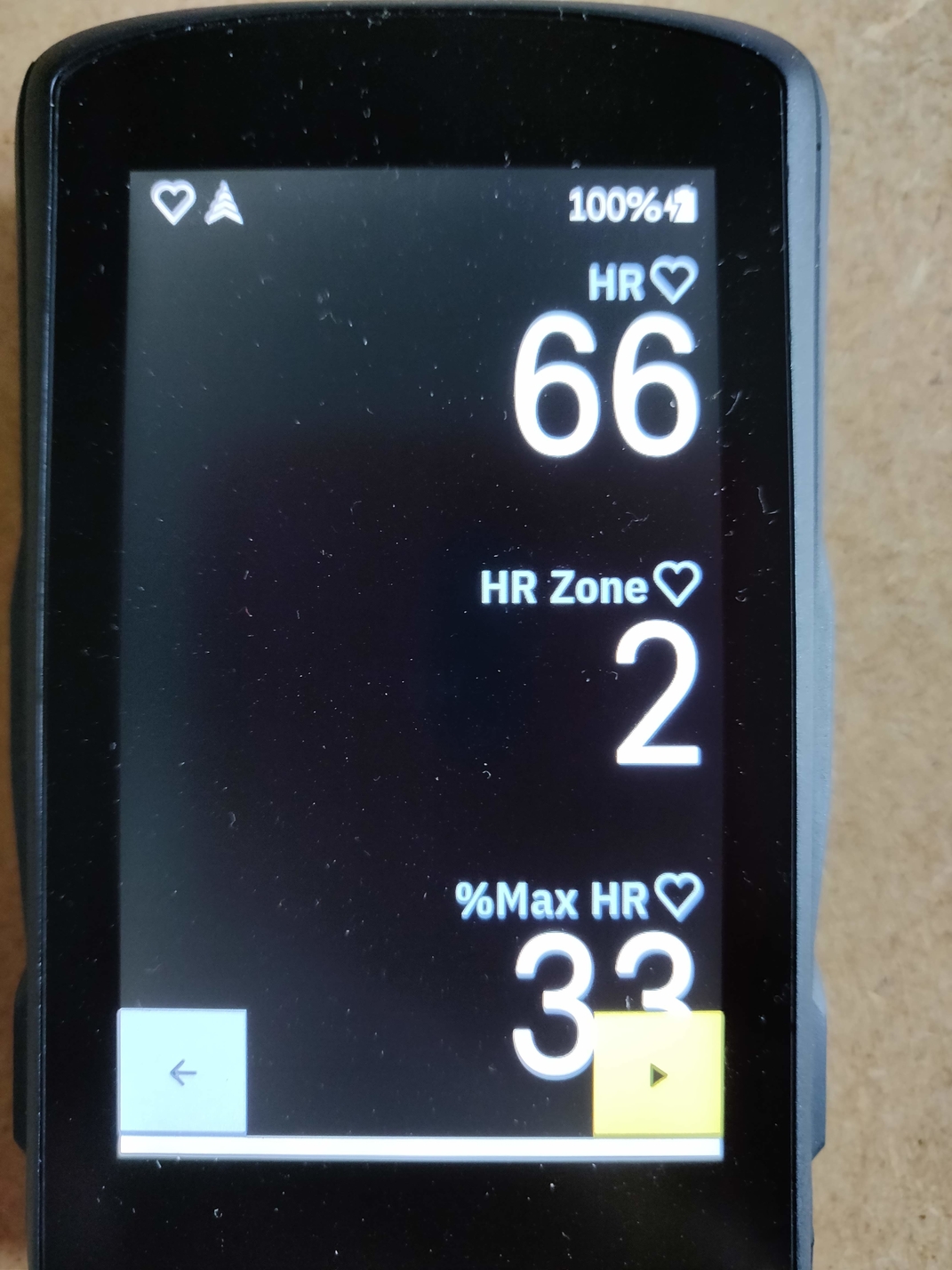
-

I pointed this out before. First of all, a heart rate zone should be displayed in a double and not as an integer. Once you are halfway through zone 2 with your heart rate = 2.5, zone 3 will be displayed as the number is rounded. And it should not be rounded because that is incorrect. Same for the other zones. 1.5 becomes 2. 3.5 becomes 4. The proof that it is being developed by developers who have never ridden a bicycle themselves. How many updates will it take to fix this? And please give me that double instead of the integer. As mentioned before, basic training science shows that you do endurance training in the middle of your zone. So I want to know that I am cycling in 2.5 or 2.4 or 2.6 and not just 2 or 3 or 4.
-

@nicolette. When you create, or modify, a profile you can choose what type of pages you use. One is map layout, another is data card. There is another type but I can’t recall the name of it. You need data card layout. Then, under under heart rate, you can select HR zone card. It is an option for the bottom part of screen. HR is shown as 1.2, 2.3, etc,etc.
-
Double digit HR zones are available on the K2! Use a data card layout then select HR Zone - Zone Gauge. Simple!
Yes, the gauge is correct. The question is why the basic HR Zone field without the fancy gauge does not display the right value in the right notation? Not all the users want the horizontal gauge. They just want a simple text field.

Please sign in to leave a comment.
Comments
21 comments