No HR on the Workout Screen?!?
Answered
Hi,
I am a new user of Karoo 2 and what I noticed after today's first structured training is the lack of current heart rate measurement in the main workout dashboard. How is it possible that this basic parameter is not there by default?
I thought it was an oversight and I'll edit this screen myself but it looks like all three fields (Power, Cadence and training graph) are fixed !?. How is it possible??. Maybe I don't know something, but it looks as if the most important measurement determining our health (and even life) has been omitted!!
-

@Karol:
Yes, It is possible to see your Heart rate in the workouts under the following conditions when syncing the Workouts from TrainingPeaks.
1. You must have the Training Peaks premium subscription.
2. When building a workout, choose one of the following “Units”
· % Functional Threshold Power
· % Maximum Heart Rate
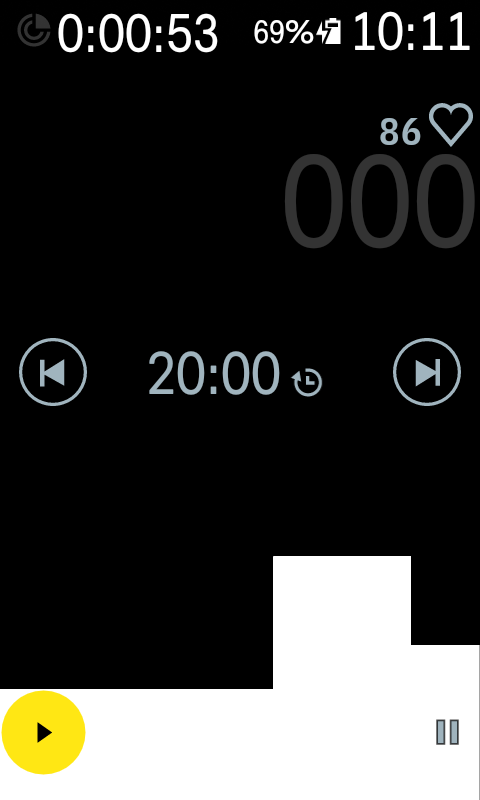
· % Threshold Heart Rate3. If you create a Power based Workout without any Cadence range/target, the HR field will show-up on the main Workout screen provided if you pair a HR sensor to Karoo 2.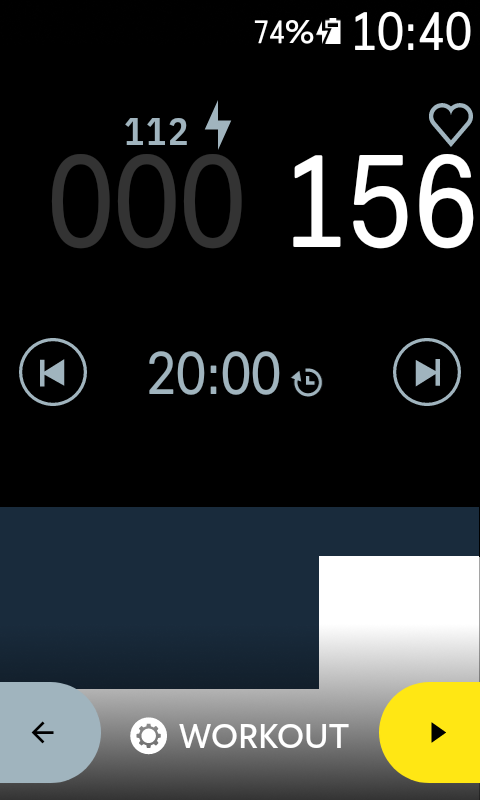 4. If you are building the Workout on a different platforms and importing it to Karoo 2, you would need to build a HR based Workout to see the HR on the main Workout page.
I have attached a screenshot for your reference.
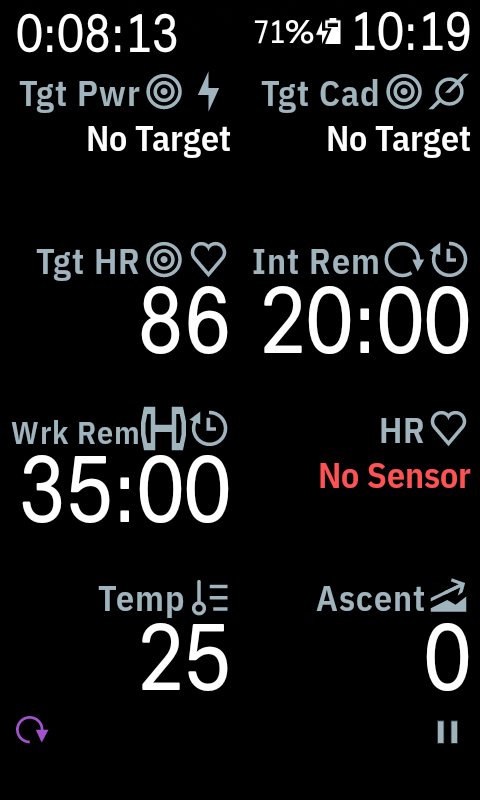
 Currently, it is not possible to customize the Workouts screen like other Data pages. You can add a new Page to your Profile and add all the Workouts related data fields on that page including the HR data fields. We have several workout and lap data fields so that you can create your own page with what you want to see. Just add a new page to your workout profile and add in what you want to see.
-
@Hari
You misunderstood me. I don't want to train based on HR. I train like most professional athletes on the basis of Power Measurement.
There is no power measurement in the first screenshot you showed.
On the second screen you showed, there is no a chart with the course of the planned training.
It is not a solution.
You can't constantly switch between screens to see if your heart rate during training is within your normal range.
The view of the training structure with power measurement and current heart rate is the basis for every other manufacturer. Any coach will tell you the same.
-
@Karol: I missed to add this point in my previous response and I have also edited my first response to add this information.
If you create a Power based Workout without any Cadence range/target, the HR field will show-up on the main Workout screen provided if you pair a HR sensor to Karoo 2. I hope this meets your use case.
 -
OK, now I see a workaround. I need to turn off or remove the cadence indicator from my workouts.
Thanks.
Anyway, I think there should be more controls and the ability to edit these fields. Ideally, all three basic indicators (Target Power, Actual HR, Target Cadence) and, of course, the training graph should be present by default.
Please sign in to leave a comment.
Comments
4 comments