General UI Feedback
Answered
Whilst I'm still waiting for my K2, here's some UI feedback for you...
Location of Back Button
Sometimes it's in the bottom right corner, sometimes in the bottom left corner. Sometimes - in some of the core system settings (like Wi-Fi, Date & Time, Bluetooth Audio, etc...) the back button is actually in the top left corner (controlled by Android core services, I suspect). Ideally, it should be in the same position on every screen, regardless of where I am.
For example - in the Rides view - it's in the bottom left. When I go into the details of a ride, it moves across to the bottom right. When I'm in Settings, it's bottom right.
It would be nice if there was some consistency applied here. Suggest you settle on one location (either the top or bottom left corner for the back button) and reserve the bottom right corner for the [ + ] and [ > ] buttons (depending on screen).
The UI has improved over the last few months but it's little inconsistencies like this that continue to let it down, IMO.
Workouts
Why is this even on the home screen when I don't have any connected Workout services (only TrainingPeaks is supported today, right?). This is not a primary task, IMO, and should not be positioned on the Home screen (especially when you can't connect it directly from the Karoo anyway and have to go to the Dashboard to connect it). What percentage of your users actually subscribe to and have connected TrainingPeaks to their Karoo? If less than 50% then I suggest you remove this from the home screen. I don't want to see it if I'm not a subscriber (and positioning it there is unlikely to make me want to subscribe either).
You have a support ticket asking for an update on my K2 order; I'd appreciate an update.
Steve
-

Hi Steve,
We really appreciate you for sharing your feedback on the different aspects of Karoo 2.
I see that we have defined the position of the back button for Karoo 2 to be on the left bottom corner of any given screen. I am uncertain if you are on the latest update for your Karoo 2 software. Could you please give it a check? I am sure with the latest update you would find the back button to be on the left corner of the screen. If you still see the ambiguity, please share the screenshot of the screen and we will certainly look into it.
For the workout app on the Home screen, we have 6 apps that show up on the Homescreen as standard apps. This was defined on the Karoo and not have been transmitted on the Karoo 2 for consistency. We truly honor your opinion of not having the workout app on the Home screen but the Apps that are available on the Karoo will be available on the Home screen such as "Settings "Routes" "Workouts as these are the key functionalities of the unit.
In regards to your email for the update on your Karoo 2 order, we have responded to the email. I am extremely sorry for not getting back to you sooner. Please follow up there for any further queries related to your Karoo 2 order.
-
Hi Abhishek,
Thanks for getting back to me, and thanks also for replying to my support ticket about my Karoo 2 order. I will continue to wait for the email inviting me to complete my order.
In response to the above, my feedback on the Back button placement was with regards to my Karoo 1, not Karoo 2. If this issue is fixed on the Karoo 2 then that's great. Here's a few photos to illustrate the inconsistencies on my Karoo 1 (please also note the build number indicating I am on the latest version of the Karoo software):
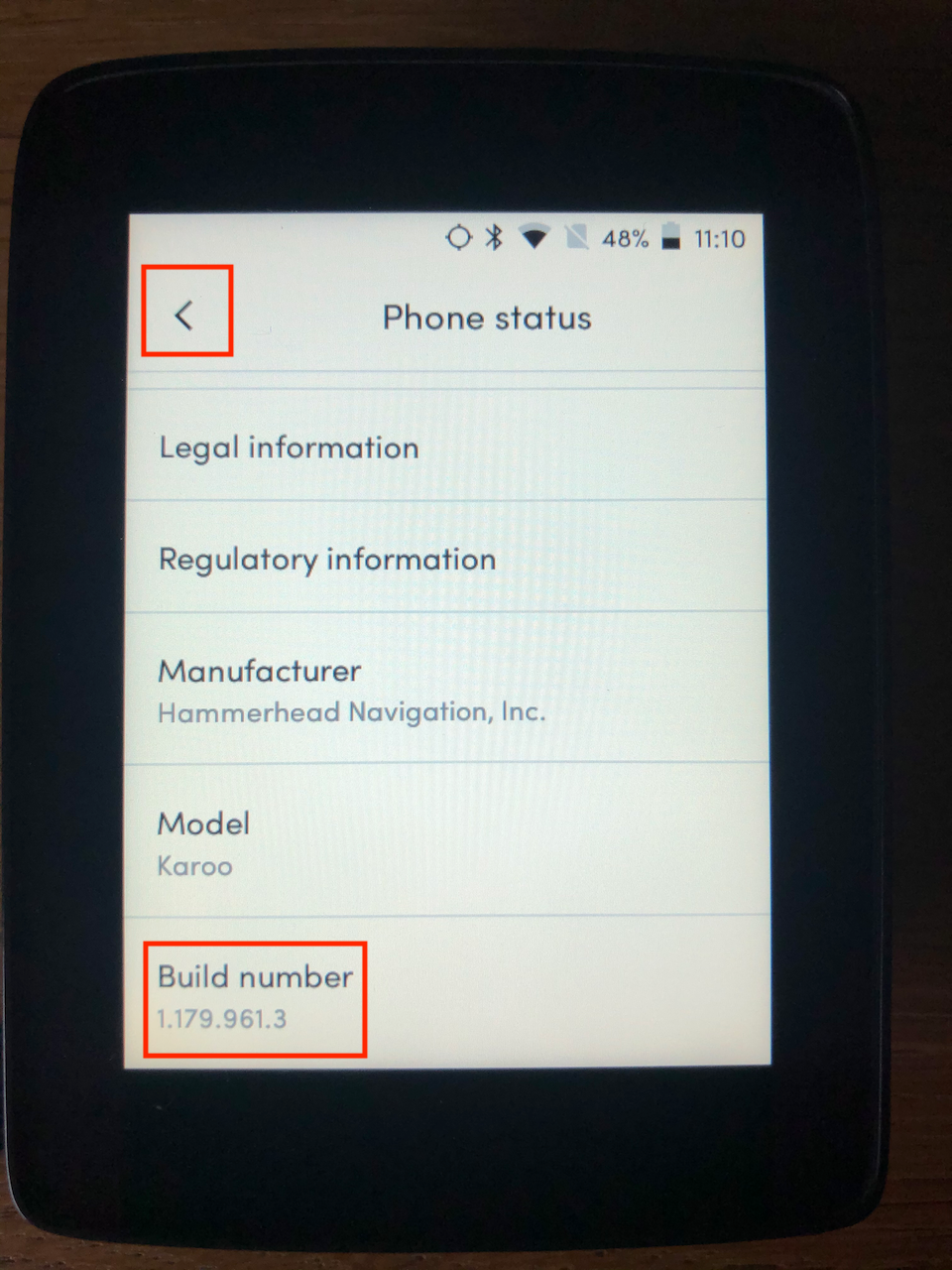
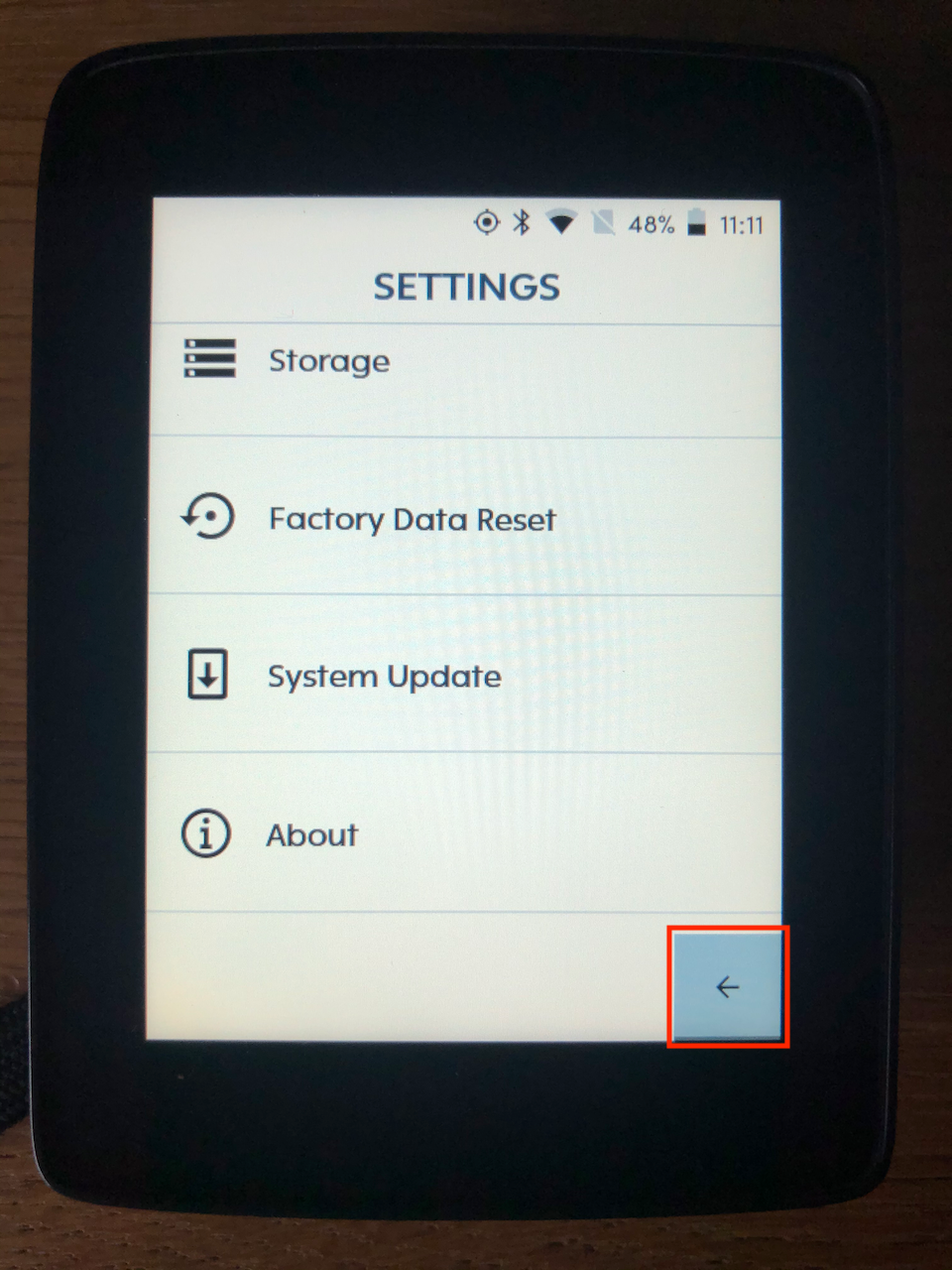
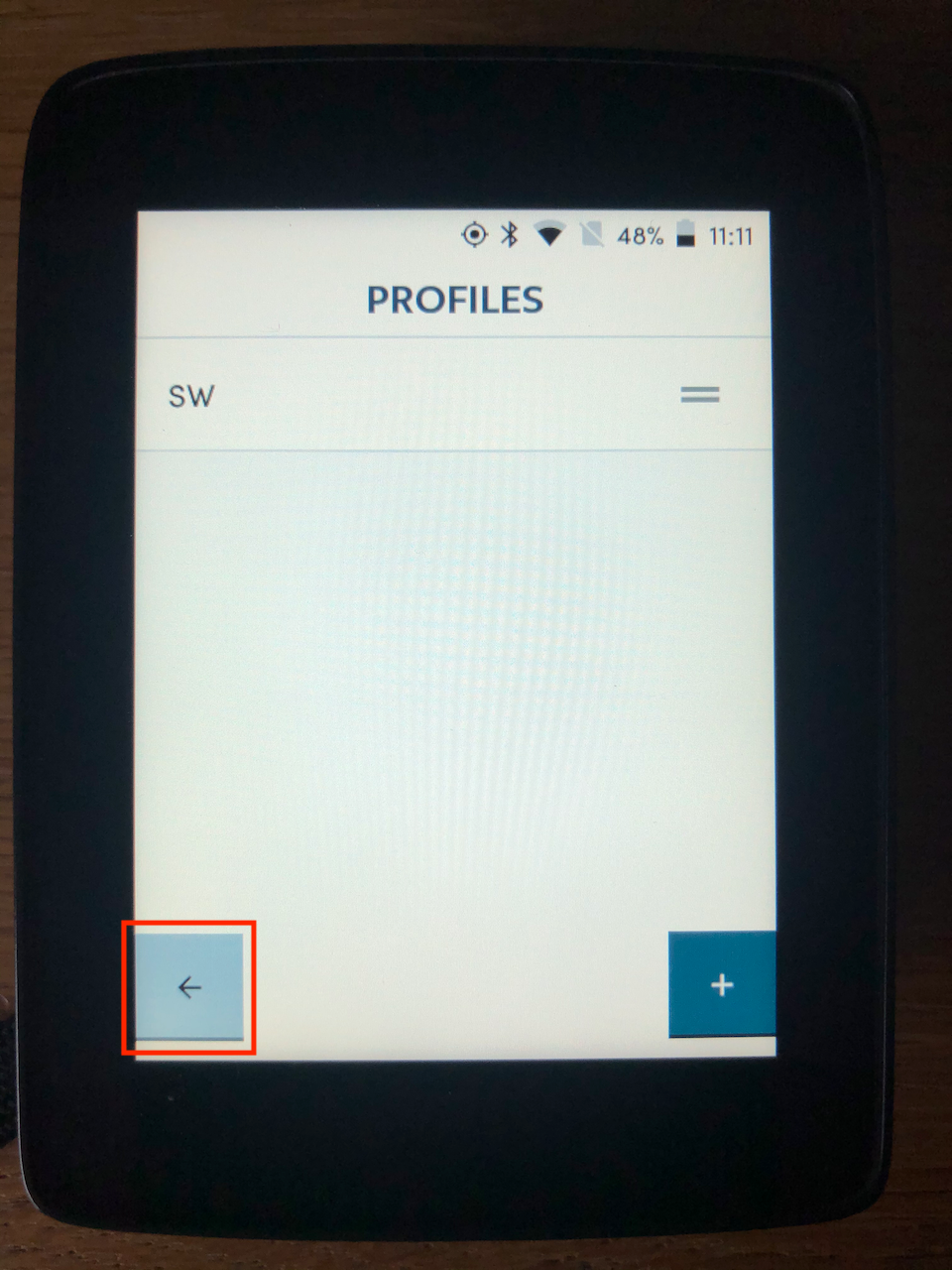
My point was that it would be preferable if the Back button was in a consistent location on every screen.
My point about the Workouts app still stands; if I've not configured it as a connected service, I don't want to see it on my Home screen (but appreciate you ship it as a built-in app and may not have a means to hide it for users who just want to use their Karoo without TrainingPeaks).
Thanks,
Steve
-
Hey Steve.
My apology for the previous reply. I was referring to the back buttons in Karoo 2.
I would like to inform you that Karoo 1 has been designed with Karoo 2 but it was difficult to map as the Karoo 1 has more buttons. However, our software team had worked on this issue and have mapped the on-screen buttons to the physical buttons on Karoo 1. This is the reason that you would see back buttons on the screen falling along with the physical buttons.
-
Karoo 1 routes list back button is on the bottom-right
-
When navigating the list with physical buttons, the check-mark appears above the back button on the bottom right of the screen
-
Karoo 1 route preview back button is bottom-right and check-mark is right above it
Besides, we have definitely worked on this on Karoo 2 and have aligned the back button on Karoo 2 to be on the left bottom corner.
-
-

Except when it's the End Ride button,
instead of the Open Apps button,
or the Lap button.
Problematic when there is a button press that doesn't connect, or lag that changes function and input occurs before lagging screen show new function. It has improved over time, but not yet resolved. Nothing quite like unity of design.
Please sign in to leave a comment.
Comments
4 comments