Karoo 2 USB port replacement

Hey all,
A longtime client just sent me a Karoo 2 for repair. As I have never worked on a HH device I thought it may not be a bad idea to reach out and ask if anyone has ever repaired one of these devices and if there was any available info on disassembly. Would hate to kill this device due to ignorance.
I am currently thinking I will need to use the heat pad to losen up adhesive under the display but am currently just guessing. Any info is appreciated.
thx,
chuck
-

As it happens, I've just done a port replacement on mine.
I used XKB 32141-2FS. There's also XKB 33141-2FS which as far as I can see is identical, but with a different rubber gasket. The gasket that came with the 32141 is smaller than the original, so I re-used the original. According to the datasheet, the 33141 gasket is even smaller. I also found the GlobTek 32141-2FS.
If you happen to be in the UK I bought a few spares and I'd be happy to send you one for a few quid.
New vs old:
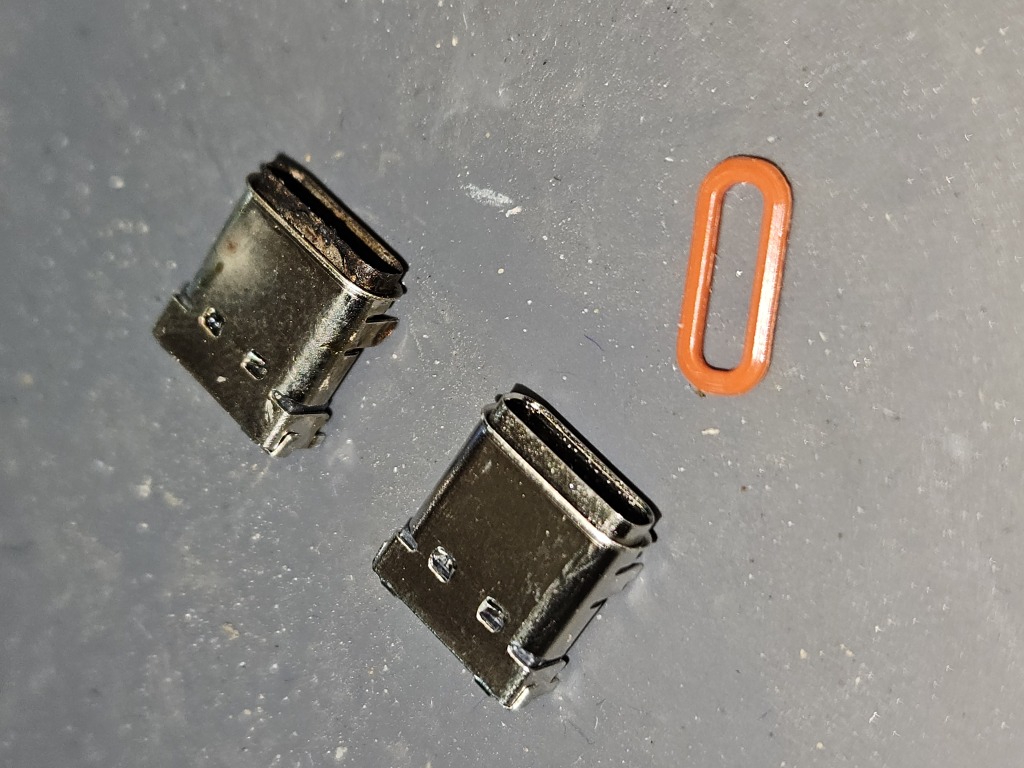
Out of interest, how did you get the screen off? I used hot air and some careful prying, but slightly scratched the black coating on the back of the bezel.
-
Paul,
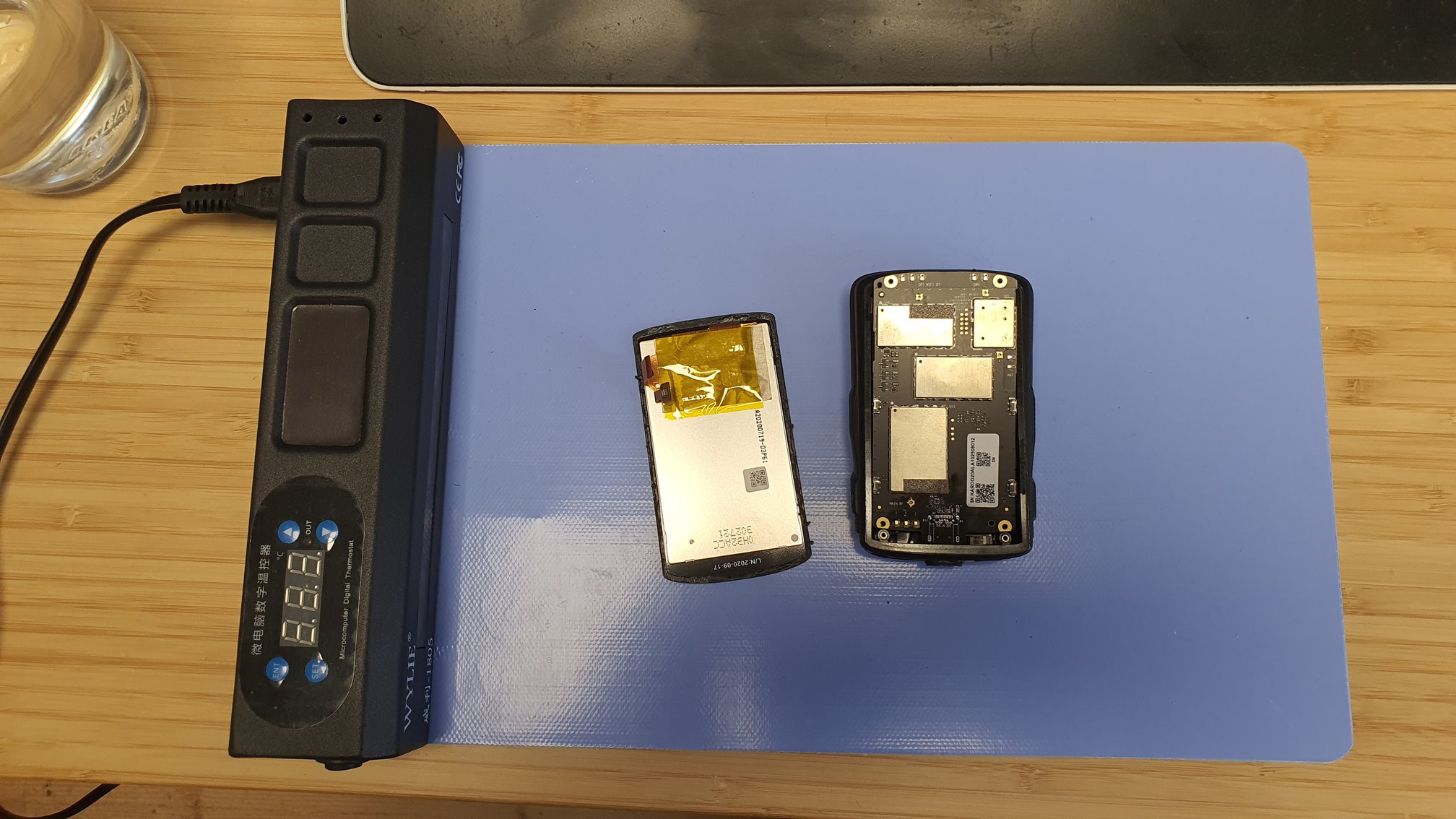
Thanks for the reply. I use a nice piece of equipment that has saved me a LOT of headache. I really do suck with hot air on displays. ;)
I am in Germany so....
And it seems that HH is a bit worried that people could misuse the forms for not nice things. Thus the constant post approvals.
chuck
-

Hi, my Karoo 2 has recently failed after only just over 3 years and as there is no HH repair service and I can't afford a new one I'm forced to have a go myself. Would it be possible to give a beginners guide to getting inside the unit? Is removing the screen the way to reach the board? Any help appreciated. Thanks, Tom
-
Yes, you need to take the screen off. I did it by applying hot air around the edges of the screen to soften the glue and then prising carefully at the top. I would have been better off using a suction cup, which I did the second time I took it apart.
The display and touch pad ribbon cables are on the left towards the bottom and are fairly short, so try to lift the right hand side first and then slide the display right a bit to get a bit more slack in the cables. There's a little tab on the connectors that you need to flip up in order to remove the them.
If you're not confident, try a mobile phone repair place who will have a hot pad like chuck's for removing screens.
To get the main PCB out, there are two ribbon cables at the top (battery and SIM card), then four screws holding it in. Needs a bit of care to wiggle the PCB past the ribbon cable connectors.
What's actually broken on yours?
-
That's excellent, just what I wanted to know, thanks very much Paul. It's a boot up issue which may or may not be related to a charging issue. It started off a few week's ago not charging when switched off and then last w/e failed to boot. Because it has already stopped showing any charging when switched off I can't see if it's receiving charge. I did manage to start the reset but it then switched off half-way through and I couldnt get it started again. Very strange as sometimes it will try and boot and other times nothing. I'll keep trying a bit more before going for the disassembly, but will certainly try and repair it as it seems incredibly wasteful to throw it, not to mention the huge cost of any replacement. Seems a real shame HH don't offer a repair service.
-
I think HH have said they can't offer repair because of the difficulty of re-sealing the screen, which is probably fair. I don't think it's possible to remove the old glue without scratching the black coating off the back of the screen, so I've stuck mine by re-melting the old glue but I'm not convinced it's fully watertight.
-
Hi Ken,
Yes I've still got some. They cost me £12 for 4 delivered, so happy to sell them on for £3 each + postage. Drop me a mail at pdw@ex-parrot.com if you're interested. I should be able to get it in Monday's post.
-
Hi Chuck,
Yes - the part numbers in my post above are hyperlinked. This is the one I actually used:
https://www.lcsc.com/product-detail/USB-Connectors_XKB-Connection-USB31-TYPEC-32141-2FS_C319152.html
As mentioned, it seems to be exactly the right part with not quite the right gasket.
Paul
-

Hi all,
I’m looking to reassemble my Karoo 2 after opening it up, and I have some concerns about maintaining its waterproofing. Do I need to apply new adhesive around the screen during reassembly? If so, where can I purchase the correct adhesive?
Any advice would be greatly appreciated!
For context, I’m planning to replace the USB-C port, as it’s been malfunctioning and burning my cables.
-

HiTicho
A B7000 glue as used for phones and pads is OK. https://ebay.us/m/8ZyiIW how are your microsoldlering skills?


Please sign in to leave a comment.
Comments
19 comments