Dashboard should works in offline mode to upload route to Karoo and planning with offline maps

I bought new Karoo but the dashboard does not work when I have a long trip in the forest where there is no internet. Please add possibility to download offline maps and please add possibility to send gpx to Karoo via bluetooth. I can planning rout in a different app but I cannot download it to Karoo. Why?
-
Why is internet necessary to send a route via Bluetooth from phone to Karoo? Syncing the route with my account is not a priority when I have the route in the form of a gpx. I am far away in the field and I just want to send the gpx via bluetooth to the device to get back home. Can you imagine that there are places where there is no internet or it is so weak that it is impossible to use it? And I have everything in my hand - a phone with bluetooth and with a gpx route and a navigation that... does not want to accept this route even though it has built-in bluetooth because the phone is not online. Incredible!
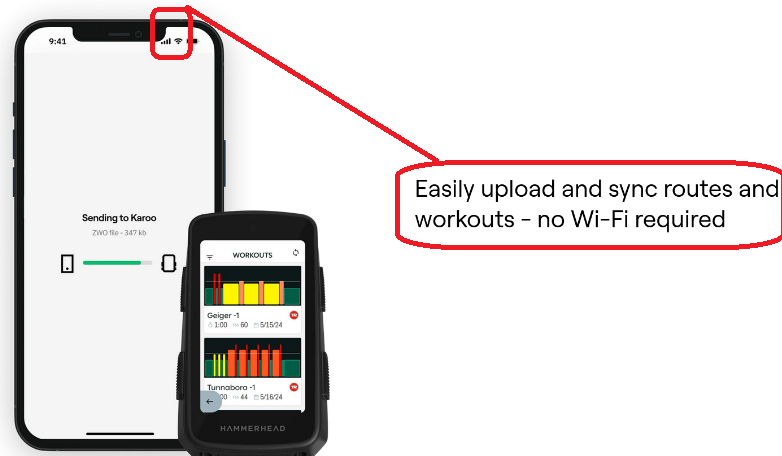
This screen below is from your Companion App main page https://www.hammerhead.io/pages/companion-app and please tell me what app do you use to send route to Karoo? Because without internet, I have 'connection issue' and cannot display any route in Companion App.
-

@Aishwarya @Gregory Gregory
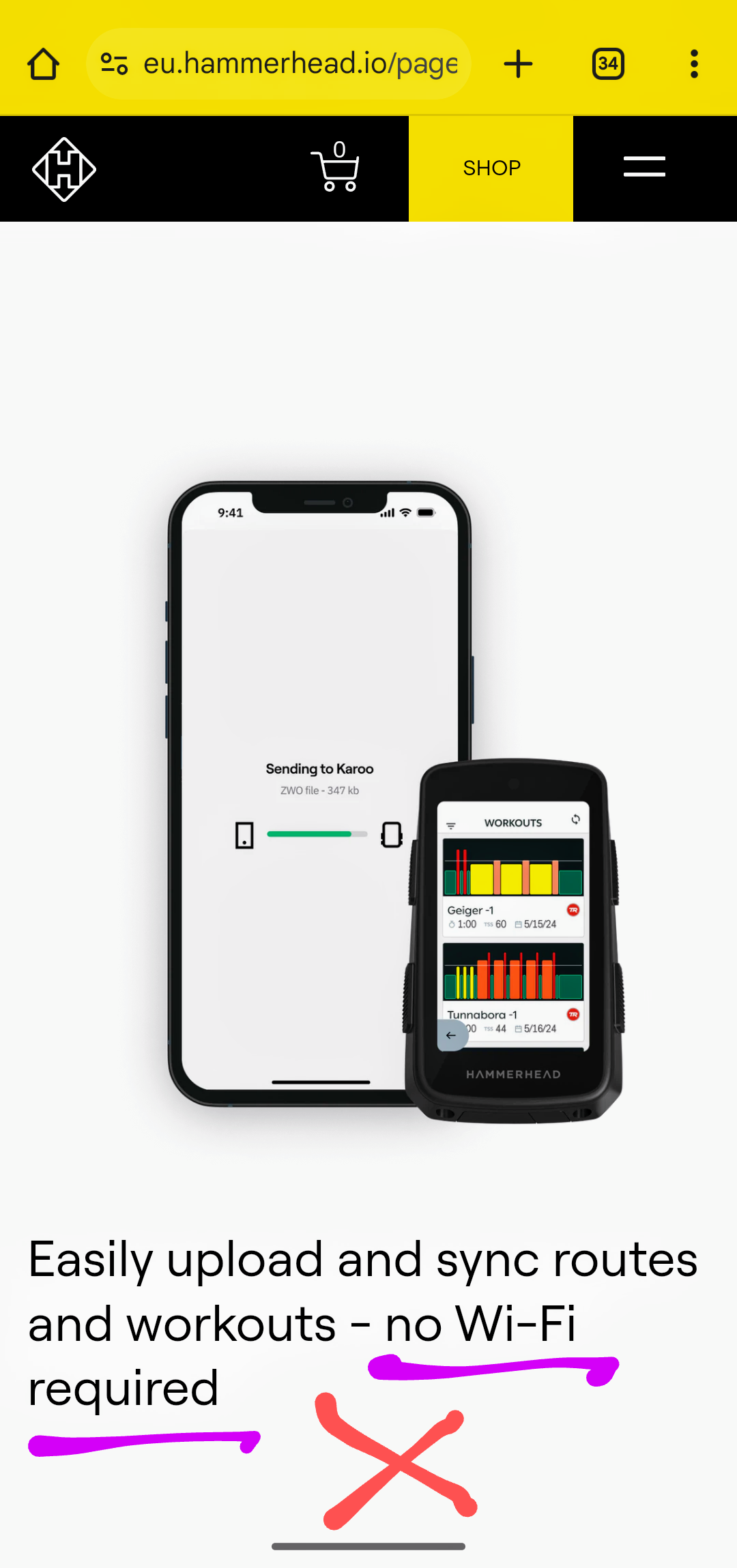
1) Indeed - the specific HH website*) which is advertising incomplete text "Easily upload and sync routes and workouts required no Wi-Fi" (see the added screenshot below)
*) URL: https://www.eu.hammerhead.io/pages/companion-app
Your mobile phone need to have Wi-Fi connection. Wiithout Wi-Fi, the Companion App has no data to show and to share - over the Bluetooth connection between the mobile and your Karoo.
2) Karoo article*) 'Companion App - Connecting Karoo' is clear and says:Prerequisites:
- Download the Karoo Companion App here.
- The connected phone should have an active Internet connection.
*) URL: https://support.hammerhead.io/hc/en-us/articles/25501298109723-Companion-App-Connecting-Karoo
-
@Gerard "incomplete" is the wrong word. It sounds more like deliberate misleading. In Garmin I use the gimporter widget and the gexporter phone app. This allows you to work completely offline, which was useful when I was driving along the EU border and had to be offline, and I corrected the route on the fly and upload it with no problems.
The question is, does the Karoo OS API for extensions allow you to load the route via BT? If so, maybe you can make an appropriate extension and application. -

For that to work, you’d either need to download offline map data on the phone as well or figure out some complicated system where the phone app can use the map data on the Karoo (probably not very usable because Bluetooth is s-l-o-w). I just don’t see this as a realistic feature, maybe work on better POI search (and maybe routes with intermediate points) on the Karoo itself instead.
-
@Anna it would be perfect to have offline maps inside Companion App. I could planning route offline. I have this possibility in many others app eg mapy.cz or osmand, why not in Comanion App? But the first step is to have possibility simply upload gpx file from my smartphone to Karoo. The gpx file is not big and Karoo has offline maps. There is no need to transfer map via BT. Planning route on the 6,7'' smartphone is much easier than on 3,2'' Karoo and I can use many others apps to planning then only send route to Karoo.
-

Any updates from HH on this? I just got my new Karoo, and it's already disappointing me right out of the box. I’ve downloaded offline maps onto my Karoo and also have offline maps in Google Maps. Why does it still require internet to share a location point from Google Maps to the companion app and send it to the Karoo via Bluetooth? I mean Karoo needs just to know the destination location (I suppose coordinates) and the route to that destination it can build itself without internet connection
-
Karoo 3 has its own resources (offline maps in memory) and it can use it to offline navigation. There is no problem to indicate a point on the map and turn on navigation to this point. There is a problem when you want to indicate a point on the smartphone eg in GMap and send it via CompApp to K3. In this case internet is necessary. This is a problem. Why this is a problem? Because people prefere to use gmaps than CompApp because gmaps can have offline map, because gmaps have good search module (not only addresses but name of poi).
If CompApp would had offline maps with good search module and good poi (possibility to click on poi and check in details what is it instead this small pictograms), I would use CompApp. At now I use gmap or mapy.cz or osmand or... something else which have offline map but I have problem with send point or gpx to K3 in offline mode.
CompApp and Dashboard use external resources (mapbox.com, you can check it at web console) but it has not built-in mini map server to use it internal inside the app with using of local map resources (offline map in phone memory) when the smartphone is in offline mode.So, there is a lot of work ahead of HH...
-

Hi @Gregory Gregory
The gimporter/geporter app for Garmin needs internet access too.
Also with newer Garmin devices (like 1050) it is not possible anymore to send GPX files via USB-cable.RESULT: now way to send a track to newer devices like Garmin 1050 without internet!
"Since 2019 the Garmin Connect App just refuses the connection from gimporter to gexporter, if the phone has no internet access (although none is needed)."
See:
Connect IQ Store | Watch Faces and Apps | Garmin
Connecting Edge 1050 to Android via USB - Edge 1050 - Cycling - Garmin Forums
-
I don't know where my answer disappeared. I'll write it briefly again. I don't have a 1050, but the 530 and 1040 work great offline. I also don't know why you're sending me to Garmin. I'm here to report the needs and comments of users like me. If HH doesn't accept them, then what's the point of this forum? Instead of marking topics "answered", mark "solved" those that you actually managed to fix.
-

Hi,
Thank you all for sharing your observations.
As per our current functionality, you do not need to connect your Karoo device to Wi-Fi in order to upload and synchronize routes. However, it is important to note that your mobile phone must have an active internet connection for this functionality to operate effectively, as outlined in our articles as prerequisites. We are continuously working to improve the user-friendliness of the companion app, but this is its current functionality for now. -

Seems like the Karoo 3 has been abandoned.
What do statements like "We are continuously working to improve the user-friendliness of the companion app" mean when there are no updates and not even announcements after a year?
I had high hopes for the Karoo 3 but sadly it seems that it will never shake off its severe limitations. It should not be necessary to use the phone at all -- my lowly Garmin Edge 830 supports street navigation offline, without requiring a phone or connection -- but at the very least using a phone in offline mode should be possible. No WiFi or mobile data connection should be required to find a point on the map via text (e.g., landmark name, street address, etc.).
FWIW, the other major limitation AFAIC is the lack of Trailforks support (or something similar). -

I just bought a karoo and expected such a basic feature to work for a device with that price tag, that's very disappointing. At least offering an upload feature in the sdk so we can build something on our own. Sadly I guess I will have to try to return the device and either go back to garmin or see if the wahoo can do it.


Please sign in to leave a comment.
Comments
20 comments