Setup tool via website to pre-configure Karoo
Answered
Hi. I am very excited to have just completed my pre-order purchase. Seems like the 1st wave of pre-orders will not be delayed by too much. Thank you for your diligence.
When, and how, will I receive access to the new Setup Tool to pre-configure my Karoo 2 before it arrives?
-

Hi Tom, Thank you for your message. Please click on the below email to access the Hammerhead Dashboard. First, you have to register by choosing an email address and password of your choice. Then you can check how to create the route and link all the third-party applications such as Strava, RideWithGPS, Training peak, etc.
https://dashboard.hammerhead.io/auth/signup
If you need help with any questions or concerns, please write to support@hammerhead.io or check out our knowledge base article for complete information about the product. https://support.hammerhead.io/hc/en-us -
Ashish. Thanks for the reply.
I already have the Dashboard account set up. What I was referring to is the ability to actually configure the screen layout and data fields of the K2 before I receive it through a web page. I recall that this was one of the new features that would be rolled out with the K2. Looking at all of the menus on my Dashboard, I do not see this option.
Thanks again for the great and constant support of the Karoos.
Tom
-

Thanks, Thomas. And that is correct. You can't configure the screen-layout on the Dashboard right now (it's on our plan and will be released when ready) - but the set up on the Karoo is easy. What you can do is, keep your Hammerhead account ready for when the Karoo 2 is delivered. By that I mean you can link your accounts like Strava, Training Peaks, RideWithGPS, Komoot. You can add your routes, and play around with the flow.
-
Ali,
Thanks for the response. Bummer.
When DC Rainmaker reviewed the K2 in August, he mentioned that was advised by Hammerhead that there would be a Setup tool via website to pre-configure Karoo so that when it arrives in mail, you just connect to WiFi and it’s ready to go. See "Hammerhead Karoo 2: Hands-On Details & First Rides." His review indicated that while it was not available in August, but that Hammerhead expected it to be ready when the pre-orders were shipped. Oh well...perhaps it is not ready, yet.
Any date on when the first units will ship...for those of use who completed our purchase on Monday 10/26?
Thanks again.
-

Ugh.. okay.
I'm confused. HH advertised that we WOULD have access to this before we received our Karoo 2 units - this page has now been removed but the original link was here: https://support.hammerhead.io/hc/en-us/community/posts/360049419154-When-will-we-have-access-to-the-setup-page-for-Karoo-2-
This is a little shocking as advertising any product to HAVE a feature when your customers Pre-Order (although this isn't a make or break feature), seems kinda an odd thing to just 'delete and hope no one notices'. HH didn't redact it or say its coming later, if they did then I clearly missed it - and if so, I apologize.
Are there any other features that have been advertised that are not going to be available on our K2 units when we receive them?
-
Hi Tom, Brandon, Sorry that you feel it this way, but we never said that you would be able to set up the data-fields on the Dashboard. Anyone can create the account on the Dashboard at any time, and if so, they would immediatly know that this is not the case . We have kept everyone informed about this feature or anything that's not there, on the forum and on the tickets. We have always said that this feature is coming in the future updates.
I would be more than happy to guide you with all the features that you are looking for, and would like to ideally find it when you receive your device.
I'd also like to clear some confusion if there are any:
Dashboard: Right now, you cannot set up the profile(updated), but you can select the unit system, select the Offline Maps that you would need and set up your route imports.
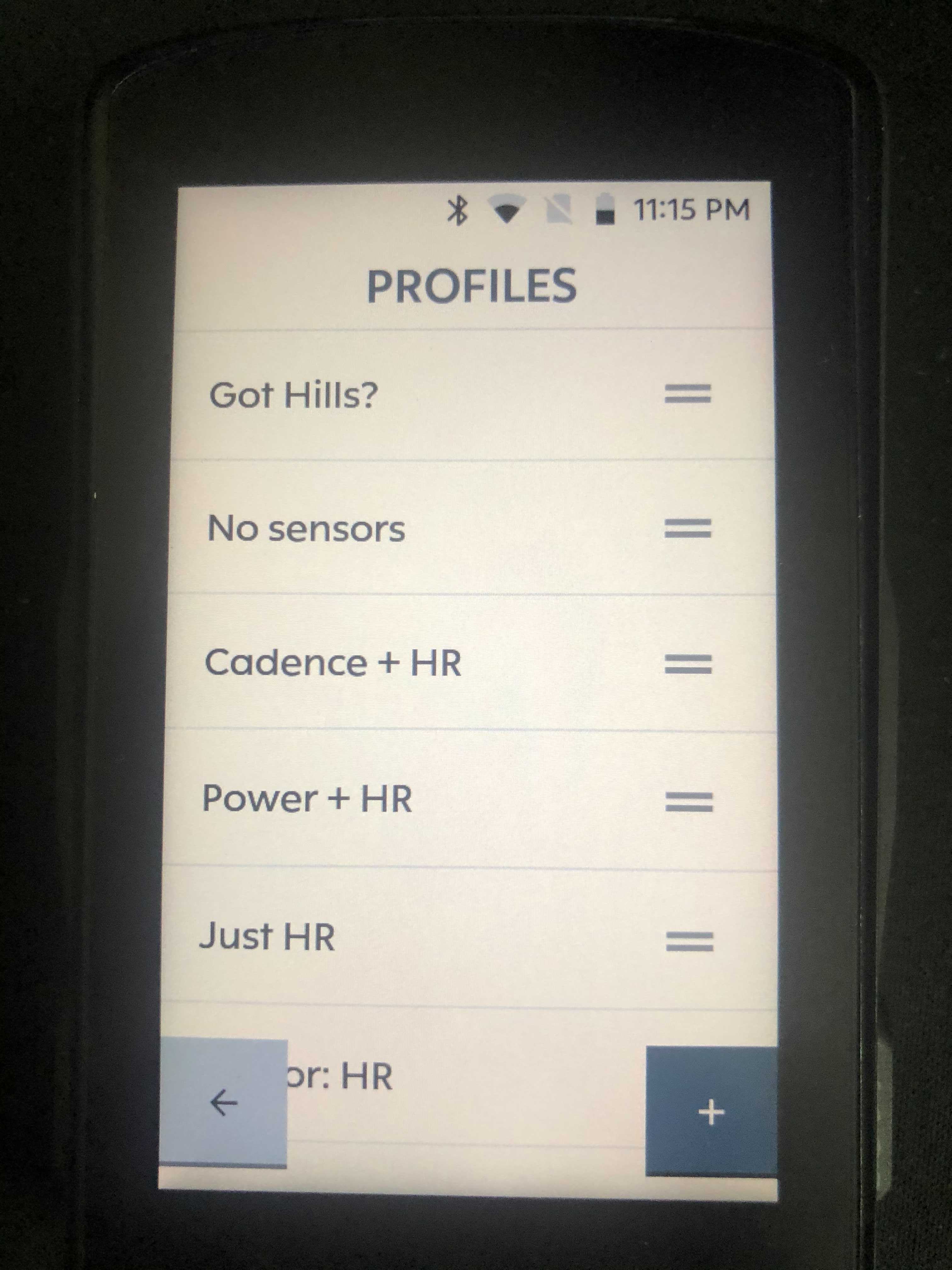
Karoo 2 (when you receive) will have pre-populated profiles that can be re-named and modified. These pre-populated profiles will all be different in many ways - Profiles with most commonly used data-fields to be used with the graphic for the hills/climbs, combination of sensors etc. take a look at how it looks now and it went out in the last release.
With these existing profiles you do not have to make a whole lot of effort from the scratch, and simply connect to wifi and allow the downloads of map and route to happen (once you have logged in to the Hammerhead account)

Please sign in to leave a comment.
Comments
11 comments