FEeature Suggestion: Dashboard > Open linked route
Answered
It's awesome that we can import routes from Ride with GPS and Strava and such.
With the Sync feature on the Dashboard, you can get updates from the original rides as well as automate which rides are pulled into the Karoo and which are not, by pinning and starring the routes on RwGPS and Strava.
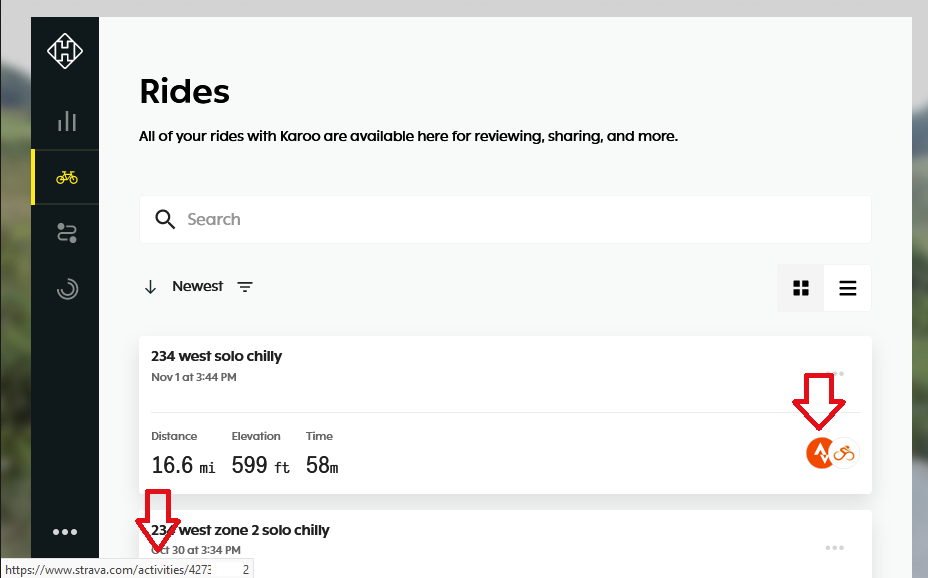
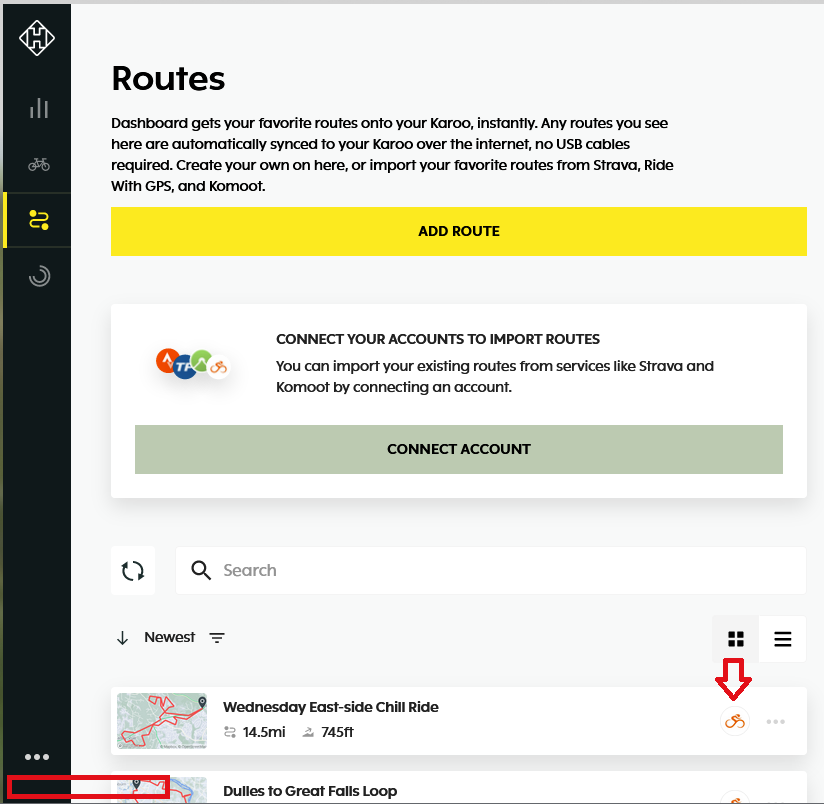
Sometimes I am on the Hammerhead Dashboard and I want to open a route that I had imported from someone else's RwGPS, but I cannot find the link back to the RwGPS web site from the Hammerhead Dashboard.
Request, "Open Linked Route" selection on your Route in the Hammerhead dashboard, which would open the original route URL on the linked service (Strava or RwGPS).
-

Hi John. Hope you are doing well.
I appreciate you for sharing your thoughts on your preference for the "Open Linked Route" feature for the routes. However, I would like to inform you that the Hammerhead Dashboard is solely designed for the functionality and usage of Karoo.
I want to understand the need to get back to the routes in RidewithGPS when you already have it on Dashboard. Besides, you can create and edit the route on our Dashboard too. I would request you to justify your preference so that I can take this to a discussion with our Product Team.
-
If I allow 100s of routes to be on my Karoo device, it makes it very difficult to find the route I want to ride when I am joining into a Group Ride. I like to keep less than 20 routes on the Karoo directly to make it easy to find the Route that I need. For Group rides, I will typically load the ride (from Strava or RwGPS) into my Hammerhead dashboard a couple of nights before the event and then delete it after the ride.
One of the great features of the Hammerhead Dashboard is to link to 3rd party services in order to import, and sync, routes. This is a fantastic feature to help a large group of riders all get a copy of a revised route automatically to their Karoos for the group ride. Since I ride with many different groups, the group libraries of routes are in all different services.
The Hammerhead Dashboard sync function will pull in Pinned or Starred routes from 3rd party.
Until such a time as the Hammerhead Dashboard allows me to organize hundreds of routes natively, and decide which routes are loaded down to my Karoo, I am stuck using the 3rd party services to hold the routes I do not want loaded into my Karoo.
Being able to "find" the original route that I imported allows be to then modify the Pin or Star on the 3rd party route in order to achieve a sort of Archive feature that the Hammerhead Dashboard lacks today. -
Checking in on this Dashboard feature request. I hope my justification statement was clear. Too many routes on the K2, I want to be able to keep routes in the dashboard that are not on the K2. Currently the only way I see to do that is to keep my routes our of the HH dashboard and use the Pin/Star features to pull in the routes I need, when I need them. Limiting routes on the K2 makes route selection at start of ride fast and friendly.
Please sign in to leave a comment.
Comments
5 comments