Karoo OS - Zoom auto on Map

My Question :
I'm using the GPS with the map and two data fields, and I don't see any change or zoom when approaching an intersection.
I think the zoom level is at 1/3 (the lowest level), and for this reason, it won't go any lower.
What I'd like is a zoom or a switch to a map level of 0 that will allow me to clearly see the intersection or roundabout and the road I'm going on.
For example, if there are two paths on the left that are less than 10 feet apart, and I'm 75 feet apart, how can I avoid taking the wrong road without having to look closely or zoom in on the map?
For an intersection or roundabout, a zoom level of 0 would also be appreciated.
In short, I've already taken the wrong path or street when the intersection isn't easy to navigate.
________________________________________________________
Answer from Hammerhead :
Thank you for the additional details! You are correct- if it is already zoomed to that level, it won't zoom more when approaching an intersection.
I shared your feedback and suggestions with our Product Team. It's possible that they may be able to improve the feature to include a closer zoom level for the switch to map in a future update. There are many factors to consider for product decisions so they aren't able to deliver on every suggestion, but feedback helps them better understand what improvements are important to the community. Many of our new features and improvements have started as suggestions from the community.
I believe you are familiar with the other zoom methods, but I will mention them in case - it may be helpful if you aren't. You noted that you already have the map on zoom level 1 of 3 so it won't zoom in more automatically. It is possible to zoom in more manually in cases where you need to see the intersection more clearly. It's not as convenient as automatic but can help in situations where you need more zoom.
- Tapping the lower left button or the magnifying glass on the screen will cycle through the 3 preset zoom levels.
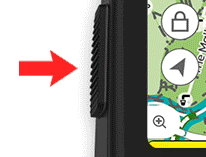 You can also use a pinch gesture, like you would on a smartphone, to zoom in or out. That will allow more zoom than the 3 preset levels.
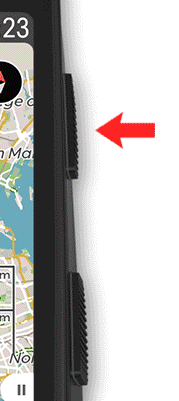
- If you press and hold the top right button, it will zoom in beyond the maximum preset level. Holding the top left button will zoom out.
Thanks for taking the time to share your feedback! Hopefully the team will be able to improve on the automatic zoom features.
________________________________________________________
Please feel free to add a reply to this thread to indicate if you would be interested in a new auto-zoom feature !
-

Referenced this matter here: https://support.hammerhead.io/hc/en-us/community/posts/37586699965339-Reasons-not-to-buy-a-Karoo3
-
Re the downvote, the above link is still pending approval 15 hours since posting.
Anyhow...
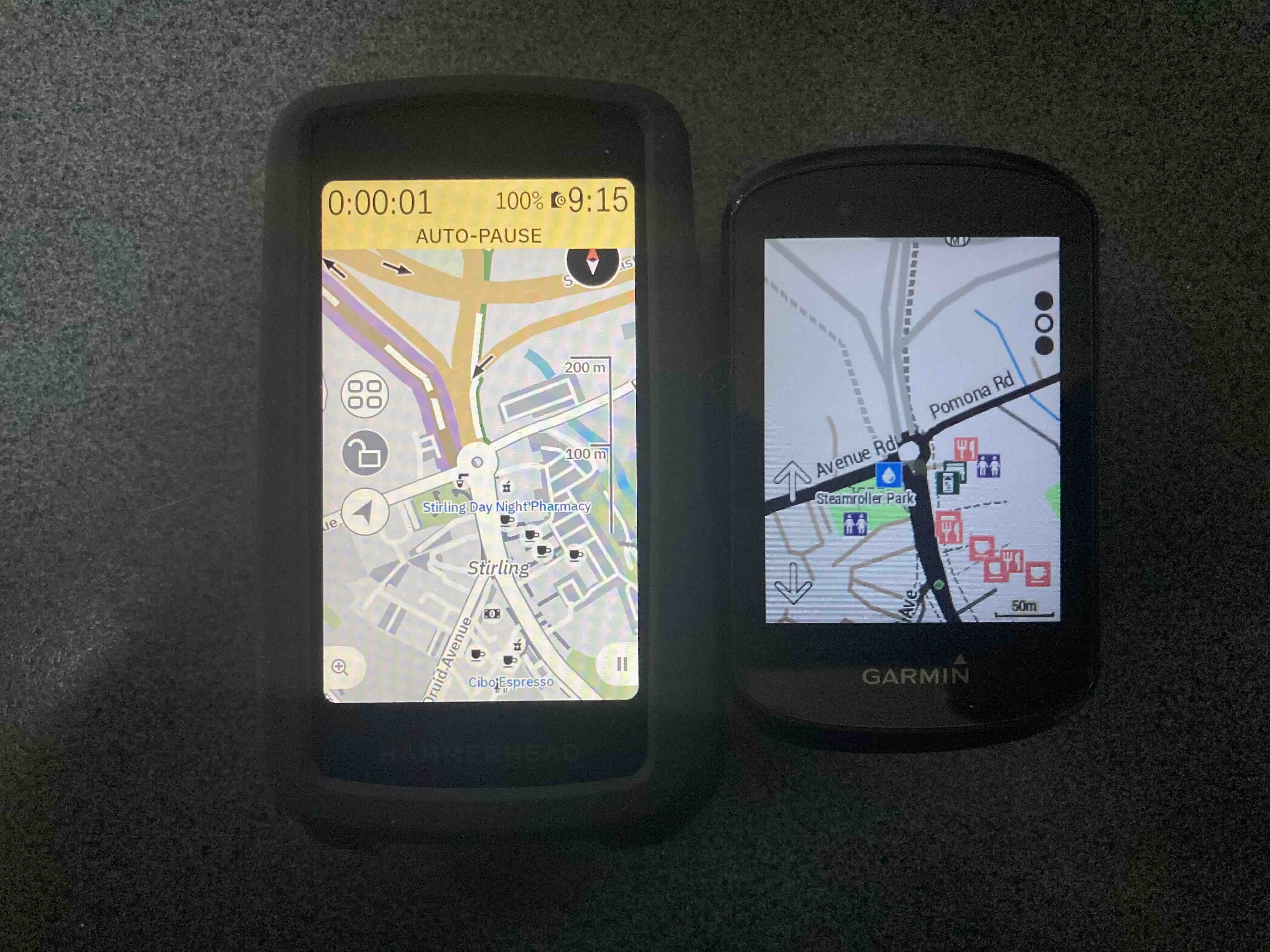
I wonder if we're wanting the Karoo3 to zoom in further because the maps are ambiguous. Compare the Karoo3 with a Garmin 530 below, location and zoom level equivalent. The Karoo3's map is just way too busy. I'm on a bike, probably hot or cold, and tired, and therefore don't need to know, for example, where carparks are located. These as shown by the dark grey slabs. The Garmin wins hands down here.
-

@Shane White I disagree with you. If you had taken the photo outside - you would see that Garmin map views are less than the Karoo. The Garmin display shows the map very moderately with washed out views. Also the position of the rider is shown poorly by Garmin - where the Karoo shows the cyclist with a clear yellow arrow.
-
My experience with Garmin users is that they have much more difficulty determining / reading the location. The Karoo does not have this problem - because the Karoo map shows more details. Plus the Karoo display is clear - where the Garmin display is gray. If you take your photos outside you would get a completely different image.
-
Look at the Karoo3 map - bike lane is purple, brown AND white (? huh), car parks are shown for some bizarre reason, cafés are tiny black cups difficult to see. On the Garmin, the bike track is shown clearly, there no car parks, and cafés obvious. The public toilet on the Garmin doesn't seem to be shown on the Karoo3.
-

When it comes to touring, Karoo maps are weak and you can't do anything about it. The icons in Karoo are just pictures, while in Garmin they are interactive. You can't see the street names because the font is too small, squeezed inside the road outline. You can't enlarge it, which I always did in every Garmin. Your own track and the route line cover everything else on the road, you can't even see a small inscription. The map detail is always the same. When riding a road bike, you don't need unnecessary forest paths, when riding an MTB you would like to have everything, and now there is a serious error with long, dashed lines. You don't know anything. In Garmin it is configurable for each profile. Instead of being adjusted to the speed, the zoom changes to some fixed level. At intersections you have to zoom in, on the road zoom out. The fact that I'm writing here doesn't change anything because HH completely ignores it. They mark all reports as solved and that's it. And then there's this application that can't do anything, it can't even send a gpx file from the phone via Bluetooth.
Some links
https://support.hammerhead.io/hc/en-us/community/posts/32143470713243-Standard-POI-on-the-map
https://support.hammerhead.io/hc/en-us/community/posts/33222531066523-Auto-zoom
-
hi,
i request again and again for this feature. It's very frustating to don't have this feature (like in car gps).
I missed recently a lot of turns in my city (Paris, France), because level of zoom is not correct.
For example, my last missed turn was this one (in picture), and we have only 30 meters between two roads.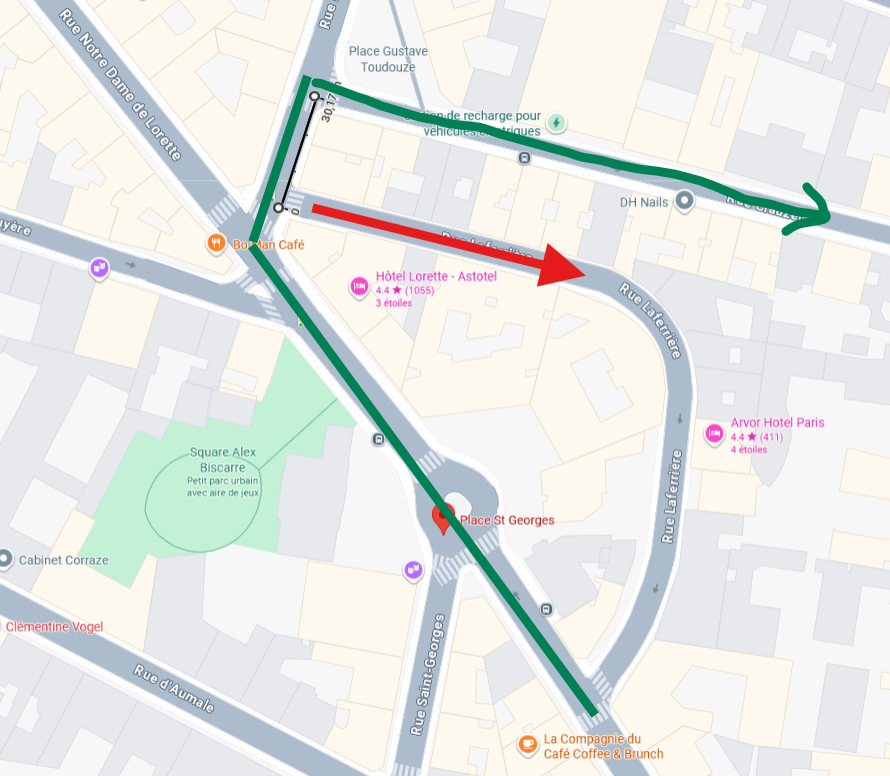

Please sign in to leave a comment.
Comments
15 comments