Routing and alternative suggestions
Answered
I found a really odd thing with my last ride, which was following a long route (500km Audax).
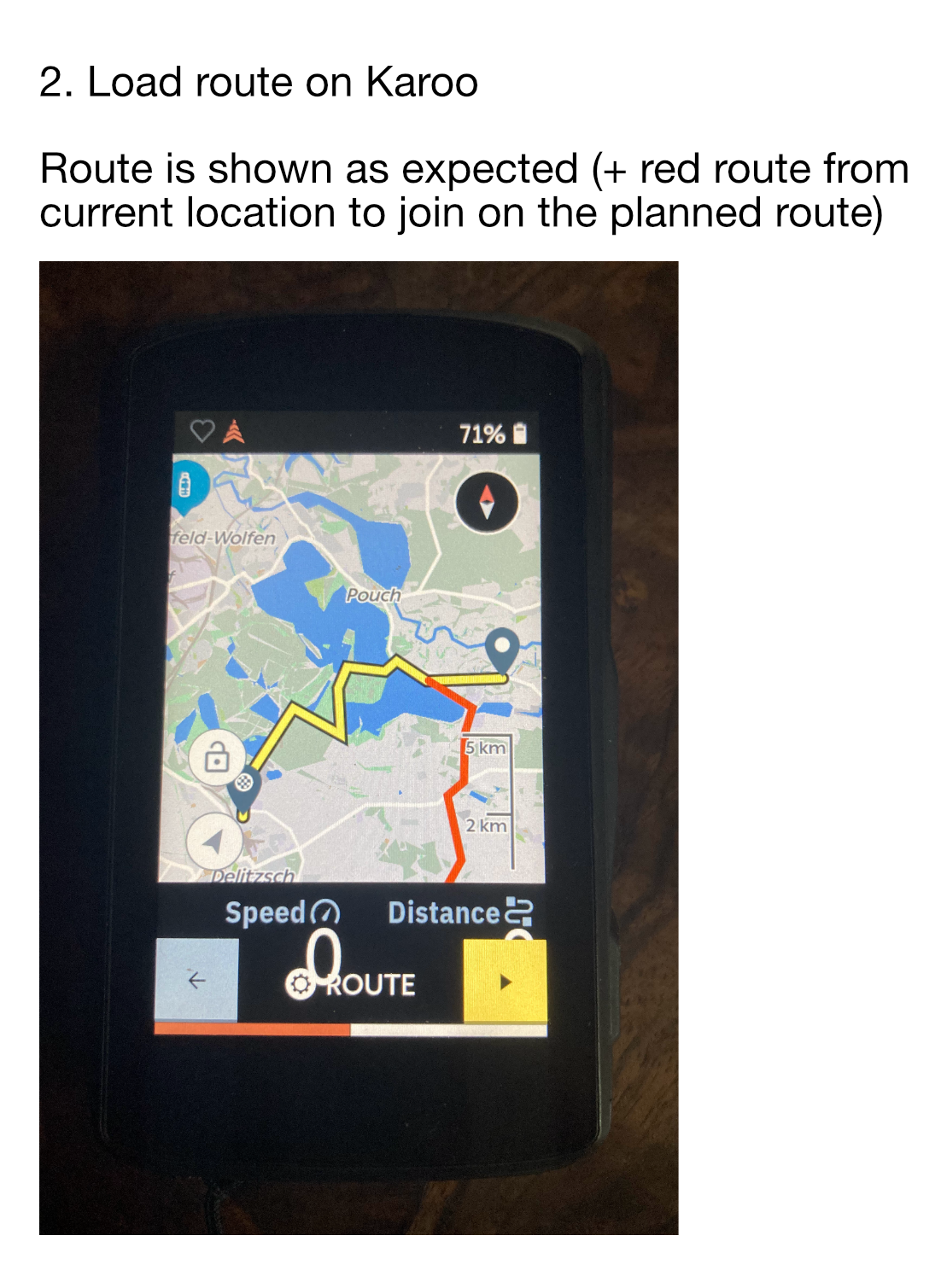
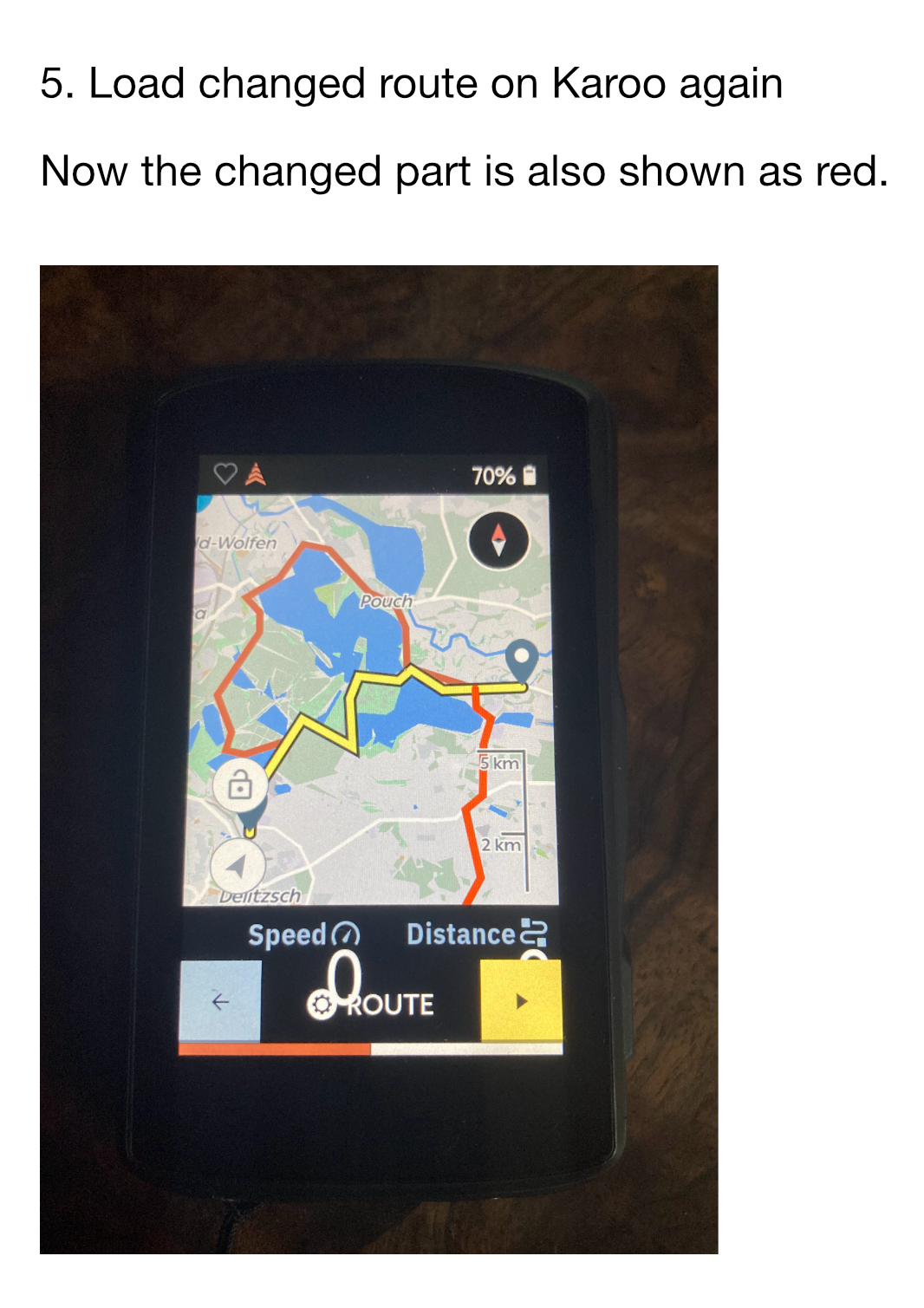
Every now and again, the turn by turn would try to direct me off the current route onto an alternative route, which was marked in red. I wasn't off route when it suggested it. The turn-by-turn directions would specifically try and take me off route.
The turn by turn directions then stopped working until the red route alternative rejoined the actual (yellow) route that I was following.
Is this a feature or setting I can turn off? It's a bit annoying as Audaxes often require set routes.
-

Did you plan this route with the HH dashboard, and did you make changes to this route in de dashboard?
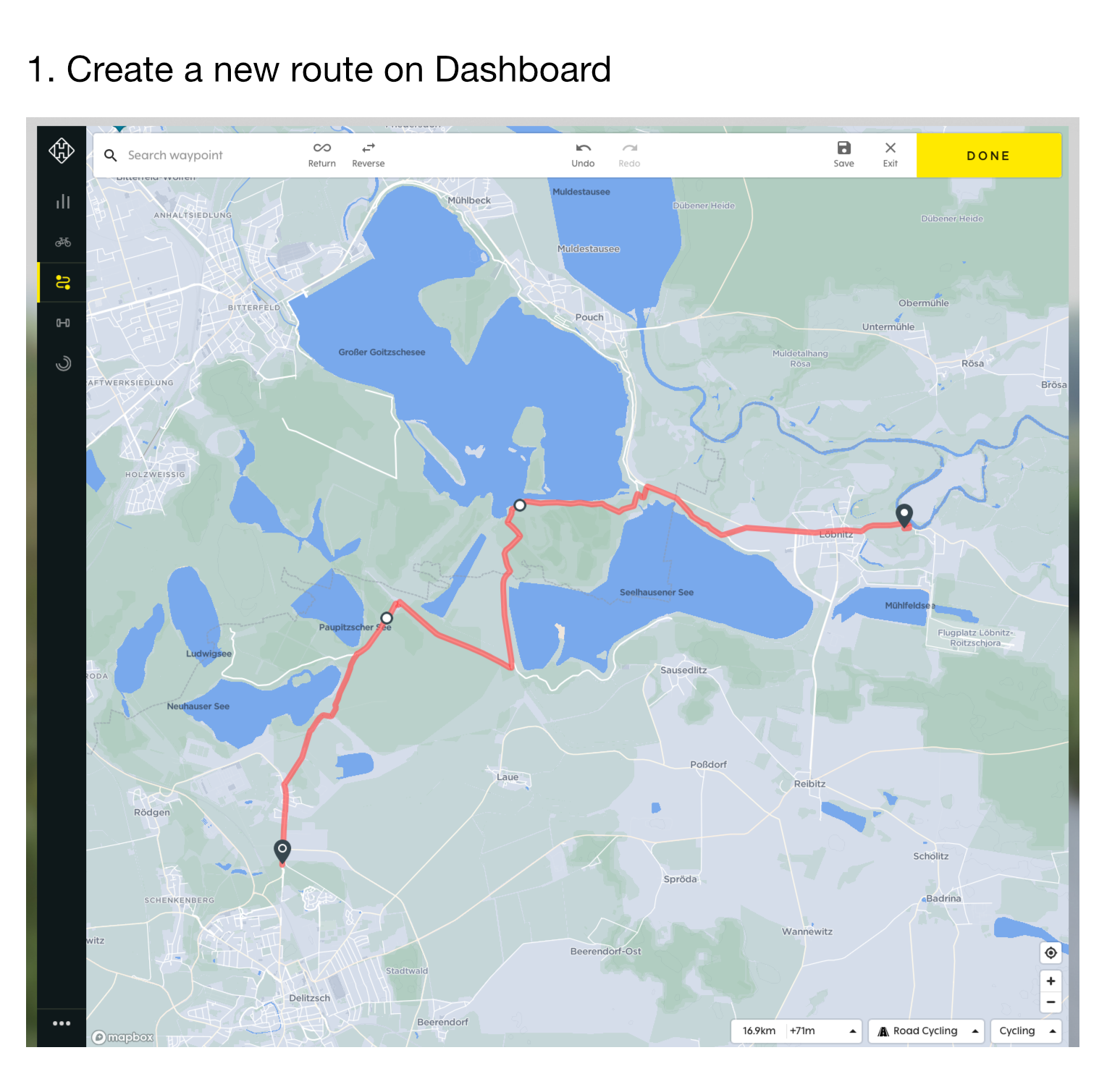
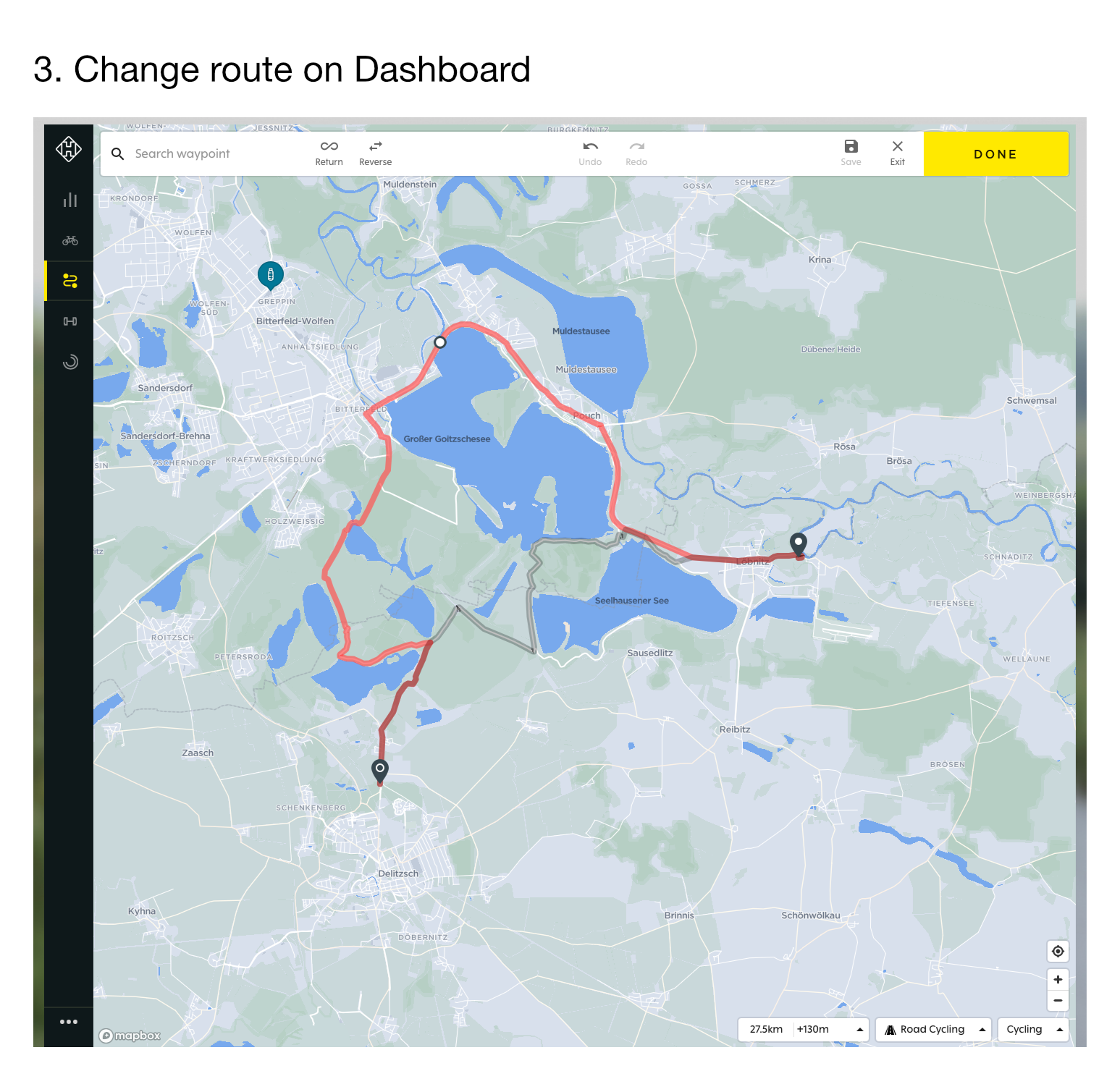
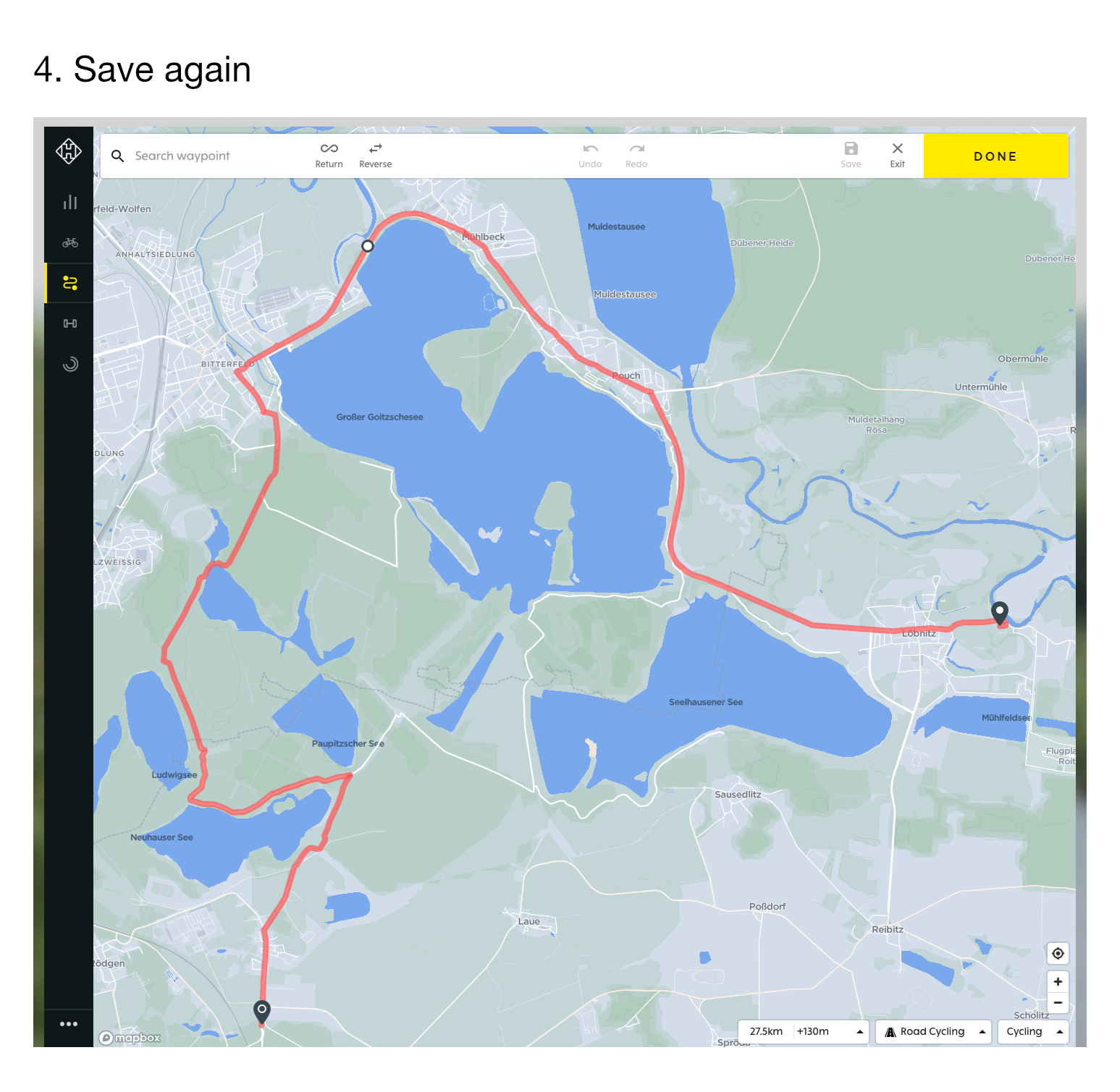
When changing routes in the dashboard I get the same phenomenon as you are seeing. Changes to the original route are shown as a red re-route. I work around this by duplicating a modified route, and changing the name. This duplicated route does not show the red routes.
-

Hey Phil,
Thank you for posting! I have created a ticket to investigate this concern a little more, Do reply back with the requested information.
This primarily looks like a bad GPS signal that may have caused the Karoo to route you off course however the FIT file from your ride should help me understand it further. I look forward to your response :)
-

Wrong I Know what it is. I have seen that. Explanation:
1. Created Route was sinchonized With HH.
2. That route was edited in initial app. Example strava and saved and synced again.
3. That new modified part shows like red path from beginning in karoo 2 and it is confusing. I still have few tracks stored in HH if you are interested. But problem is visible ONLY in bike computer and not dashboard!! -

I've noticed the same problem:
- Created a route on Hammerhead dashboard and saved it.
- Later changed it slightly, saved.
- When following the route, the Karoo showed the changes from 2 as red line.
Nothing dramatic, but a bit irritating.
Using the same workaround as Michiel mentioned above (making a copy of the route on the Dashboard) worked on another route.
-
Yes @Friedrich, that does look like a very similar problem. I don't recall ever changing the route within the HH dashboard though. Perhaps I did by mistake, in the past I find it too easy to make mistakes with clicks in the HH route planning, which is why I use ridewithgps and then import.
-

@Friedrich - Thanks for debugging this. I had exactly this happen to me last weekend but haven't got round to reporting the case yet. I stopped to get water on a route at the exact point I had changed the route the night before. When I started the route again it was red so I stopped and turned round to follow the yellow, yet the TBT was red and telling me to go back on the red line even though it was really the route I had adjusted the night before. I pulled out ridewithgps to make sure the red line was actually correct and when the TBT signals continued to be yellow, even though the line on the map was red.
-

Thanks for posting that Friedrich - very helpful!
I have created a trouble ticket for our software team to investigate that issue and correct it.
As mentioned, creating a duplicate route is a workaround for the time being. I was also able to correct this routing issue by changing the name of the route after editing it - I just added a "2" at the end of the name and the route worked correctly.
-

I have experienced this with ever ride since I've had the Karoo 2. It seem like the GPS is not in sync with RWGPS routes. Karoo 2 is always seemingly re-routing in some parts of the route. It never stays with the RWGPS route. I have not edited any imported routes on the dashboard. I just import the GPX file.
Please sign in to leave a comment.
Comments
11 comments