Bug: Google Maps route import ignores intermediate points
Answered
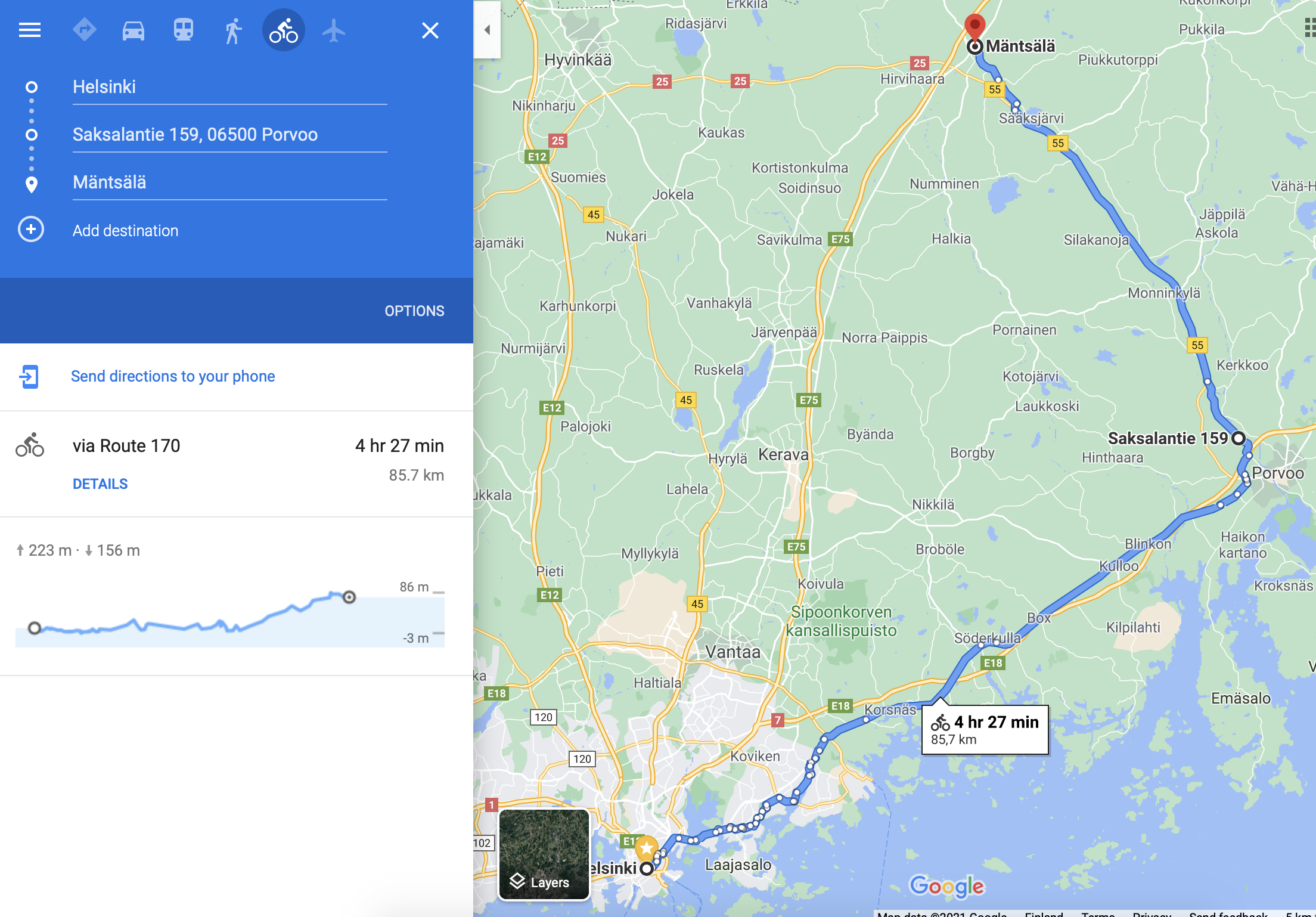
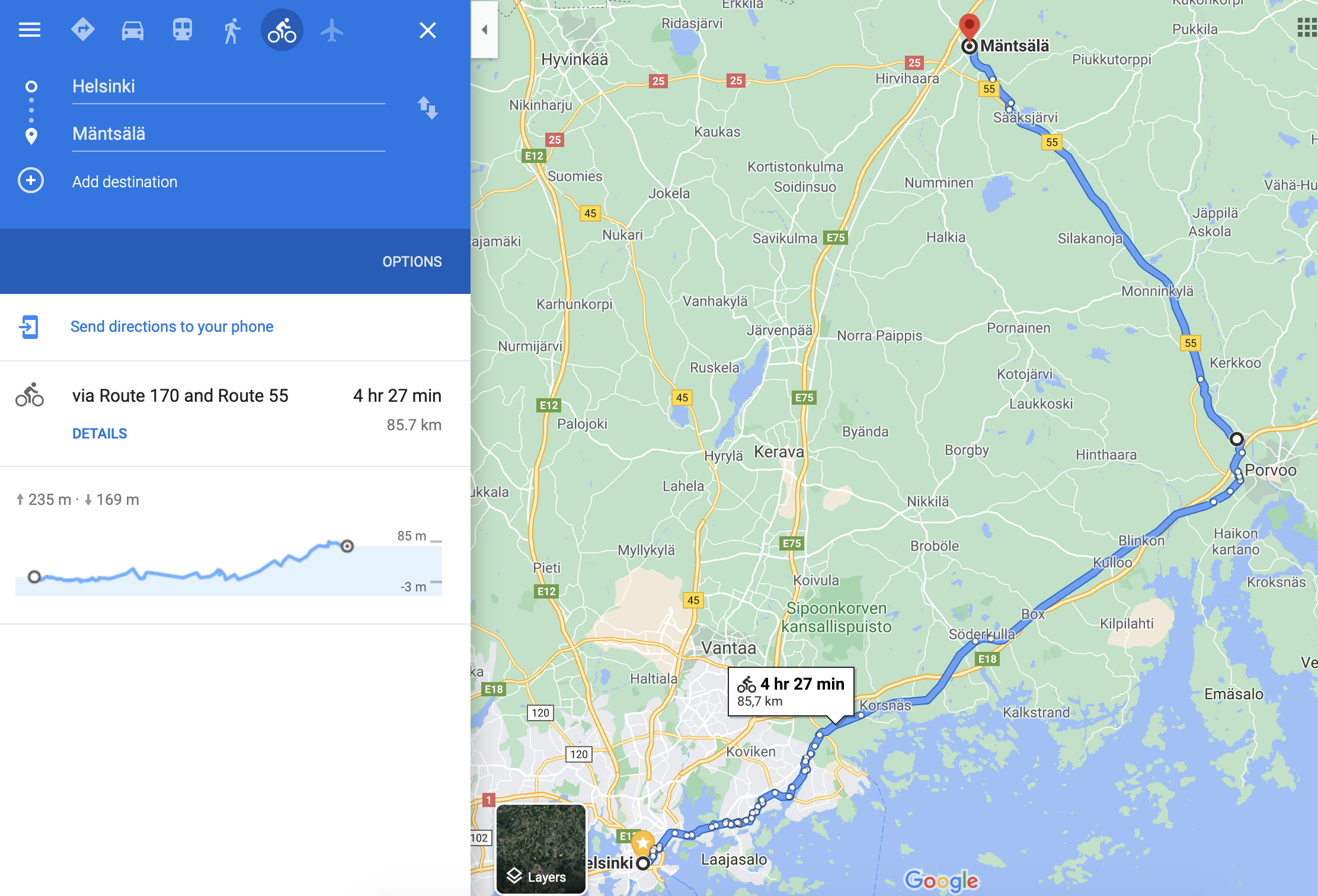
Repro: importing these two should produce an identical route https://goo.gl/maps/KBYxVqwfkHT2tEy16 https://goo.gl/maps/76p16CrAj9jDK1qc9 yet the first one with a “soft” intermediate point you get by just dragging the route with the mouse just ignores the intermediate point altogether and creates a direct route between the two end points, whereas the second one with an explicit intermediate address creates an approximation of the correct route.
So this works:
And this doesn’t:
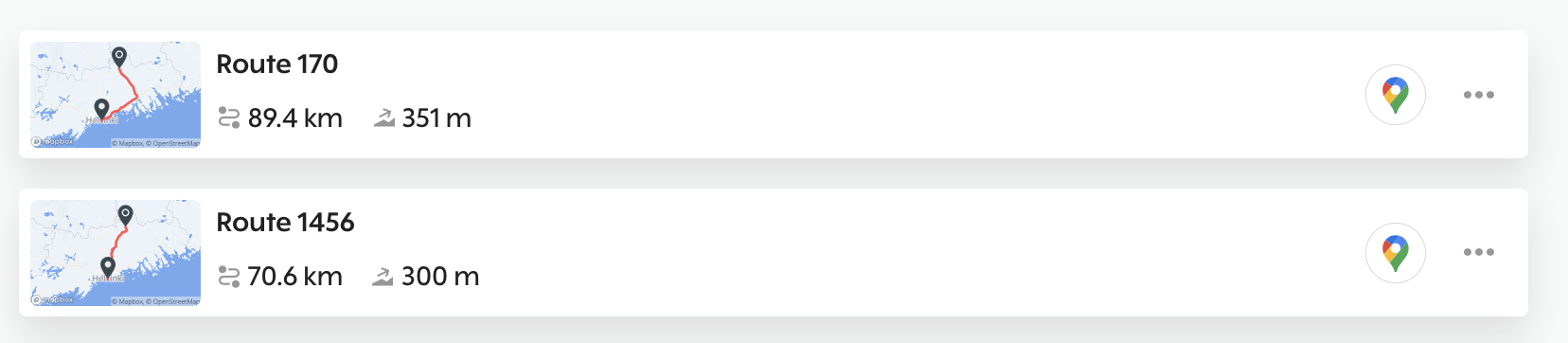
(Personally I just use Komoot (which also happens to generate a much better route after the intermediate point...) so no big deal, but in its present state this function does not seem worth using.)
-

Hello Anna!
I would have to agree with you. Google is not the best tool for creating cycling routes to export. The issue is that when you use"soft" points, Google doesn't export those in the routes so the routes display the way you show above.
Sites like Komoot, Strava, and Ride with GPS do a much better job, as you note, because their services are built around capabilities like that!
Please sign in to leave a comment.
Comments
1 comment