New day. New ride. New problems

Really seems to be a daily trend with this thing.
Start a ride, none of my ant+ stuff is showing data.
Keep riding thinking maybe it will find the sensors but nothing. Stop the ride, check sensors and it says "searching" for everything. Start a new ride thinking maybe it will find them and nothing. Said screw it, I'll just ride without the data. But no, that's not possible, the screen kept shutting off every 20-30 seconds.
Had to reboot the computer and start over.
This is frustrating AF.
A computer of this price shouldn't be riddled with so many bugs. Every day it's something not working properly.
And another thing, why the hell can you not access setting once you are in a ride. There should still be a way to at least get into the sensors page and see what is going on with the individual devices
-

Hey Roberto,
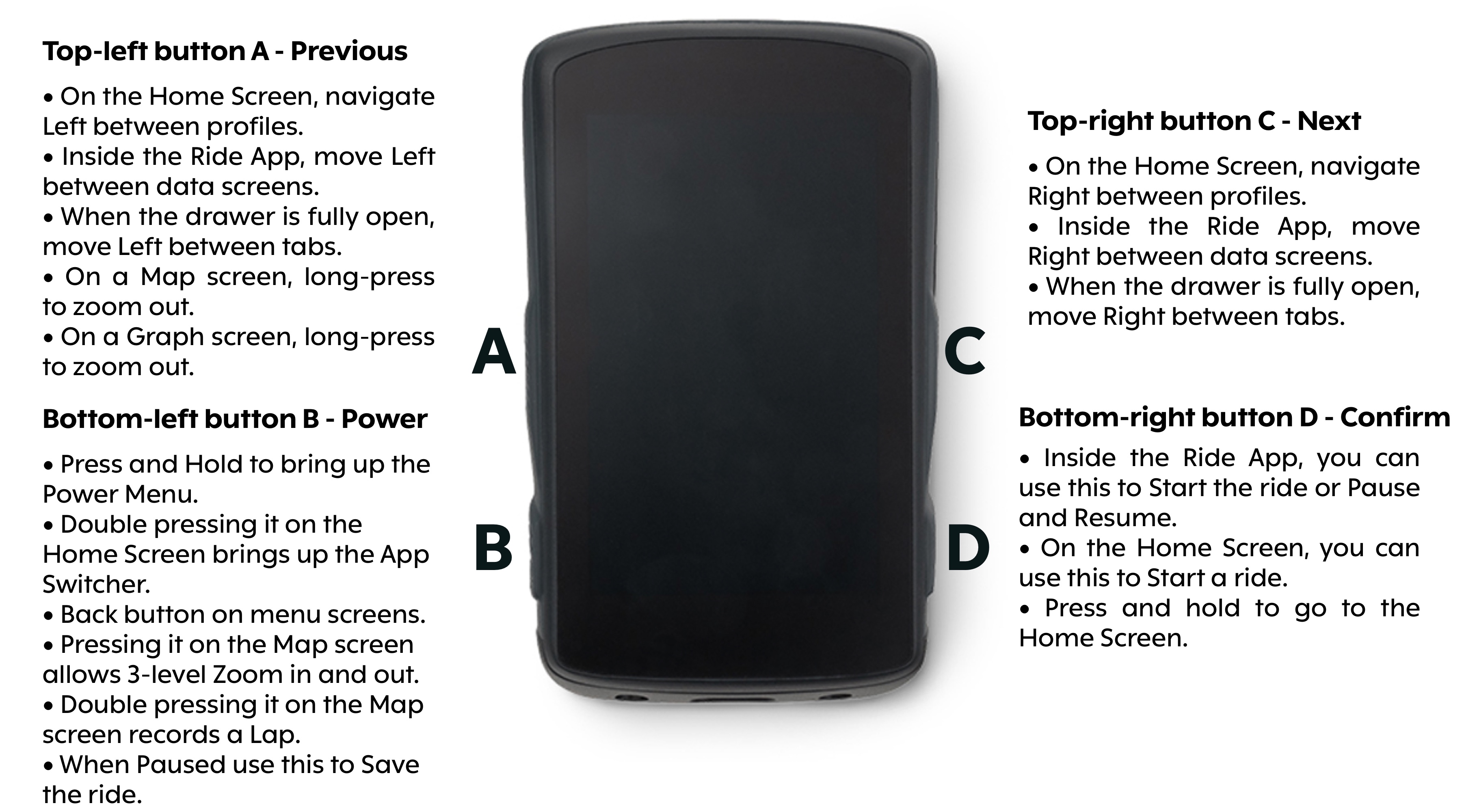
sounds super frustrating. Not sure about the sensors but you can jump into the settings menu while in a ride - hold the bottom right button (If memory serves me right) and it’ll pop up. I’ve had to jump into settings often after starting a ride to connect my phone and recalibrate elevation.
-

Hey Roberto, this has happened to me. So frustrating to want to start riding and you are spending 8-10 minutes fiddling with computer!!
The solution I've found for this problem is to turn on the ANT+ and BT devices before the computer. So for me, that means spinning my Stages power meter to wake it up from sleep, and turn on Garmin Varia. My HR strap is already woken by being on. If the Karoo finds the signals while booting up, it seems to work most every time. If it doesn't, for some reason it often can't find them later.
-

have to agree with David here .... If the ANT+ device is awake during the Karoo's boot cycle
it'll find the device if not, well good luck.
Mine "were" only tickr, axs and bontrager lights but after a few sessions of mucking about trying
to get them to connect I gave up - I don't bother with any now.
Bluetooth phone notofications cna be hit and miss as well but that's another story :)
-

And another thing, why the hell can you not access setting once you are in a ride. There should still be a way to at least get into the sensors page and see what is going on with the individual devices
You can pull down the drawer at the top and hold the sensors icon, that'll take you directly to the sensors page.


Please sign in to leave a comment.
Comments
7 comments