The problem with the map layout
Answered
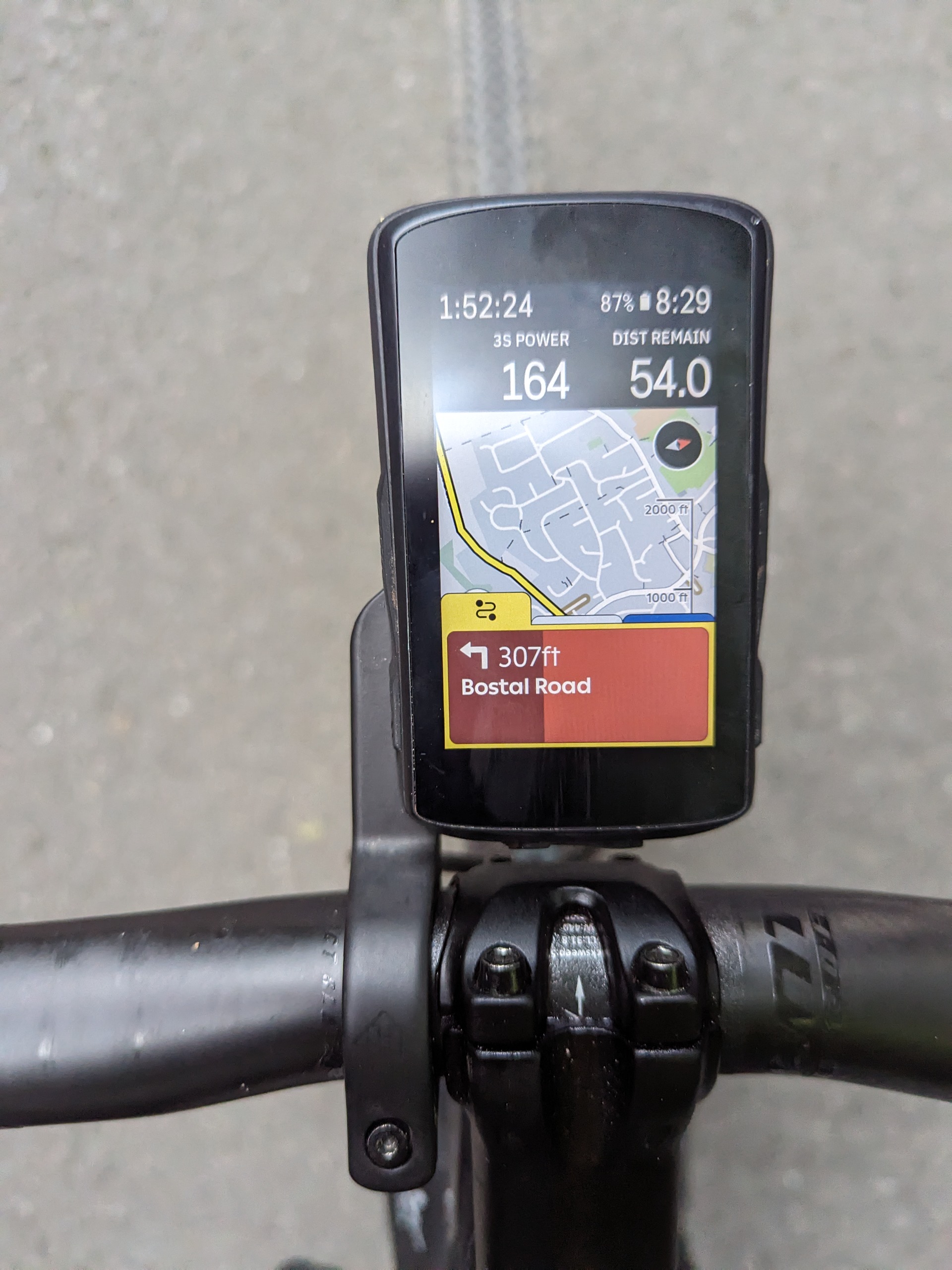
The setup: routing/map layout with two numbers watt and speed on top.
The problem: when climber shows at the bottom I can't see my yellow position arrow anymore, climber is overlapping. When I set the numbers on bottom I can't see the numbers anymore because of climber. So it is not possible to see two numbers, the map and climber at the same time while navigating. Really?
There is some unused space right below the numbers. Sqeezing everything a bit should make it possible to view everything.
-

I found exactly the same problem, there is no way when Climber appears for it not to disrupt the map page. I like having speed/power visible when climbing so set at the top of the map screen, but then Climber overlays the arrow.
In fact having used the Karoo 2 for nearly a year now, I would say that the presentation of data is for me the biggest annoyance. The map / navigation etc works really well but I am frustrated by the presentation of data fields (particularly when lots of effort seems to be going into presentation of the bits of the app you dont use when riding)... Some thoughts:
- The pop-ups from the bottom should not overlay, or at least should only overlay something predictable e.g. one row of data fields. The map size should be reduced to the available area and the arrow centred in that area when a pop-up arrives.
- On the Climber and Lap tabs - can the fields be customisable and with smaller text, so more fields can fit?
- Generally there is a huge amount of wasted space and the text is too big, I am envious when I look to see what a Garmin 1030 Plus gets on the screen (and I can now buy that for the same price as a Karoo).
-

+1 on this - caused multiple wrong turns at the weekend - and too much looking at the screen. Really irritating.
It's when climber OR navigation is on screen.
I prefer to have Map + Power - and then climber / turn by turn enabled.
Tried to use Map at top - but then Climb drawer obscures Power.Ideally move center point of map up WHEN the drawer is open.
Thanks!


Please sign in to leave a comment.
Comments
4 comments