Bug: map centering wrong for north-is-up orientation
Answered
The positioning of the map relative to current position in map views seems to be designed for the forward-is-up orientation. With north-is-up orientation, the current functionality is a bit impractical especially when riding in a southerly (between SW and SE) direction.
I think it is most extreme in the layout with 4 data fields, with about 75% of the map shown being north of the current position and only 25% south. I would expect this to be 50/50 in the north-is-up orientation regardless of the number of data fields.
-

Agreed, it would be great to get this fixed (https://support.hammerhead.io/hc/en-us/community/posts/4404663985051-North-up-navigation was my report of the same issue). If I was being greedy, it would also be good if "north up" was sticky -- I have to put the map in "north up" at the start of every ride.
-
Yeah, I actually reported this earlier myself as well in a laundry list post about mapping/navigation stuff: https://support.hammerhead.io/hc/en-us/community/posts/4408476965403-Feature-request-map-mode-improvements
Since that one got no reaction and this seemed like such an obvious bug, I figured it warranted a new post...
-
This is still broken and now when a navigation cue is displayed, the drawer tab thingy covers practically all of whatever is to the southwest of the current position. (The tab seems rather unnecessary in the first place, but even removing it still leaves the centering issue for north-is-up orientation.) A couple of examples with the latest software:
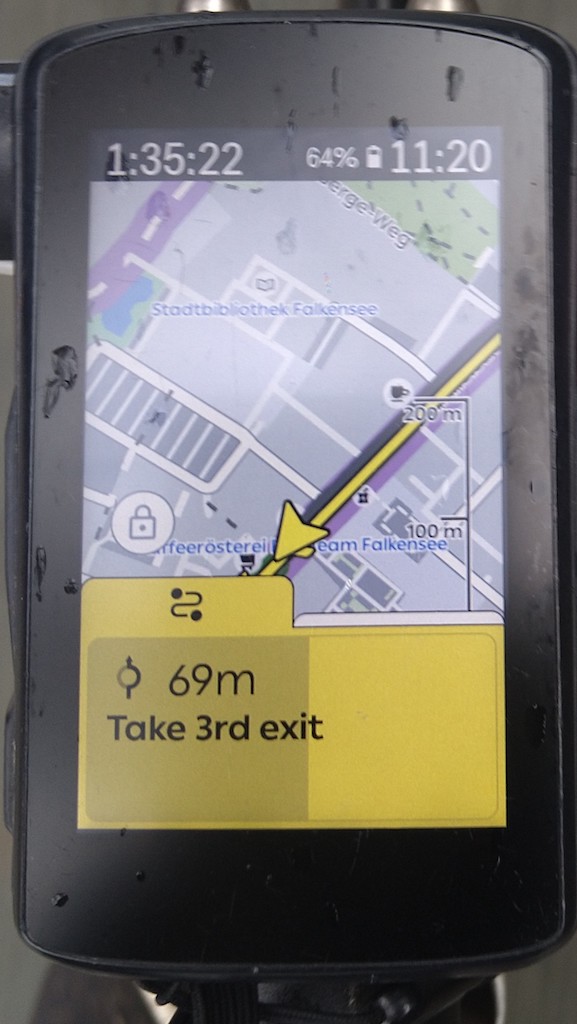
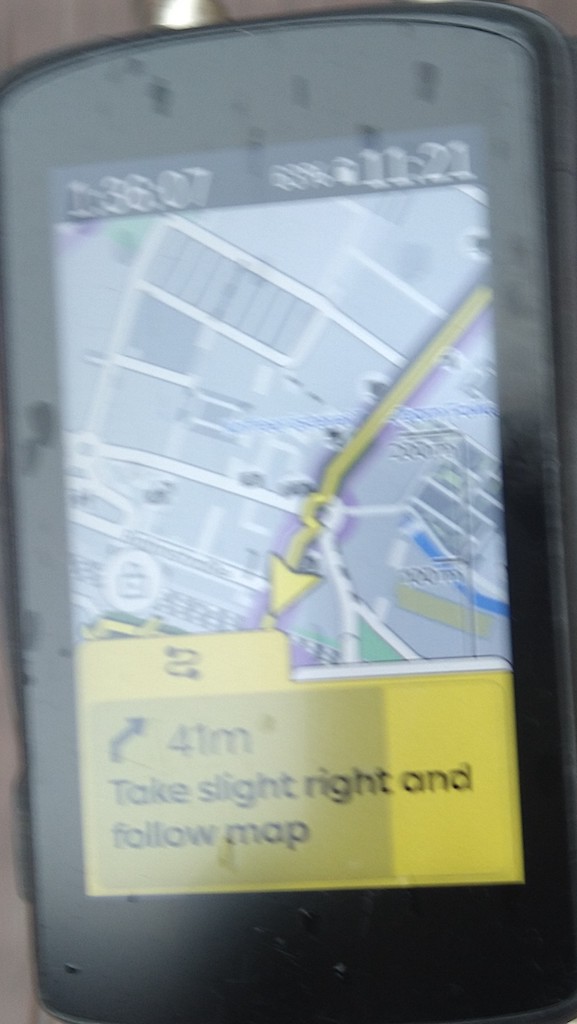
Especially the “...and follow map” I found hilarious. And the roundabout cue is also a good example of one where you always tend to need the map more often than not, as I have found that OSM and I don’t seem to agree on what counts as an exit and what doesn’t (and it can go either way).
-
This was okay (above the middle but whatever) after the UI redesign, but after today’s bug fix it is unusable again when heading anywhere between southeast and southwest, at least with the map+4 data fields layout (data below map). At least the forward-is-up users will be happy again, but for me this is perhaps the biggest frustration with the Karoo (when I actually need the navigation, anyway).
-
The latest version release notes says “We’ve improved the placement of the Current Position Arrow on the map, for certain layouts and when using certain Data Field Design settings.” but doesn’t look like north-is-up usability was improved this time either. Still can’t see the southwest to southeast quadrant any further than a couple dozen metres in the automap mode.
-

This is actually quite ridiculous; such centering issues make karoo unable to take care of the main reason I use it - to navigate me safely through areas which I'm not familiar with. It's appalling that this problem has been ignored for so long and still is ignored; it is the one single reason why I'm starting evaluating alternative solutions.


Please sign in to leave a comment.
Comments
10 comments