Climber+ Extension

Hi everyone,
Sharing Climber+, a climb overlay extension extending native Climber.
Repo & releases: https://github.com/hazzus/karoo-climber-plus
Why I built it:
Two frustrations with the native Climber:
- I don't need to see all 30 km of a climb in a tiny scale and the part I've already completed — I need to see what's coming. So Climber+ has display modes you cycle by tapping: remaining part of the climb, zoomed preview windows (next 2 / 5 / 10 km, configurable), or the classic full profile if you want it.
- Fixed 100 m chunks aren't informative. The grade you see can be a chunk you're already halfway through. Climber+ shows the average grades of the next five 100 m chunks starting from your current position — they update continuously as you move, so it's always the road actually ahead of you.
Beyond that I kept it as close to the native Climber as I could — Hammerhead's own glyphs, the Karoo's condensed system font, unitless values (only the background color differs) — and added selectable grade palettes (Karoo, Wahoo, Garmin, Zwift, HSLuv, Turbo).
What it does
- Permanent chip while a route is loaded: climbs done/total → countdown → live grade + distance to top
- Drawer pops up automatically before each climb: colored profile, approach bar, dist/elev to top, the next-500 m grade strip
- Full-screen view with four configurable data fields (climb metrics or live streams)
- Climbs list with checkmarks for finished climbs
- Demo mode — try it on the couch, no route needed
I would love if you could use it and give some feedback!
-

Sounds very good, I will check it.
On note from my side ;-) Your link is incorrect, see the correct one https://github.com/hazzus/karoo-climber-plus
-

Hi,
really useful extension! Is it possible to adjust the position at the bottom? It currently covers the turn-by-turn directions. Alternatively, could there be an option to display the small pop-up at the top and the rest at the bottom? When everything is placed at the top, the medium-sized overlay covers the map and makes navigation difficult. -
Hi guys, thanks for the feedback!
I've released v1.0.7, the drawer and chip positions are now separated in settings.
It also adds bottom split chip, (covers buttons a little but you either sacrifice this or tbt for bottom chip).
Implementing dragging for chip might also would've worked, but I wanted to keep things simple, but if you wish, I would try at least...
Also I am working on little bug with buttons now. Next/prev page and pause buttons don't work if drawer opened now, but will work in next version.
Enjoy -

Hi, I have just installed and watching the demo. I was actually directed this way by a Reddit post about someone looking for information to be displayed showing how much longer the climb will take. Is this something that can be shown? (I can't see it, but maybe I missed it. If it's not an option now, is it possible to come up with a ballpark projection?)

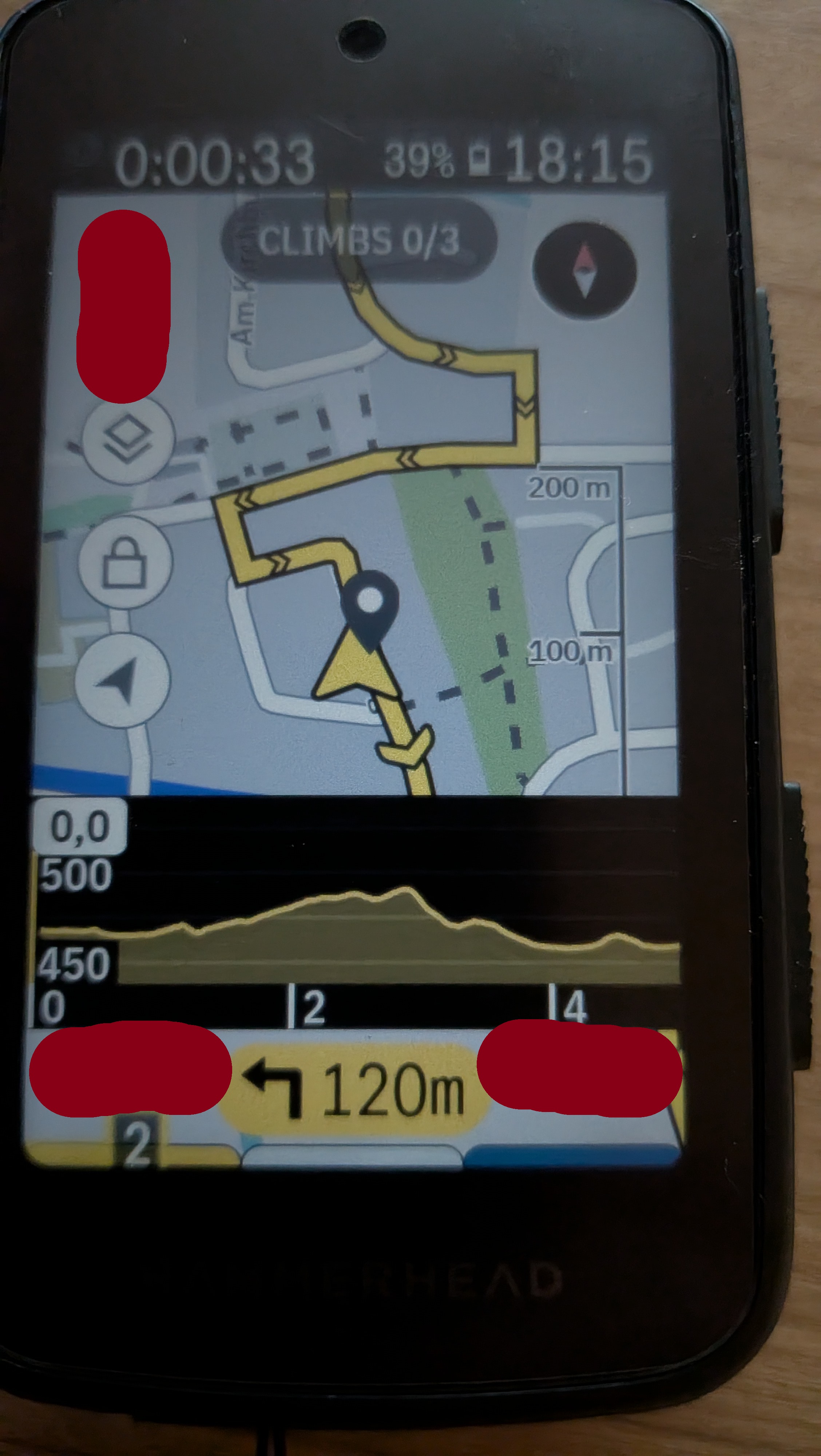
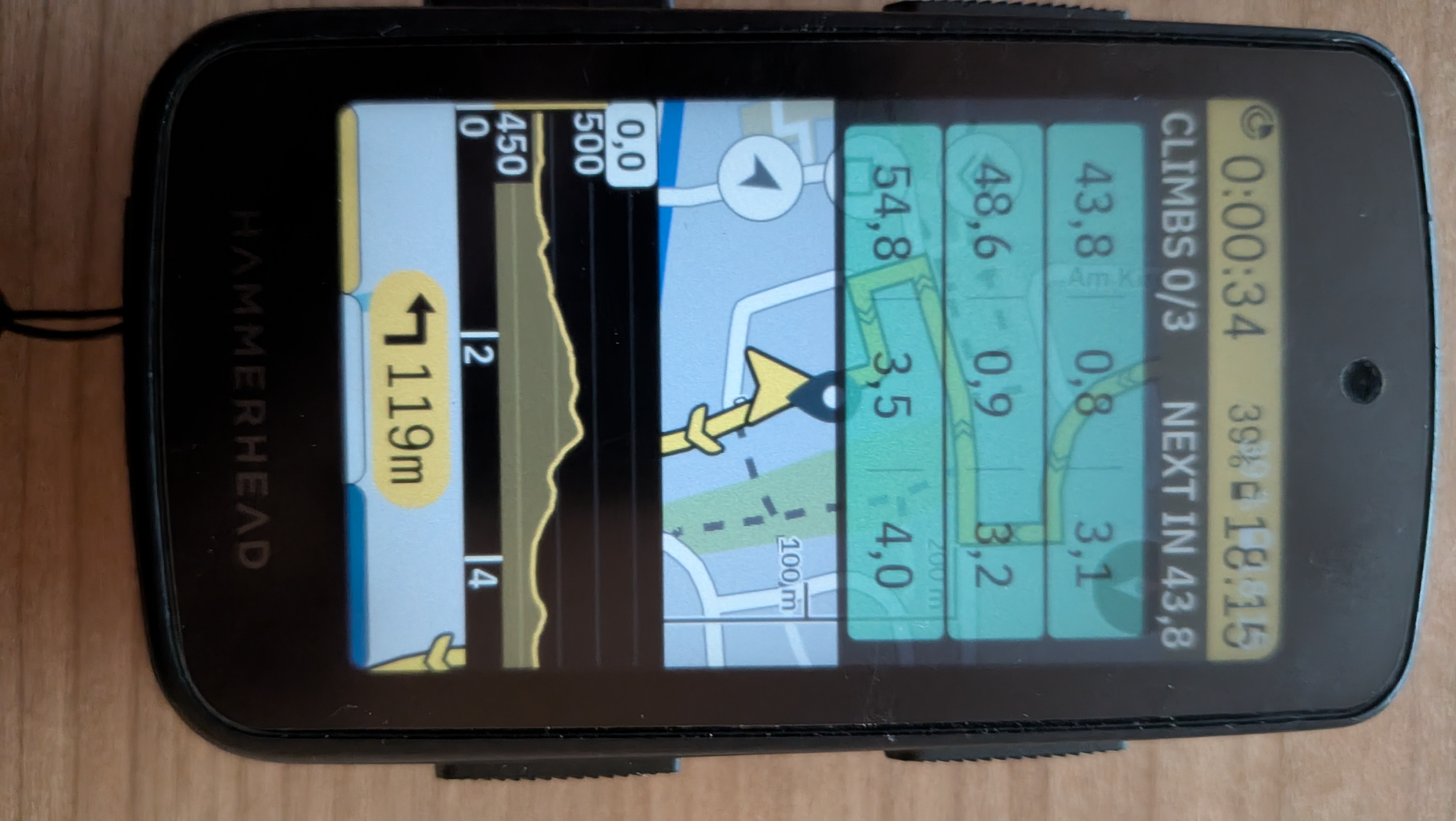
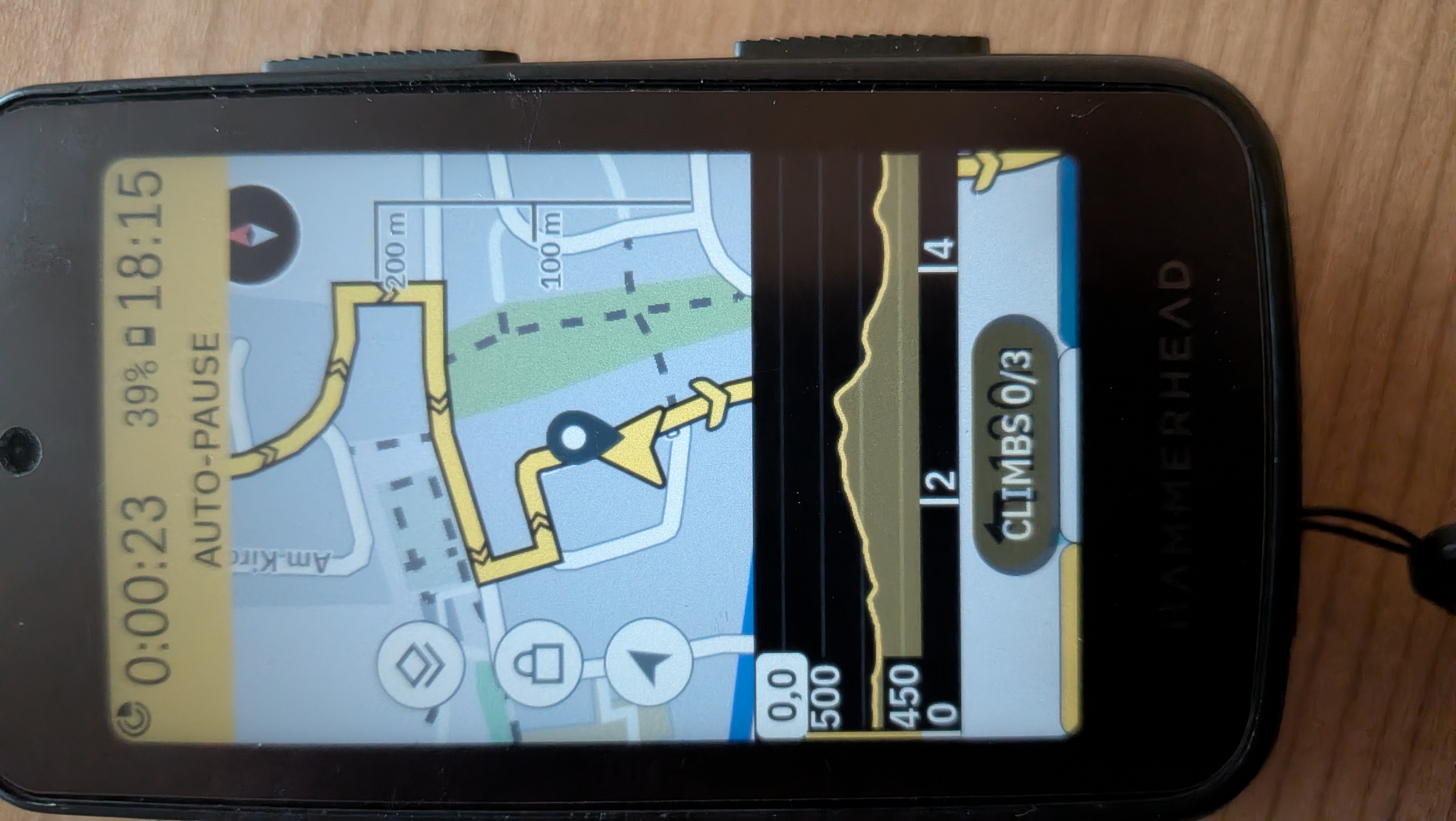

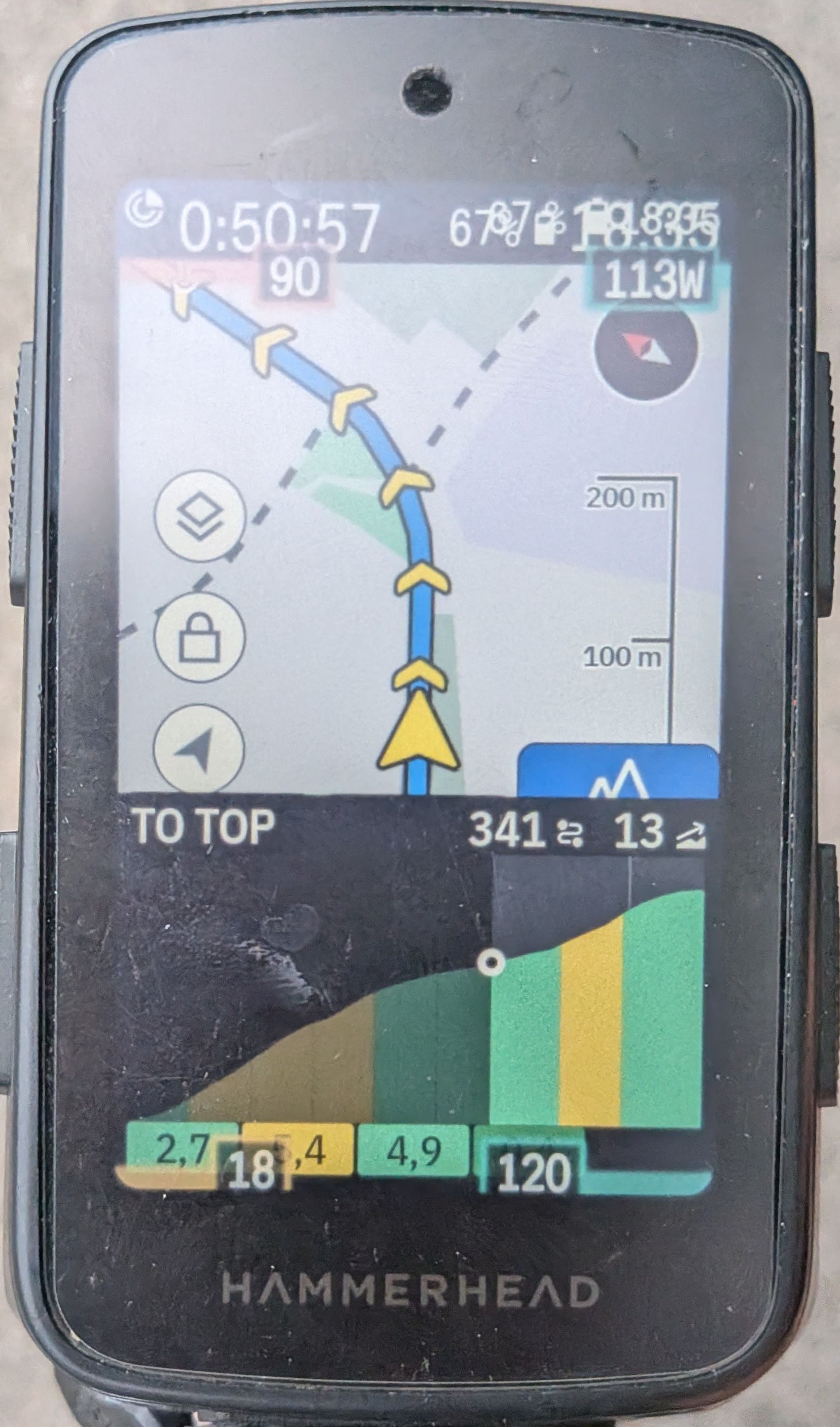 I did a few rides with the newest version, and the improvements work pretty well. However, I noticed an issue where the overlay covers the status bar, making it hard to read the time and battery level.
Please sign in to leave a comment.
Comments
16 comments