Karoo companion does not send notification to Karoo 2

Answered

Comments

16 comments

  • Avatar
    Xyz

    Same here, Xiaomi Note 8 on android 10. 

    It says 'paired' after filing in the codes, but have never been able to receive a single notification. (except for 'phone disconnected' unfortunately)

    Have performed hard reset and app reinstall.

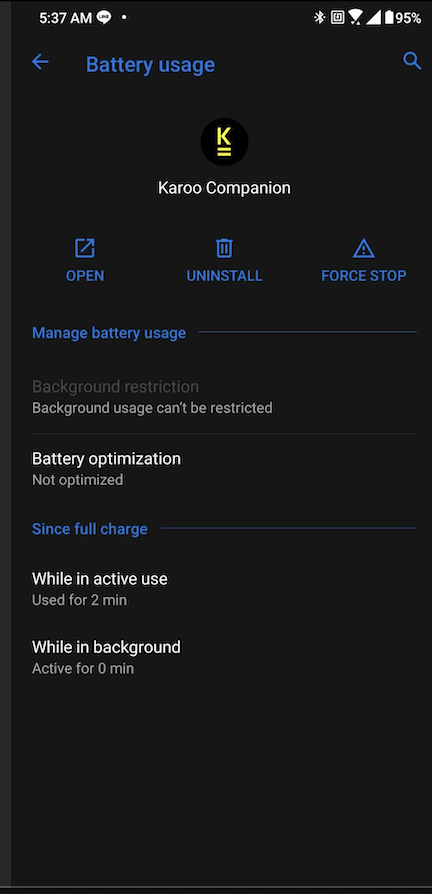
    No battery optimalisation enabled.

    0
    Comment actions Permalink
  • Avatar
    Ali

    Hi All, can you check if you have followed this article step by step. See - Android notification.

    The key point here is the location services enabled on your phone for the companion app.

    0
    Comment actions Permalink
  • Avatar
    Yusheng huang

    Yes. Location service is enabled. See attached.

    1
    Comment actions Permalink
  • Avatar
    Ali

    Also, can you confirm the app is not blocked under battery saver on phone?

    0
    Comment actions Permalink
  • Avatar
    Yusheng huang

    Set the App to "Not optimized" for Battery. Still no notification.

    0
    Comment actions Permalink
  • Avatar
    Ali

    Thanks, Yusheng - we might have to take this on our support channel to troubleshoot further.

    0
    Comment actions Permalink
  • Avatar
    Xyz

    Had already followed the article's steps, but doublechecked also, no battery optimalization, location enabled.
    Please advise, thanks!

    0
    Comment actions Permalink
  • Avatar
    Ali

    @Xyz -  Yusheng was able to solve the issue by disconnecting his phone to another Bluetooth device, Could you please check if this is not the case?

    0
    Comment actions Permalink
  • Avatar
    Nicolas Aguttes

    Hello, for me notification don't work.

    I have setup everything according to the documentation,

    During my ride I had in the white popup screen saying " no notification during this ride". I know that during this ride I got  whatsApp notification on my phone but they did not popup on my Karoo2

    I have mi 9T running Android 10

    1
    Comment actions Permalink
  • Avatar
    Angelo

    same problem with my karoo 2 just arrived yesterday!

    i checked all the permissions. the device recgnize my phone but no notification

    0
    Comment actions Permalink
  • Avatar
    Hari Krishnan

    @Angelo: May I know the make and model of your SmartPhone? Also, after starting a ride, are you able to see the Drawer tab in white for the Phone notifications?

    0
    Comment actions Permalink
  • Avatar
    Yusheng huang

    Since my first post on this issue, my experience with notification is between working and not working. Basically I have to play around with the bluetooth connection to my Samsung Watch to get the notification to show up on Karoo 2. Not sure how to make it work. Seems quite random.

    0
    Comment actions Permalink
  • Avatar
    Angelo

    @Hari Krishnan, My smartphone is a Redmi Note 8 with Android 11 RKQ1.201004.002 version. the drawer tab for notifications is present, the device phone pairing says that my phone is connected and all the notification permissions are active. 

    0
    Comment actions Permalink
  • Avatar
    Hari Krishnan

    @Angelo: Did you pair your Phone and Karoo 2 to any other Bluetooth devices? If yes, could you unpair it and see if that works?

    0
    Comment actions Permalink
  • Avatar
    Angelo

    Done, but it doessn't work. I tried with another phone (huawei) that has android 9 and it works 

    0
    Comment actions Permalink
  • Avatar
    Hari Krishnan

    @Angelo: I have created a support ticket requesting the serial number of your unit and I will try to help you with some more steps. I request you follow up on the ticket.

    0
    Comment actions Permalink

Please sign in to leave a comment.