Route Creation/Deletion On Device
Answered
Hi,
I have been trying this out on the device itself, since I'm at home I'm on the home wifi. Initially it was consistently dropping the internet connection in the middle of an address search, then saying address not found. Not clear on why that was happening. I was indoor and so maybe it was failing to find a GPS signal? But sometimes there was a GPS signal but the internet connection just kept dropping in the middle and then it would say address not found.
I then went outside and made sure it had a good GPS signal while still being close to my home wifi. This time it dropped the wifi connection once but when I reconnected it stayed connected and I could find addresses and create routes fine. It seems unintuitive that if I am in the middle of a ride and just ad-hoc want to route to an address or point of interest, why do I have to create a named route? Just create an ad-hoc route and take me there without naming it.
Once the route is created and I'm done with it and want to delete it on the device itself, found no way to do it. I found this article https://support.hammerhead.io/hc/en-us/articles/360051738154-Deleting-a-Route-on-Karoo-2 that says there should be an edit button in the lower center part of the screen when I select a route, but for me the lower center part is empty, there is no Edit button or control. See my screenshot here: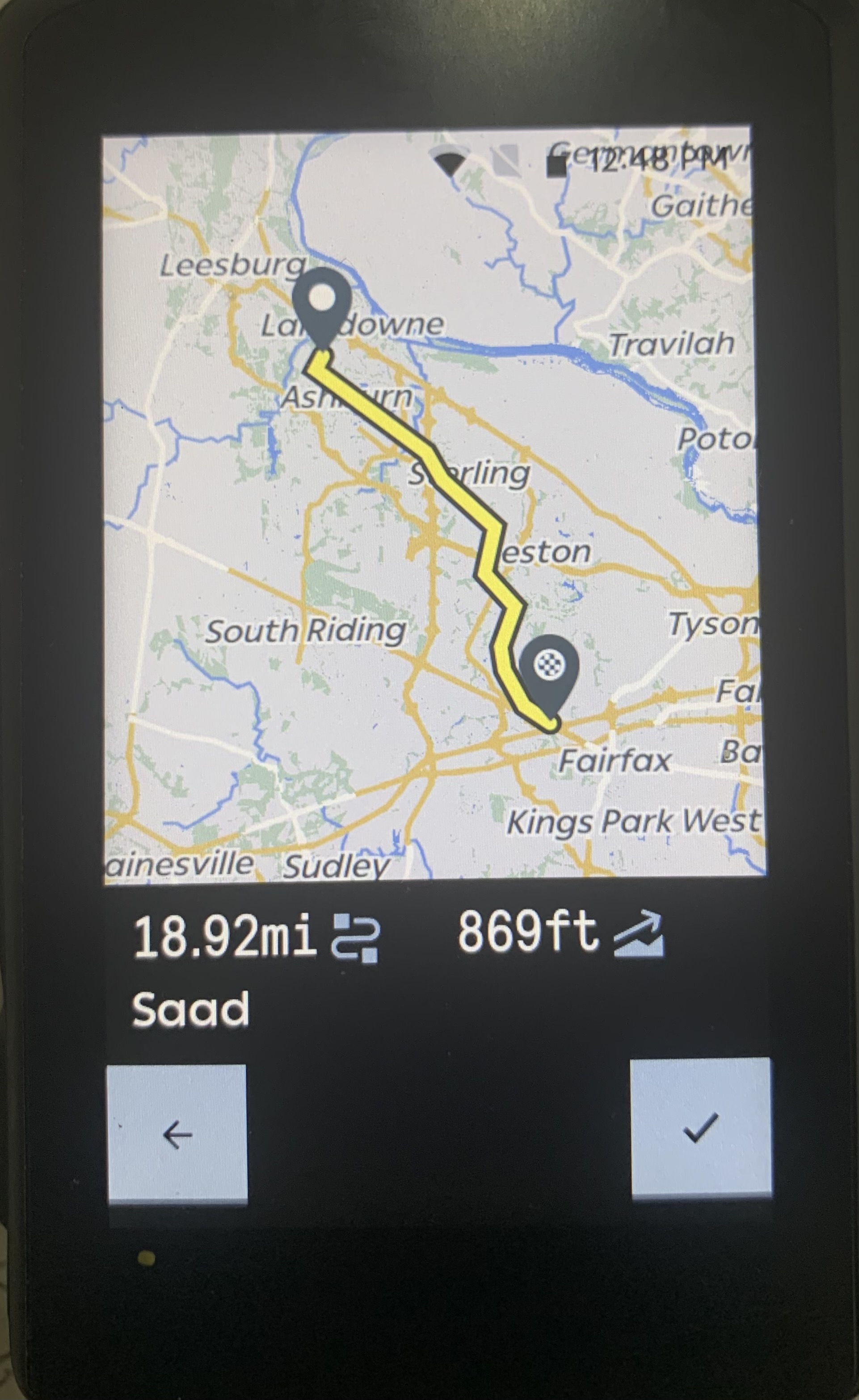
Any help/feedback would be appreciated.
Cheers.
----
Saad
-
Further experience, on restarting the device, now I got the Edit button on a ride I just created. Didn't use it to delete yet. Then started a ride, from the ride used quick menu buttons to add a route, created a new one. Then abandoned the ride by bringing up the app switcher and killing the ride and routes apps. After that in the routes app, the one I created outside the ride, that was previously showing an Edit button, again doesn't show anything. The route I create mid-ride that I abandoned, when selected shows a ROUTE button instead of edit. As if it remembers you were in a ride that got abandoned. Oh and the one that I created midride initially said no internet connection. I guess because wifi is dropped when you start a ride? Ok that's simple enough I enabled it again from the dropdown, but it lost wifi once more before I reconnected yet again and then worked.
Very confusing experience so far.
----Saad
-
Sorry for the ongoing saga but want to record the steps for posterity :-) Next I selected ROUTE from the route I had created midride (remember, the abandoned one). It started a ride for me with the route. This time I ended the ride properly instead of killing from the app switcher. Then went to rides and deleted the ride. Next went to routes and NOW both the route I created outside any ride and the one I created midride, when selected, showed the proper EDIT button. Use that to delete routes from device.
It sure feels like killing the ride app/routes app from app switcher leaves behind some sort of state and the flow and what buttons are shown depend on that, and that the state doesn't get cleared until you end a ride "properly". If so, the shortcut some had suggested to abandoning a ride by just killing the ride app from the app switcher would seem less that ideal.
The experience with wifi randomly getting disconnected also needs to be addressed.
Cheers.
----Saad
-

Hi there Saad!
I'm sorry to hear about your issues. I will start with the wifi first. It sounds like you don't have a stable connection. I have a couple of things to try -
- in wifi settings on the Karoo 2, "forget" your network.
- reset/restart your router
- power off and back on your Karoo 2
- connect to wifi again
I believe the issue with sometimes not seeing the choice to edit to be tied to the wifi - you must have a stable connection for the option to appear.
Ad-hoc routes without names can be created in a couple of ways, and internet connections are not necessary for these:
- if you go to the map on your Karoo 2 at any point and long-press on any point on the map, you'll get the option to route there. It won't create a saved route - it will just get you from A to B.
- You can also create account-level POIs from Dashboard and save them - they will then show up anytime you look at your map - great for adding favorite start/stop/meetup place. coffee shops, restrooms, etc. Make sure to tap the heart when you create them if you want them to show up all the time vs just on a particular route.
If this doesn't get you squared away, feel free to submit a ticket to support@Hammerhead.io -
One of our Customer Experience Associates will gladly help you out!
Please sign in to leave a comment.
Comments
3 comments