Bulletproof way to sync route from Komoot to Karoo 2?

Is there a foolproof process for syncing a new root from an external app (Komoot in this case) to the Karoo 2? More than once I've found myself at the start of a ride with my route missing from the device.
Yesterday, I created a new route in Komoot, logged in to the dashboard, synced my routes, then tagged the new route as a favorite. I then turned on the Karoo 2, saw the upload/download indicator flash for a bit, then plugged it in to charge.
Today, I get to the start, look in my route favorites on the device, and my new route is nowhere to be found. After swearing for a bit, I biked to a nearby coffee shop, connected the Karoo to the shop's wifi, opened the routes page, and waited. Then waited some more. After several minutes, still no route. I started questioning whether I actually added it to the dashboard, so went to get my phone. By the time I logged in to the dashboard again to verify the route was there, it finally showed up on the Karoo (at least 5 minutes by this point).
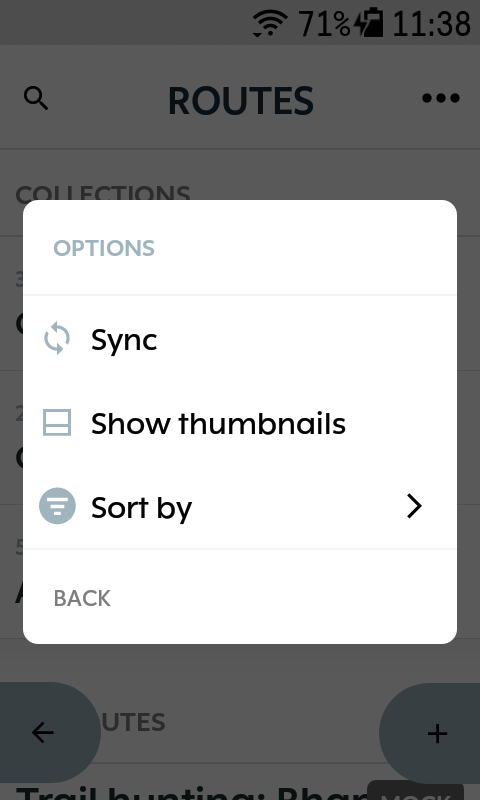
From what I can tell, there's no manual process to refresh the routes list on the device, and no indication of download progress. If that's truly the case, this is completely unacceptable.
Contrast with the process of syncing a route to Garmin Edge. 1) in the connect IO menu, open the Komoot app. 2) click routes 3) select the route 4) toggle the "available offline" switch. Done.
-

I guess you could install this (anybody try it?): https://support.hammerhead.io/hc/en-us/community/posts/9731048694299-How-to-install-Dashboard-APK-on-your-Karoo
I sideloaded Firefox to my Karoo for this, but I found the screen a bit too small for using it, so now I just open the dashboard on my phone instead. Agree that the current state is awfully clumsy, I would like to see something like a pull-down reload action that also updates the routes from third-party services (or just does it automatically whenever you open the list of routes with an active internet connection).
Of course, for Komoot users there’s the extra complication that a route you have planned earlier may have fallen out of the 50 more recent, so before the dashboard you might first have to open the Komoot app, find the route you were looking for, do a replan route and save, and first then go to the dashboard. I really don’t understand why previously downloaded routes can’t just be left in the Karoo’s storage indefinitely.
However, I do find that the list of routes updates pretty reliably against the dashboard, so a part of your problem may have had something to do with the coffee shop wifi. (As a reference point, I myself have never been able to do software updates successfully with anything other than at home or using my phone as a hotspot. For updating routes, the mobile data connection in the Karoo itself has worked flawlessly (apart from messing with the altimeter).)

Please sign in to leave a comment.
Comments
2 comments