Upload to Strava
Answered
When I upload my ride to Strava, the map is not showing in the App. It also takes the wrong bike. It uses the first bike which is on Strava in stead of the bike I selected on the device.
When I ride a route which I have created and uploaded to the device, it seems to show the map.
-

Strava will by default use the first bike in the list.
It would appear that the Strava API does not have the capacity to specify a bicycle. In plain English, the API (application programming interface) allows Hammerhead Karoo to talk to Strava and upload the activity
http://developers.strava.com/docs/reference/#api-Uploads-createUpload
If one cannot specify the bicycle type on upload (due to a limitation with Strava), then the Karoo and every other device on the market will behave the same way.
This is my 2p.
-

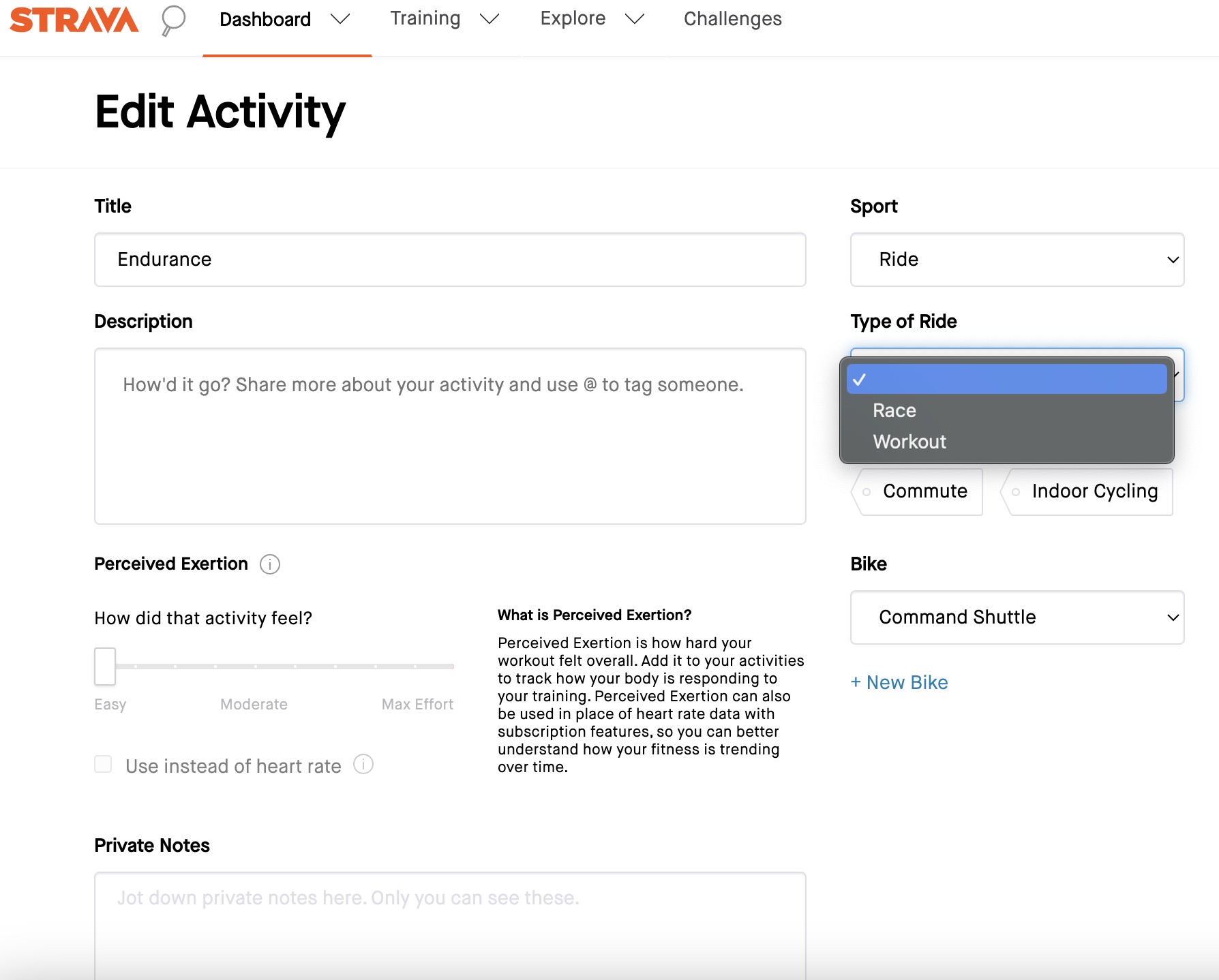
I can verify Robert's statements. I have 5 bike configurations on Strava. The API doesn't accept an external default bike. You need to change it manually in the edit activity mode.
In your Strava profile you can add Gear. There you have the possibility to add multiple bike profiles. After you have added your bike profiles, they are visible in your edit activity.
It does take some effort to set it up but thereafter it is very easy to change.This was my 2 bits worth.
Good luck
-

Hi, on this topic, I think there should be a work around that requires an update at Hammerhead's end. Strava now have default gear by activity type, so my old Garmin could upload a Gravel ride and Strava accordingly allocated by gravel bike to it.
Is there a way for my Karoo 2 to do the same, by having my Gravel profile tell the Strava API that it's a gravel ride?



Please sign in to leave a comment.
Comments
9 comments