How can I quickly turn on / off the built-in GPS receiver without turning on Bluetooth and ANT+ ?
Answered
How can I quickly turn on / off the built-in GPS receiver without turning on Bluetooth and ANT+ ?
This specific scenario allows you to save battery power well without having to turn off Karoo.
Because, being for example indoors, when I do not need Karoo, the GPS receiver continues to consume the battery intensively.
Now turning GPS off / on is very inconvenient and requires a lot of extra clicks to do this.
I have to turn on Bluetooth and Ant +, then go inside GPS, turn it off, exit, and turn off Bluetooth, and then Ant+

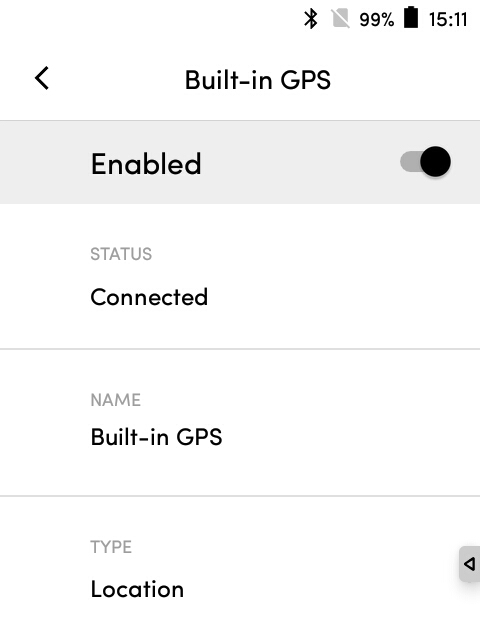
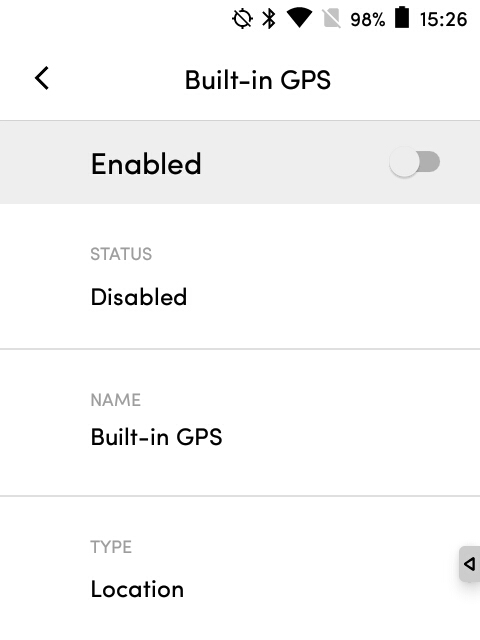
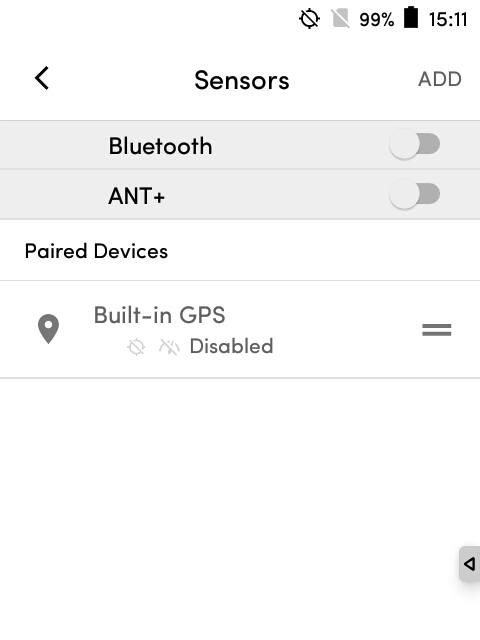
-

@Marks: I appreciate you for sharing your thoughts on the precedence of the location section under the Settings app on the unit. We have a list of tabs under Settings apps on Karoo. We have prioritized each tab based on the need and value. This is the reason you would see the Hammerhead account on the top. However, I will certainly take this to our Product team for discussion.
@all: I really appreciate you for sharing your input on the implementation of the feature of linking sensors to a specific profile. We understand your need in regards to the profiles defined for the sensors. As mentioned, I will certainly take these points to discuss with our Product team to see how they prioritize it. Just to clarify, I will not be able to define the concrete timeframe for the implementation, but we would certainly announce if it is ready for our users.
-

I also got annoyed by the lack of this feature, as I do a lot of riding indoors and have to turn off the GPS and remember to turn it back when I'm outside. Ideally this should live in a profile (if indoor -> GPS off) but even if you make it easier to get to that would help, for example by adding it to the dropdown bar that has WiFi, Auto-Pause etc. Just add Location or GPS to it as a shortcut, that could be a reasonable short-term solution.


Please sign in to leave a comment.
Comments
6 comments