plotting a route, my choice, not yours

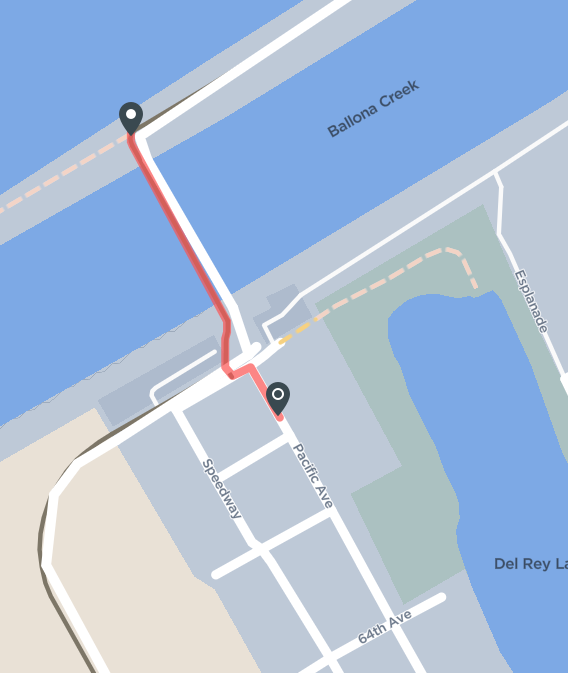
I am creating a bike route near Marina del Ray in the Los Angeles area. When I get to a particular point the plot tool draws the route where I don't want it. I cannot find a way to set it as I want. In this image, the rider enters from the top going to the left and down, taking a left turn at the first circle. At the second circle, the route continues straight. The plot utility draws the square around the area rather than direct from the second circle to the black point.
I have tried making waypoints very close together, no luck. How can I change this behavior?
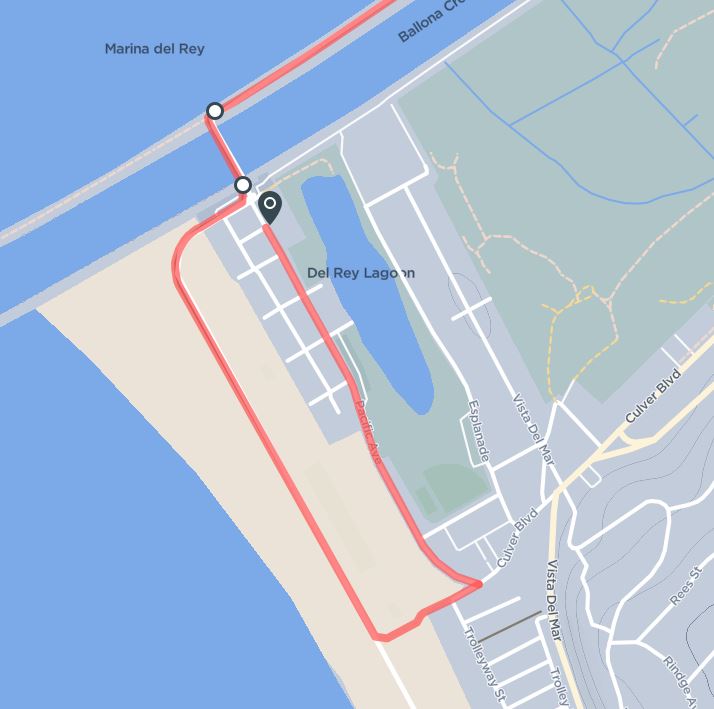
-
I ride with a group that goes there often. I have ridden it a few times and the path I want is valid. This utility needs something to command it to go directly from the last waypoint to my next one, I don't care what the utility thinks is right. Humans always need a way to override.
So that is my suggestion. Give me a way to over-ride the utility. A way to grab a path and bend it to my will.
Thanks for taking the time to respond.
-

I agree that there should be the option to manually override routing errors/gaps and to directly connect two points.
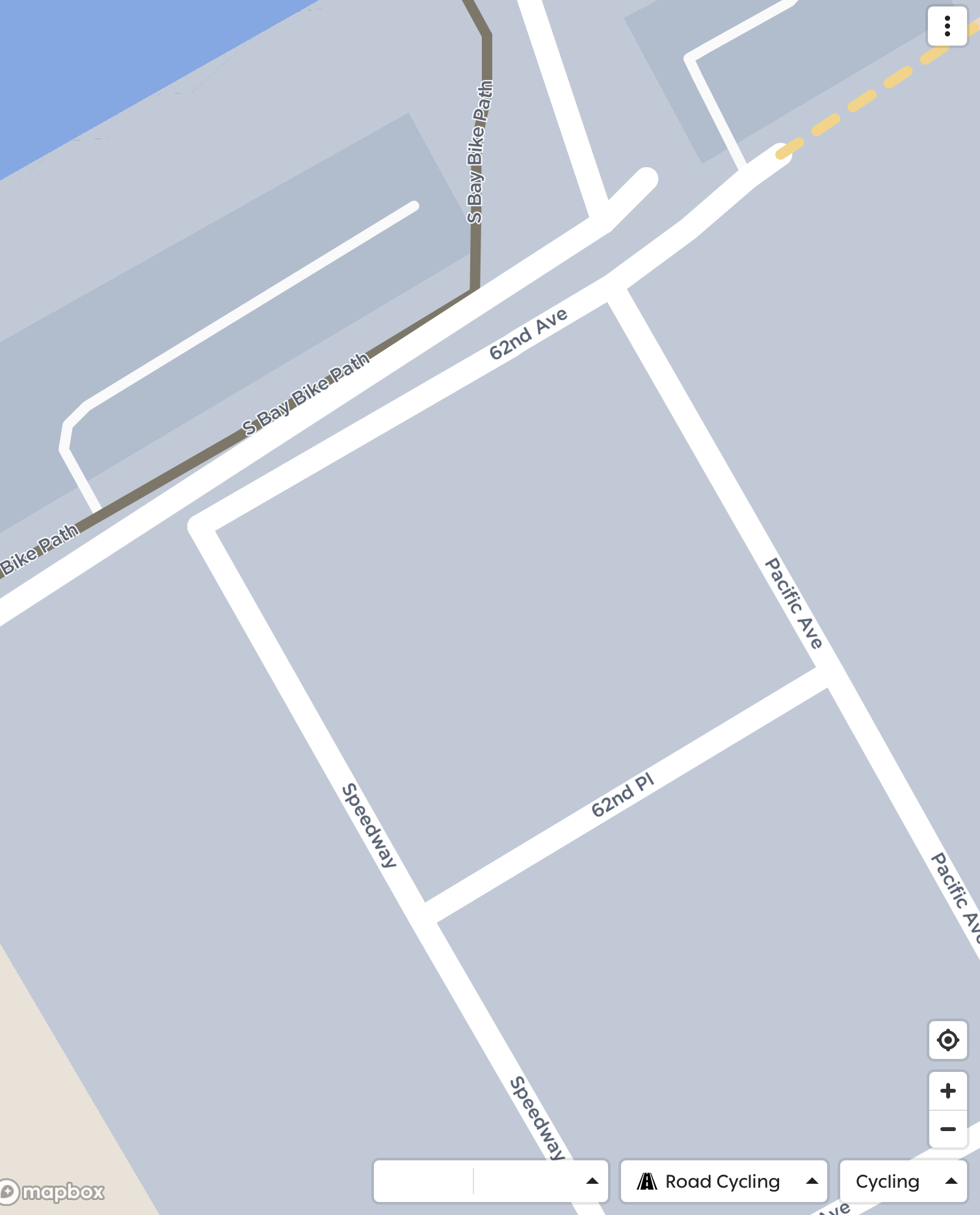
But the source of the problem in this case is the base map material, which both Hammerhead and Komoot get from Openstreetmap [link to position]. If you add the missing path there, later map updates will have that fix.
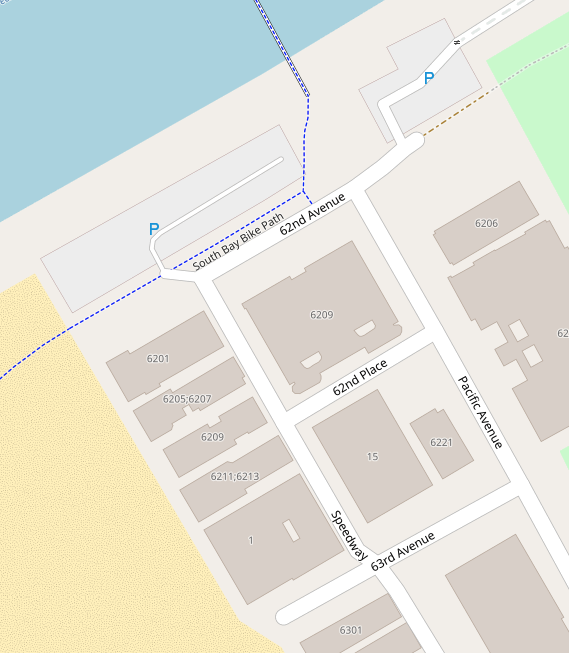
Edit: Something similar to this, but someone with local knowledge should do it correctly.

Edit 2: Since there's a parking lot north, maybe there should be better a "highway=service" to connect that to the corner of 62nd Avenue, which would fix that routing problem, too.
Edit 3: I added some connections there. Unfortunately Hammerhead updates the maps quite rarely, so it will take some time to show up in the Dashboard and on the Karoo.
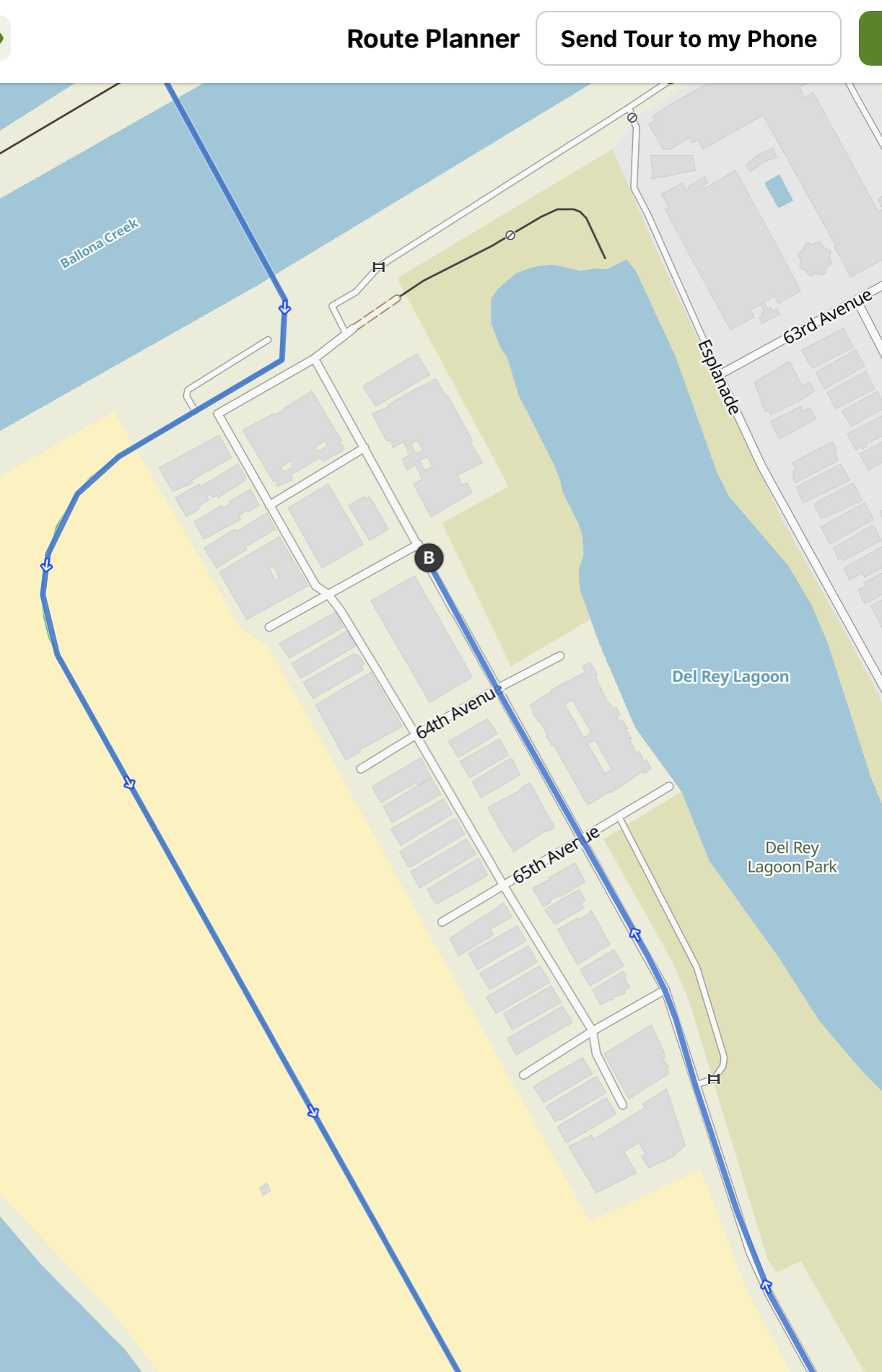
Edit 4: This is the location now on OpenStreetmap with the changes I made. After the next Hammerhead map update it should route correctly.


Please sign in to leave a comment.
Comments
5 comments