Auto pause even if auto pause is disabled.
Answered
After the latest update ( 1.335.1353), my Karoo 2 auto pauses immediately when I start an activity. It happens in both indoor (GPS off) and outdoor profiles (GPS on). I have tried to disable auto pause but even then it auto pauses after 0 seconds meaning that my Karoo 2 cannot record an activity.
Have anyone else experienced this and know of a workaround?
-

Dear riders, This is a known bug when not using a speed sensor. The fixes are in place and it will be released in the next software update.
We have also added this bug in our Known Bugs and Issues post. -
Hi Sergio, This is a bug that we are aware of and the software team has prioritised he fix for this issue. This happens when riders do not use a speed sensor. This will be fixed in the next update.Thank you for all your patience while we roll out the fix in the upcoming software update.
-
Dear riders, The ATG is currently testing it and the bug fix will be released on this the software release scheduled on November 17th.
We have a workaround in the mean time but we understand that this is not convenient for riders. Please consider this as a temporary workaround until we roll out the permanent fix on November 17th.
You can create an outdoor profile with auto pause disabled, start the ride on that profile and move at a small speed to disable the Auto-Pause. Then switch to the indoor profile and use that Profile for your indoor workout.
-

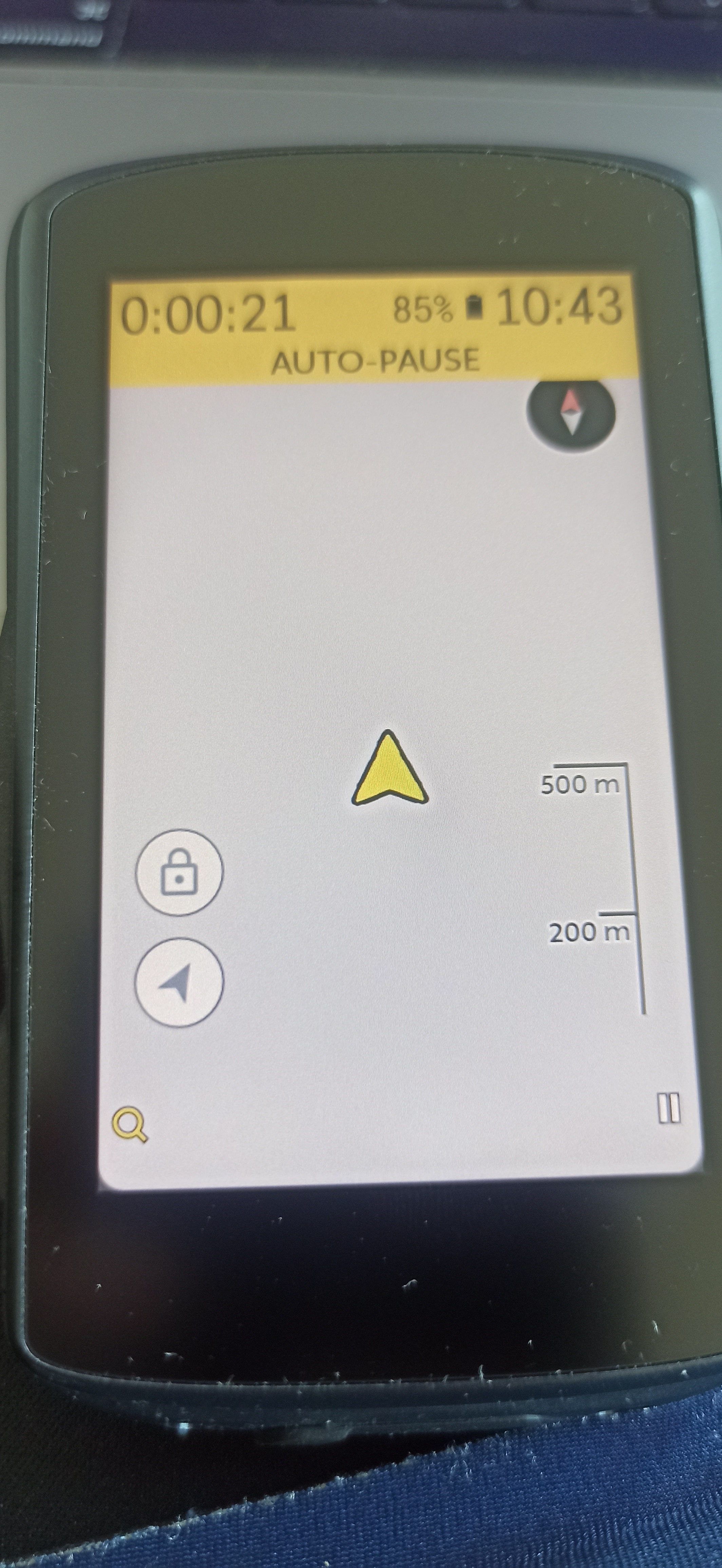
Hello all, I just had this issue this morning, June 16 2023 despite being on the latest update (June 1 - 1.389.1529.12). Can you please check that this bug was correctly fixed. Here are the steps I tried :
- Ending the ride and starting over, didn't help
- Rebooting the device multiple times, didn't help
- After every attempt, I'd get on the bike and continue the ride, didn't work
- This is my daily commute ride, which I never had any issues with and it should have excellent GPS coverage
- All of this time, the map was not working (see screenshot)
The map was back to normal on its own after many attempts to pause/end rides.
-

Hi Barry, as of now it is not considered as a common issue or bug. We want to eliminate the possibility of user error. Could you please share the details of your Karoo 2 with us by submitting a ticket here: https://support.hammerhead.io/hc/en-us/requests/new
Please also share the auto-pause setting for each of your ride profile.
-

Thanks for your reply. I have an old Garmin sensor with a magnet on the crank arm but think your answer has given me the clue I needed. I went into Settings/Sensors and reset (disabled/enabled) the speed sensor and it is now recognised again (with the same name of 'Speed 51952'). BTW it worked fine without doing this when I first bought the K2 which makes me think the issue arrived in a software update.


Please sign in to leave a comment.
Comments
18 comments