Back to previous software version?

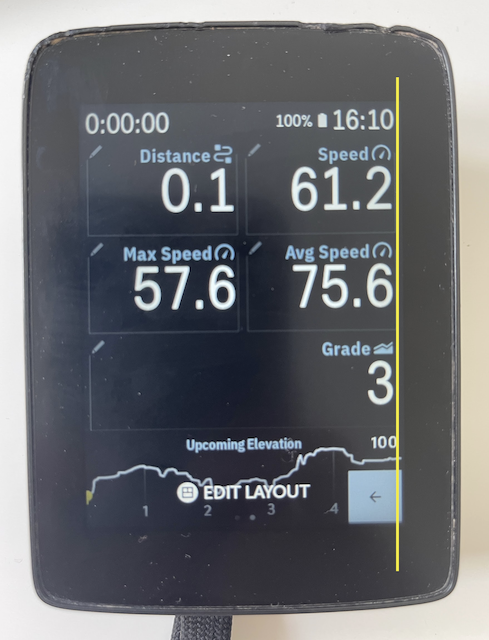
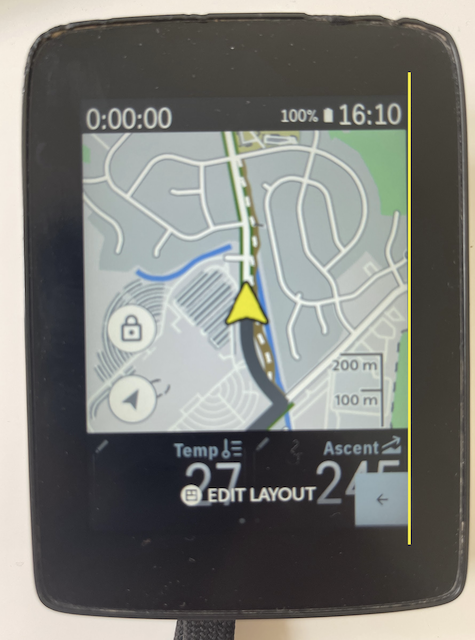
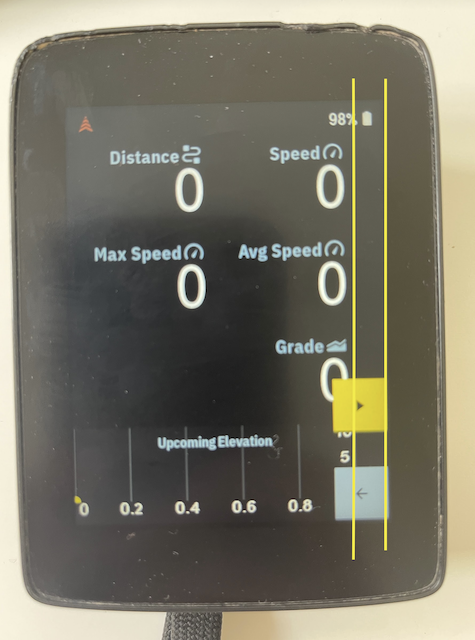
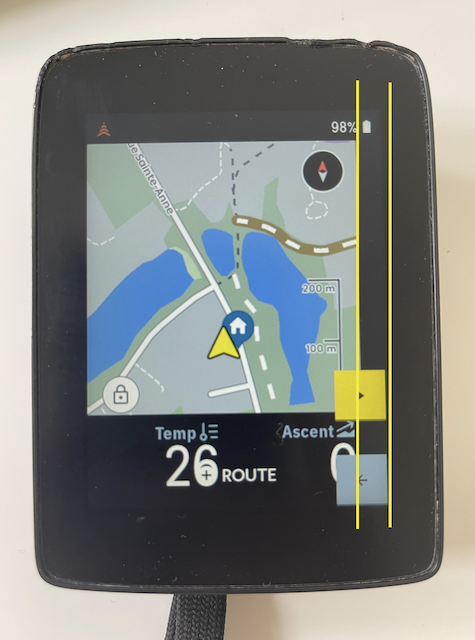
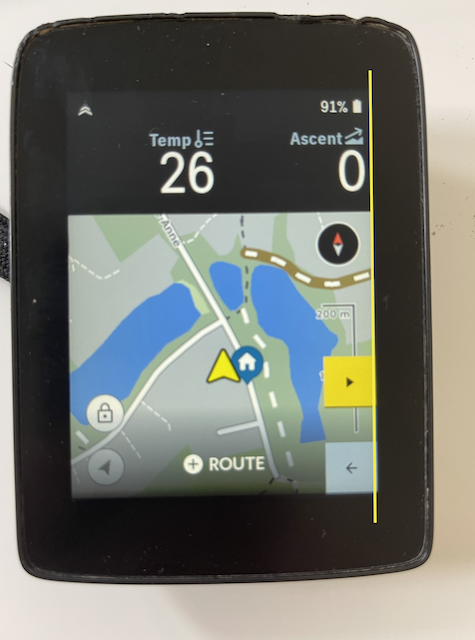
I encounter a bug after the last update (4mm black stripe on maps and ride data and impossible to have the arrow pointing up (map always north) when in ride).
My question: is it possible to do a factory reset to a previous version than the last installed on the device?
Thank you in advance,
KH
-
Nigel,
Thank you for your answer. I did the full factory reset but unfortunately the bug remains.
I have a 4mm black stripe on the right of the screen in map and numeric data views. Furthermore the map is ‘always north’ and the compass on the screen disappeared 😒. Almost impossible to use the device.
Unless they identify the bug and release an update soon (not very likely) the only option is to revert to a previous version or completely reinstall the system. I’m not very optimistic🙁
-

Have you tried to create a new profile? It should only take you a couple of seconds to create a very basic profile, to check if the black tripe in the map view is still visible. As the existing profiles are restored after a factory reset it may make sense to verify this issue with a fresh profile.
In case the black artifact is also visible in the home screen, I would say there is a hardware problem with your K2...
-
Michiel,
Thank you for your answer. Indeed this is the last option I have to completely remove the link with anything I did and corrupted the display. Note that this is surely not hardware because the black stripe is only in certain map view and 'indent left' the figure at the right of the screen in numeric data views. Karoo 1 - version 1.220.1066.3
See my screenshots with the double yellow lines.
Do you know if I can delete and re-create an account immediately after? I don't want to have a e-mail adress just for Hammerhead but in some case when you delete an account it is not possible to create a new account with the same e-mail (immediately) after. Any clues?
Thank you in advance,
KH
-
You are right about the artifact not being hardware related.
I would suggest to create a new profile. The term "profile" is a bit confusing, this is what HH calls a profile: https://support.hammerhead.io/hc/en-us/articles/360018056234-Creating-and-customising-Profiles
So there's no need for a new HH user account or email address, just create a new profile on the device itself and add some basic data/map screens to see if this is related to some form of corruption in your existing profile. -
When the numeric fields are on top there is no problem it seems.
It would be interesting to know if I'm the only one with this problem... (bug?)
I can live with the numeric field on top but I prefer bottom, because the turn-by-turn mark doesn't hide the map...
For the numeric data, the black stripe is always there, whatever profile and setup I choose...

Please sign in to leave a comment.
Comments
6 comments